When a Schneider PLC Goes Dark
A Schneider PLC sitting at the heart of a switchboard, UPS room, or process line is more than just another control box. It is the industrial computer that replaces banks of relays, reads your sensors, commands breakers and contactors, coordinates inverters, and makes sure the power system behaves the way the one‑line drawing promised. When it stops working, your entire plant or data hall almost always feels it immediately.
Across manufacturing, power plants, and material‑handling systems, PLCs are now the central nervous system of automation. Industry guidance shows that once a system is correctly wired and programmed, most real‑world failures are either in the incoming power, the I/O and field devices, or the environment surrounding the PLC rather than in the CPU silicon itself. At the same time, global electricity demand continues to grow by roughly four percent a year according to the International Energy Agency, while many electrical assets have already been in service for forty to fifty years. That combination of rising load and aging infrastructure is not kind to PLCs, especially when power quality is marginal.
From a power‑system reliability perspective, a Schneider PLC that is not working is rarely an isolated IT issue. It is a symptom that your protection chain, power conditioning, or maintenance strategy is under stress. The good news is that a methodical approach, combined with proper UPS and power protection design and smart use of Schneider Electric’s repair ecosystem and qualified third‑party repair houses, can usually restore operation far faster than a rip‑and‑replace panic.
In this guide, I will walk through the practical restoration path I use in the field when a Schneider PLC appears dead or misbehaving, with a strong focus on power quality, I/O integrity, and long‑term reliability rather than just getting the RUN LED back on for today.
Clarify the Problem Before You Touch the Hardware
One of the most underrated troubleshooting tools is a good definition of the problem. Too often the report is simply that “the Schneider PLC is not working.” Before touching a terminal screwdriver, it is worth spending a few minutes turning that vague complaint into an explicit symptom description.
Effective troubleshooters, as highlighted in guidance adapted from the Navy’s six‑step troubleshooting procedure and engineering discussions, start by asking what “not working” really means. You want to know whether the CPU has no power at all, is stuck in a fault mode with error LEDs lit, is running but not changing outputs, is losing its program, or is communicating poorly with HMIs and SCADA. That symptom elaboration step very often reveals that the PLC is protecting itself from bad power, bad wiring, or bad logic, rather than being “dead.”
It is also important to challenge phrases like “nothing has changed.” In practice something almost always has: a UPS module was bypassed, a new VFD was landed in the same conduit as analog signals, a firmware update was applied, or someone modified logic and did not document it. Writing down every test, every configuration change, and the observed results in a simple log turns a frustrating guessing game into a structured investigation and makes it much easier to hand over the case between shifts.
My rule of thumb as a reliability advisor is simple. Before you pick up a multimeter, make sure you can state in one sentence what the PLC should be doing, what it is actually doing, and under which conditions the failure appears.
Safety First Around Live Power and Arc‑Flash Energy
When people are in a hurry to get a critical UPS bus or switchboard back online, it is tempting to go straight to live probing and board swapping. That is where technicians get hurt. Industrial control and power systems expose you to electrocution, crushing, arc‑flash burns, hydraulic injection, asphyxiation, and entanglement hazards. A Schneider PLC is often mounted inches away from conductors that can deliver enormous fault currents.
Safety guidance from industrial control troubleshooting experts is consistent. You must follow lockout/tagout procedures, respect OSHA and employer rules, wear appropriate arc‑rated PPE, remove conductive jewelry, avoid loose clothing around rotating machinery, and work with a partner whenever you are interacting with energized equipment. Service panels with defeated interlocks are particularly dangerous because they can present live parts in places where you do not expect them.
Treat the PLC restoration process as part of your overall electrical safety program. That means planning safe test points, deciding in advance which checks truly require energized work, and refusing to skip safety steps even when downtime is costing hundreds or thousands of dollars per minute. No restoration is successful if it trades a few hours of production for a life‑changing injury.
A Practical Restoration Path for Schneider PLCs
Once you have a clear symptom description and a safe work plan, you can move into a structured restoration sequence. In practice I break it into several passes: power and protection, PLC self‑diagnostics, internal versus external fault isolation, detailed I/O verification, and finally decisions about repair or replacement.
Step One: Stabilize Power and Protection
Most PLC misbehavior can be traced, at least in part, to power problems. Industrial references on PLC troubleshooting consistently list sudden power loss, voltage dips, and electrical noise as primary causes of PLC stoppages and corrupt memory. That is why one of the first checks is always the power path.
Verify that the PLC’s incoming power supply is within its specified range using a properly rated meter, and confirm that control‑circuit fuses and miniature breakers feeding the PLC and its I/O racks are intact. In many Schneider based panels, the PLC power supply itself is fed from a UPS or power‑conditioned source; trace that path so you know whether you are really measuring raw utility power or a protected bus. If the PLC power LED is dark while the control transformer or UPS output is healthy, suspect the PLC power supply or its connections.
One subtle but important detail drawn from Schneider Electric documentation and industry troubleshooting guides is to check the quality of that power, not just its nominal voltage. Under‑capacity supplies, excessive AC ripple on DC rails, and loose terminations can all pass a quick voltmeter check while still delivering noisy or sagging power under load. Combined with electromagnetic interference from nearby drives, this is how you end up with intermittent CPU resets and corrupted RAM. Using surge protection and properly sized UPS systems on control circuits is not a luxury; it is a front‑line defense against exactly these kinds of errors.
Finally, do not ignore the PLC’s backup battery and memory health indicators. A low battery LED on a Schneider CPU is not just a maintenance note; it is a direct warning that you are at risk of losing program memory on the next outage. Several troubleshooting references recommend replacing those batteries as soon as the warning appears, and only after a verified backup of the current application has been taken.
Step Two: Use the PLC’s Own Diagnostics Before Reaching for the Wrench
Modern Schneider controllers, such as the Modicon M340 family described in Schneider Electric’s technical FAQ material, are rich in diagnostic LEDs and status words. These indicators give you a fast, structured view into whether the CPU believes the problem is internal, external, or application‑related.
On a typical M340 processor, front‑panel LEDs show the PLC’s mode, SD card activity, and communication status for networks like Modbus Serial, CANopen, and Ethernet. Errors detected during startup autotests or runtime checks are categorized as non‑blocking, blocking, or processor/system errors. A blocking error driven by the application, for example, stops program execution and throws the controller into a halt mode, with specific combinations of RUN and ERR LEDs flashing to mark the condition. System words in the controller, such as those used to pinpoint the address of a failing instruction, help you zero in on the offending rung or function block rather than hunting blind.
The key restoration principle here is to read what the PLC is already telling you. If the CPU reports healthy power and no internal error codes, but indicates field or communication problems, there is little value in pulling the processor and sending it for repair. If, on the other hand, the PLC refuses to start with good power present and serious fault LEDs remain latched, that is when you start considering a CPU replacement or a repair center evaluation.
Step Three: Separate Internal, External, and Environmental Causes
Experienced troubleshooters and industrial repair providers group PLC problems into three broad categories: internal issues in the CPU, memory, or power module; external issues in I/O modules, field devices, and communication links; and environmental stresses like temperature, humidity, dust, vibration, and contamination.
Technical articles on PLC troubleshooting emphasize that once wiring and programming are initially correct, more than eighty percent of recurring faults tend to live in the I/O and field devices rather than the CPU. At the same time, Schneider Electric’s own maintenance guidance reminds us that there is no such thing as a maintenance‑free electrical system. Materials age, interfaces loosen, insulation degrades, and environments drift out of specification over time.
For restoration purposes, this means you deliberately test one block at a time. First you clear internal power and CPU status. Then you move to the I/O modules and wiring harnesses. Finally you evaluate the environment around the PLC: cabinet temperature and humidity, dust buildup, evidence of water ingress, and the proximity of sources of electrical noise. Schneider and other manufacturers recommend monitoring these environmental conditions with sensors for continuous visibility, which allows you to shift from fixed calendar shutdowns to condition‑based interventions.
Step Four: Verify Inputs, Outputs, and Field Devices with a Meter, Not Just LEDs
PLCs interact with the real world only through their I/O modules and the field devices wired to them. Technical resources from control engineering sites are clear: each input and output terminal corresponds to a memory bit in the CPU, and understanding how that mapping works is essential to real troubleshooting.
Digital I/O cards are often sixteen channels per module and may be of the sourcing or sinking type. A sourcing output module supplies voltage to the load when on, while a sinking input module receives voltage from the field when the input device closes. You can usually infer the type from the common terminal configuration, but manuals should always be consulted to confirm before swapping modules or rewiring. Mis‑matching module types or mis‑wiring commons is a reliable way to make a healthy PLC appear “dead.”
When a Schneider PLC input is reported as not working, the recommended restoration path is methodical. Place the controller in a safe test or standby state. Activate the field device manually, verify that the correct line voltage appears at the input terminal using a multimeter, and check the corresponding bit in the controller’s input image table. If the expected voltage is present and stable but the logic never sees a one, the input module or its optical isolation circuitry is likely faulty and should be replaced. If the voltage is low or missing at the module, you work outward: terminal connections, cable continuity, and field device function. A measured signal ten to fifteen percent below nominal is a strong clue that the problem is a weak source upstream, not the PLC itself.
Output issues follow a similar logic. Restoration guidance from PLC troubleshooting references recommends first confirming that the output supply voltage is within roughly ten percent of its rated value and that any output fuses are intact. Then you compare the processor’s command bit with the module’s output logic LED. If the CPU is commanding the output on and the module’s LED follows that command, yet no voltage is present at the terminal, you have a module‑level problem. If the voltage is solid at the terminal but the motor, contactor, or valve does not respond, the fault lies in downstream wiring or the field device.
One important safety and reliability note is that PLC sourcing outputs should never be tied directly to ground or the negative DC bus. A resistive load must always be present between the output and common. Shorting an output to ground is a fast way to turn a minor restoration job into a blown module.
LEDs are extremely helpful during these checks, but industrial troubleshooting experts repeatedly warn against treating them as gospel. Older or damaged modules can light their status LEDs even when terminal connections are loose or common rails are missing. The only way to restore a PLC with confidence is to confirm input and output status with a meter and to cross‑check against the electrical drawings.
Step Five: Address Communication and HMI Problems
In many modern Schneider systems, especially those tying power distribution, UPS systems, and generators into a SCADA or building management platform, communication issues can make a healthy PLC look inoperative. The CPU may be happily running the control logic while operators see frozen values on HMIs or alarming gaps in historian data.
Guidance on troubleshooting Schneider Magelis HMIs and broader industrial networks focuses on the basics first. Inspect Ethernet or serial cables and connectors for physical damage, verify that communication parameters such as baud rate or IP addressing match between devices, and look for simple network faults like IP address conflicts or congested switches. Status LEDs on PLC communication modules, such as CANopen or Ethernet indicators, should be blinking in the patterns defined by Schneider documentation under normal operation.
Software and project issues also belong in this restoration pass. HMI application logic can crash, configurations can drift, and memory can fill with old logs. Best practice is to maintain regular backups of both PLC and HMI projects, update to vendor‑recommended software versions after proper testing, and be prepared to reload a last known good configuration when a device becomes unstable.
Step Six: Decide When Hardware Repair or Replacement Is Warranted
Once you have verified healthy power, stable environment, correct I/O voltages, and sound communication, yet the Schneider PLC still refuses to operate or repeatedly throws internal errors, it is time to consider hardware repair or replacement.
Schneider Electric operates a dedicated Industrial Repair Services business focused precisely on this scenario. Their published materials describe PLCs and I/O as the “brain and nerves” of industrial applications and offer repair, exchange, and remanufacturing services for these assets. Repairs are executed by technicians backed by engineers who design test programs to exercise the memory and functions of each PLC or I/O module. Faulty components are replaced not only based on visual inspection and static tests but also with the help of an extensive historical failure database that flags aging parts as high risk. Modules are then run on dedicated test equipment, including Schneider’s ATEIII automated systems or mock‑ups of actual PLC configurations, before being returned with a one‑year guarantee on the complete repaired item.
More broadly, Schneider Electric’s industrial repair solutions portfolio emphasizes that repair is often half the cost or less of buying new, extends the life of obsolete products, and avoids the training and software transitions that come with platform changes. All repairs and testing services share a one‑year warranty on the whole unit, not only the replaced parts, and testing routines proactively replace components with known poor reliability based on accumulated repair history.
Alongside the OEM, there is a robust ecosystem of specialist repair houses for Schneider PLCs and I/O modules. Providers such as AES, Roc Industrial LLC, TEAMSESCO, and others highlight component‑level repairs, free evaluations and quotes, large inventories of replacement parts, and run‑testing in compatible racks. Published lead times range from eight to ten business days for standard repairs with optional one‑ to three‑day rush services, and warranties can extend up to twenty‑four months on completed repairs. Some facilities, like TEAMSESCO’s long‑established service center, emphasize around‑the‑clock emergency support and rapid twenty‑four to forty‑eight hour rush repairs to reduce downtime.
The right decision for a non‑working Schneider PLC depends on criticality, spare availability, and obsolescence. For high‑impact systems, best practice from troubleshooting references is to keep dedicated spare CPU boards, power supplies, and even a complete spare rack so you can swap hardware quickly and send the failed unit out for a more considered repair and root‑cause analysis.
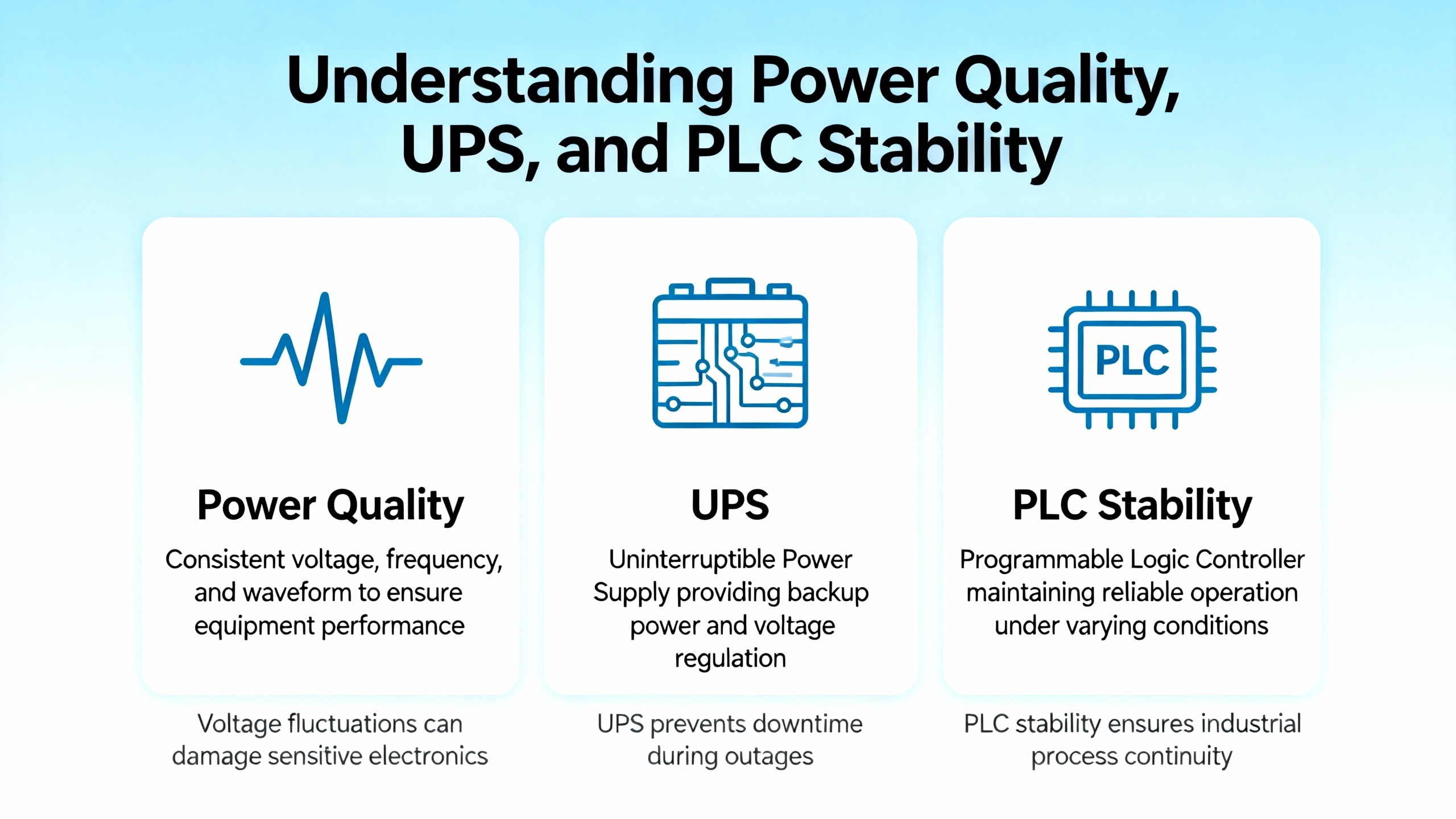
Power Quality, UPS, and PLC Stability
Because this guide focuses on industrial and commercial power supply systems, it is worth zooming in on the power quality side of PLC restoration. Many of the repeated, hard‑to‑diagnose PLC failures I encounter trace back to the power system design rather than to the controller itself.
Technical resources on PLC troubleshooting and preventive maintenance stress that power supply issues are a recurring cause of PLC shutdowns and logic anomalies. Voltage dips from motor starts, transformer inrush, or upstream faults can momentarily drop control power below tolerance, particularly when PLC and I/O power supplies are fed from lightly protected sources. Electrical noise, such as radio‑frequency and electromagnetic interference from variable‑speed drives and switching power supplies, can inject enough disturbance into control wiring to cause erratic behavior.
UPS systems and power conditioning equipment are therefore central tools, not accessories. By feeding Schneider PLCs and their associated control power from a properly sized UPS, you can ride through brief utility disturbances and brownouts that would otherwise trip logic or cause reboots. Surge protective devices on the control circuits guard against overvoltage spikes that can punch through module input stages. Schneider Electric and other maintenance experts also recommend tightening and inspecting power connections regularly, since degraded interfaces such as loosened busbar joints not only waste energy as heat but also accelerate insulation damage and failure risk.
To connect symptoms and causes in a practical way, it is helpful to think in terms of the relationship between what the PLC is doing and what the power system is doing around it. The following table illustrates a few typical scenarios using patterns described in PLC troubleshooting and power system maintenance literature.
| Symptom at Schneider PLC | Likely Power or Protection Issue | First Technical Checks |
| PLC randomly resets or loses program after outages | Undersized or noisy control power, no UPS, failing backup battery | Measure control supply under load, review UPS coverage, check battery indicators and replace as needed after verified backups |
| Multiple I/O modules fail over weeks on inductive loads | Unsuppressed inductive kicks from contactors, solenoids, or coils | Confirm presence and condition of surge suppression on inductive loads, verify output voltage within allowed tolerance, engage repair services if modules show internal damage |
| Analog signals are noisy or drift when large motors run | Ground loops and poor shielding, shared raceways with high‑current conductors | Check that shields are grounded at only one end, measure resistance between grounds to detect loops, separate low‑level and high‑current wiring where practical |
| PLC status LEDs show intermittent faults that correlate with humidity or temperature spikes | Environmental conditions outside spec and degraded insulation or contamination | Monitor panel temperature and humidity, inspect filters and vents, clean dust and corrosive deposits, consider adding environmental sensors for condition‑based maintenance |
These scenarios show why restoration work on the PLC must be tightly coordinated with the design of UPS, surge protection, grounding, and wiring practices. Fixing the controller without fixing the power quality simply sets you up for a repeat call.
Building a Preventive Maintenance Program Around Your Schneider PLCs
Once a Schneider PLC has been restored, the next question is how to prevent a repeat failure. There is wide agreement in Schneider Electric’s own publications and independent PLC maintenance guides that there are no maintenance‑free electrical systems. Reliability depends on strategy, not wishful thinking.
Preventive and condition‑based maintenance guidance for PLCs typically recommends a layered schedule rather than ad‑hoc interventions. At the lightest level, weekly or routine visual inspections help catch obvious issues such as damaged cabling, clogged filters, or overheating components. On a longer cadence, such as monthly or quarterly, teams review PLC program integrity, check diagnostic logs for recurring faults, and verify that I/O points are behaving as expected. Annually, a more comprehensive review of the control system, including environmental conditions, wiring, and power quality, is advised.
Several consistent themes emerge from multiple technical sources on PLC care. The first is environmental control. PLCs and their I/O modules are designed for industrial environments but still have specified ranges for temperature and humidity. Allowing a panel to run continuously above those limits or tolerate condensation and dust leads to overheating, corrosion, and conductive contamination. Cleaning or replacing enclosure filters, clearing dust and debris, and ensuring adequate airflow in the PLC cabinet are foundational maintenance tasks.
The second theme is electrical connections and wiring. Regularly tightening terminals, inspecting for corrosion or discoloration, and verifying proper grounding and shielding reduce intermittent faults and noise. When analog signals or high‑speed digital inputs misbehave, one of the first recommendations in troubleshooting literature is to look for ground loops and improper shield terminations, particularly in shielded cables that were grounded at both ends.
The third theme is data protection and firmware management. Industry experts recommend automating backups of PLC programs and configuration data, storing copies in multiple secure locations, and periodically testing restores so that you are not discovering backup corruption during a crisis. Firmware and software should be kept current using official releases, with full backups taken beforehand and post‑update testing to confirm performance and stability. Schneider Electric’s own repair and update services emphasize applying the latest engineering revisions as a way to improve reliability and application flexibility during scheduled maintenance.
Calibration and component health also matter. Guidance from PLC maintenance sources suggests calibrating analog input and output cards on a defined interval, cleaning and checking analog devices, and inspecting I/O modules and their LEDs for signs of damage or unusual behavior. Backup batteries must be replaced on the schedule recommended by the manufacturer or sooner if warning indicators appear. Modern PLC diagnostic tools and logs can support this preventive work by highlighting early error trends and performance issues before they become downtime events.
Finally, documentation and training close the loop. Articles on troubleshooting industrial automation systems strongly recommend standard operating procedures and service logs for each machine. Recording symptoms, steps taken, repairs made, and operator observations not only reduces downtime during the next event but also supports training of newer technicians. Personnel should be familiar with Schneider manuals and specifications and trained to respect safety protocols during maintenance, particularly around UPS‑backed power and high‑energy switchgear.
Repair, Refurbish, or Replace? Making the Right Call
Once you have a non‑working Schneider PLC diagnosed, you face a strategic choice. Do you repair the existing unit, refurbish and modernize it with help from Schneider Electric Industrial Repair Services or third‑party specialists, or take the opportunity to migrate to a new platform?
Schneider Electric positions its industrial repair offerings as a way to achieve cost avoidance, extend the life of obsolete products, and avoid retraining and process re‑engineering. Repairs are not limited to Schneider branded equipment; the service covers equipment from most major manufacturers, and repaired spares can be cleaned, tested, certified, and held in inventory with known good status. Testing and certification programs come with a one‑year warranty and proactively replace components that data shows to be high risk. Scheduled maintenance programs refurbish serviceable items by replacing agreed‑upon components to extend service life under normal operating conditions.
Independent repair houses focused on PLCs, including Schneider models, provide additional flexibility. Firms like AES highlight a free evaluation and quote process, followed by component‑level repairs using large inventories of common and hard‑to‑find parts, dedicated test programs to verify CPU and logic performance, and run testing under load before a comprehensive cleaning and repackaging. With standard lead times of eight to ten business days and rush options of one to three days, supported by twenty‑four month limited warranties, these providers can be attractive for non‑OEM but still rigorous repairs.
Specialists such as Roc Industrial LLC emphasize repairs for a wide range of Schneider PLC I/O modules, including Modicon families and analog, digital, and communication types, backed by ISO‑certified processes, same‑day service options, and comprehensive warranties. TEAMSESCO, with more than a century of industrial service history, focuses on twenty‑four hour emergency support, component‑level repairs across many PLC brands (including Schneider), and one‑year warranties, while others, like UpFix, show that there is an established aftermarket repair ecosystem for Schneider industrial electronics with standard weekday customer support.
In practice, your restoration strategy should weigh downtime risk, criticality, and lifecycle plans. For a critical UPS control PLC or a system coordinating multiple substations, a common approach is to keep a fully tested spare PLC and key I/O modules on the shelf. During a failure, you swap in the spare within minutes and send the failed hardware for repair and forensic analysis. For older or non‑critical systems, sending a failed PLC to Schneider Electric’s repair services or a trusted third‑party provider without maintaining a complete spare set may be an acceptable trade‑off, especially when replacement platforms would require costly process changes and retraining.

Short FAQ on Schneider PLC Restoration
How can I tell if the Schneider PLC itself is bad or if it is just an I/O or field device problem?
Start by checking basic power supply and CPU status. If the Schneider CPU power LED is off while control power is healthy, or if serious error LEDs remain latched and the controller refuses to run even after power cycling, that points toward internal faults. On the other hand, if the CPU appears healthy but specific inputs or outputs misbehave, most field experience and technical articles indicate that the fault is more likely in I/O modules, wiring, or field devices. Confirm expected voltages at the module terminals with a multimeter, compare PLC command bits with module LEDs, and work outward along the circuit. Only after these checks fail should you conclude that the PLC hardware itself is the root cause.
Will adding a UPS really improve the reliability of my Schneider PLC?
Evidence from PLC troubleshooting guides and electrical maintenance articles strongly supports the reliability benefits of UPS systems on control power. Sudden power loss, voltage fluctuations, and electrical noise are repeatedly cited as leading triggers for PLC shutdowns and corrupted memory. Feeding Schneider PLCs and associated control power through a properly sized UPS and surge protection system helps the controller ride through short disturbances, protects against damaging spikes, and reduces the probability of random resets or lost programs. As long as you maintain the UPS itself and verify its performance, it is one of the highest‑impact improvements you can make for PLC stability.
When should I consider sending a non‑working Schneider PLC out for professional repair instead of just replacing it?
Professional repair is particularly attractive when the PLC is part of an established platform with significant application engineering invested, when the specific model is obsolete or difficult to source, or when downtime and retraining costs from a platform change would be high. Schneider Electric’s industrial repair services and independent repair providers both emphasize cost savings compared with new purchases, extended life for legacy equipment, and warranties on the repaired units. If your diagnostics suggest genuine internal faults—such as CPUs that will not start with correct power or I/O modules with repeated, unexplained failures—while your plant has spare capacity to bridge the repair lead time, a structured repair program is often more economical and sustainable than constant replacements.
Closing Thoughts
Restoring a non‑working Schneider PLC is not about finding a single magic reset; it is about systematically validating power, protection, I/O integrity, communications, and environment, then choosing the right combination of repair and preventive maintenance to keep the problem from returning. When you combine disciplined troubleshooting with clean, conditioned power, a solid UPS strategy, and a partnership with capable repair services, your PLCs stop being single points of failure and become reliable, long‑lived assets at the core of your power system.
References
- https://d2xu45q6ja2axg.cloudfront.net/userfiles/images/pdf/industrial-repair-brochure-schneider-electric.pdf
- https://electrical-engineering-portal.com/good-plc-system-maintenance
- https://www.teamsesco.com/plc-repair
- https://www.aesintl.com/programmable-logic-controller-service-plc-repair/
- https://balajiswitchgears.com/plc-troubleshooting-and-diagnostics-common-problems-and-solutions/
- https://kwoco-plc.com/troubleshooting-common-plc-failures/
- https://www.rocindustrial.com/repair-page/schneider-electric-plc-i%2Fo-module-diagnostics-and-calibration
- https://www.schneiderelectricrepair.com/about-schneider-electric-repair/
- https://control.com/technical-articles/troubleshooting-plcs-and-i-o-modules-using-tools-and-instruments/
- https://forum.digikey.com/t/guide-to-troubleshooting-industrial-control-and-automation-equipment/42390


 Videos
 News
News Applications












Leave Your Comment