As a power system specialist focused on reliability, I approach Schneider Modicon PLC troubleshooting with the same discipline used to protect critical UPS and inverter-backed systems: stabilize the power path first, trust the controller’s diagnostics, and verify communications using known-good methods before touching logic. This article consolidates field-proven workflows and Schneider Electric guidance to help technicians and reliability engineers shorten mean time to repair while preserving controller data and uptime. The content draws on Schneider Electric technical notes and FAQs, Digi‑Key troubleshooting guidance, Electrical Engineering Portal maintenance practices, Control.com forum field practice, Oxmaint community advice for SCADA communications, Industrial Automation Co. process tips, and a recent M580 case study shared by an engineer on LinkedIn.
Modicon Platforms and Software: What You’re Working With Matters
Schneider’s Modicon line spans multiple generations and software stacks. Knowing which platform you have—and how it is normally accessed—saves hours during a stoppage. Modicon Premium controllers were historically programmed with PL7, and certain Premium CPUs can be upgraded to use Unity Pro or EcoStruxure Control Expert, though part numbers alone may not reveal this. The M340 family is a mid‑range mainstay that uses Unity Pro or EcoStruxure Control Expert and commonly communicates over Modbus TCP. The M580 continues the Ethernet‑centric architecture and modernizes controller and network diagnostics further. Quantum systems often rely on Remote I/O (RIO) networks that have strict cabling specifications. Legacy access methods also matter: Premium’s TER port is RS‑485 and is best reached using the original cable with the integrated RS‑232/RS‑485 converter, while Ethernet access may be through an ETY module.
A concise mapping of platforms to access and diagnostic touchpoints is below.
| Family | Typical Software | Primary Access | Notable Diagnostics and Notes |
| Premium | PL7; some CPUs support Unity Pro/EcoStruxure Control Expert | TER RS‑485 with original cable; Ethernet via TSXETY4103 | PL7 requires XWAY drivers; ETY IP can be discovered from the application file or by capturing Gratuitous ARP at power‑up; PL7 has been out of download service since 2018 per Schneider Electric community guidance. |
| M340 | Unity Pro/EcoStruxure Control Expert | USB and Ethernet (Modbus TCP) | Front‑panel LEDs for power, run, fault, I/O and comms; blocking errors identified via %SW125/126/127; only Schneider SD cards are supported, and the SD access LED sits behind the card cover. |
| M580 | EcoStruxure Control Expert | Ethernet (Modbus TCP and Schneider services) | Modern diagnostics and rack health visibility; a recent field case showed STOP mode caused by corroded rack contacts, resolved by replacing the rack. |
| Quantum | Unity Pro | RIO network, Ethernet comms modules | RIO cabling is exacting; poor connectors, wrong cable, bend radius violations, or recalled CRA/CRP modules can cause intermittent failures, per Control.com forum experience. |

How Modicon Controllers Report Faults
Schneider controllers communicate problems through states, LEDs, and diagnostic data words. Understanding these mechanisms lets you correct the root cause rather than chasing symptoms.
States and Error Categories
Schneider documentation for Machine Expert controllers outlines three error categories that map well to broader Modicon practice. External errors arise from device faults, communications interruptions, missing modules, or misconfigurations; they do not necessarily change the controller state and can present as Running with External Error or Stopped with External Error. Application errors result from improper logic or watchdog violations and normally force a HALT state. System errors reflect runtime conditions the controller cannot manage, such as hardware or firmware exceptions or illegal memory writes; these may force a boot or empty state. Practically, treat external errors by validating device presence and configuration, restoring communications, and aligning the boot application. Treat application errors by debugging logic and watchdog timing. Treat system errors by investigating firmware and hardware integrity and ensuring your program is not writing outside allowed memory.
LED Patterns and Diagnostic Words on M340
On M340, LEDs tell you a lot within seconds if you know what to watch. Schneider Electric’s M340 troubleshooting guidance explains that certain error conditions are blocking: the CPU halts on the current instruction, the ERR LED flashes, and a simultaneous RUN and ERR flash indicates a blocking error. Use Unity Pro or EcoStruxure Control Expert to read %SW125 (error nature) and the offending instruction addresses in %SW126 and %SW127. Recovery typically involves initializing and restoring. Setting %S0 to 1 re‑initializes the PLC, returns data to initial values, refreshes inputs, and drives outputs to their fallback state; you can then command RUN to resume execution after you correct the underlying fault.
Memory cards and comms modules matter as well. M340 supports only Schneider SD cards; typical flash endurance is on the order of 100,000 write/delete cycles, and the SD access LED is located under the protective cover. For network modules, CANopen (BMX NOM 0200) and Ethernet (BMX NOE 01x0) use LED indicators, and display behavior differs slightly across module versions.
A Proven Troubleshooting Workflow
There is a repeatable workflow that works across OEM lines, water/wastewater facilities, and process plants. It starts with safety, preserves data, and narrows the search domain quickly. The approach below blends Digi‑Key’s six‑step teaching framework with Schneider practices and field experience.
Begin with safety and power integrity. Apply lockout/tagout, use proper PPE, and avoid shortcuts in energized cabinets. Downtime is costly—Digi‑Key notes it can reach hundreds to thousands of dollars per minute—yet no job is worth a serious injury. Verify the PLC power supply with a multimeter and confirm clean, stable voltage at the CPU and I/O racks; for 24 V DC systems, catch sags, loose terminals, blown fuses, or a failing PSU early. Keep an eye on CPU battery indicators; if the RAM backup battery shows a low condition, replace it to avoid program loss during outages, as MRO Electric reminds.
Check front‑panel indicators and controller diagnostics next. Observe CPU, I/O, and communication LED states before cycling power, and photograph them if practical. Connect with Unity Pro or EcoStruxure Control Expert and read the diagnostic buffer, error words, and watchdog status. On M340, note any blocking error indication and resolve the instruction‑level fault using %SW125/126/127. Do not rush to download a program until you know whether the fault is external, application, or system.
Move to I/O modules and field devices once power and CPU status look reasonable. DoSupply points out that once systems are correctly wired and programmed, most control problems originate with I/O modules or field devices. Validate outputs first, then inputs: reseat modules, verify module type and slot match the project, and test suspect devices individually with known‑good parts where possible. If a replaced module fails again, evaluate inductive loads and add suppression, as Electrical Engineering Portal advises.
Evaluate the program coherently rather than hunting at random. Use online monitoring to see which conditions are true at the moment a sequence stalls. Start with the area of the logic where a timer never fires or a compare never becomes true, and walk backward. If you recently changed code, focus your effort there. Compare the running project to the master backup and reload if they diverge.
Consider environmental and mechanical contributors, especially in harsh service. The M580 case shared on LinkedIn is instructive: after systematic module swaps and CPU testing on a spare rack, corrosion on the rack backplane contacts turned out to be the real problem, caused by chemical exposure. Enclosure cleanliness, airflow, and component spacing matter. Electrical Engineering Portal recommends keeping dust away from CPUs and heat sinks, cleaning or replacing filters proactively, and keeping heat‑ and noise‑generating equipment away from PLC enclosures. Vibration loosens terminals and modules; a cabinet‑mounted vibration detector tied into the PLC can provide early warning.
Use disciplined restarts only when indicated. Warm and cold restarts behave differently across platforms; make sure you understand retained data and initial values. On M340, an explicit re‑initialization via %S0 restores initial values and output fallbacks, and a subsequent RUN command restarts execution. If memory corruption is suspected after power disruptions, perform a controlled reload of the application.
Harden communications and tame the network. Before blaming logic, verify that Ethernet links are up, link LEDs are lit, and physical connectors are intact. Replace questionable patch cords and reseat modules. If CPU fault LEDs are off and logic looks correct, test field devices and communications paths next. EMI and RFI from welding, large motor starts, or radios can wreak havoc; proper shielding and separation reduce noise.
Finally, secure your data. Before you stop a running system for deeper work, capture active data. Schneider’s guidance on Unity Modicon PACs distinguishes located data with fixed addresses from unlocated data that can shift across builds. Immediately before stopping the controller, save data from PLC to file. Using DTX files is recommended in supported versions of Unity Pro. For offline builds and full downloads where data must be restored exactly, place at‑risk data in located areas. Unity DIF and other tools can compare project and runtime data as part of audits. In production, operationalize persistence by periodically updating initial values from current values and triggering system services that commit data.
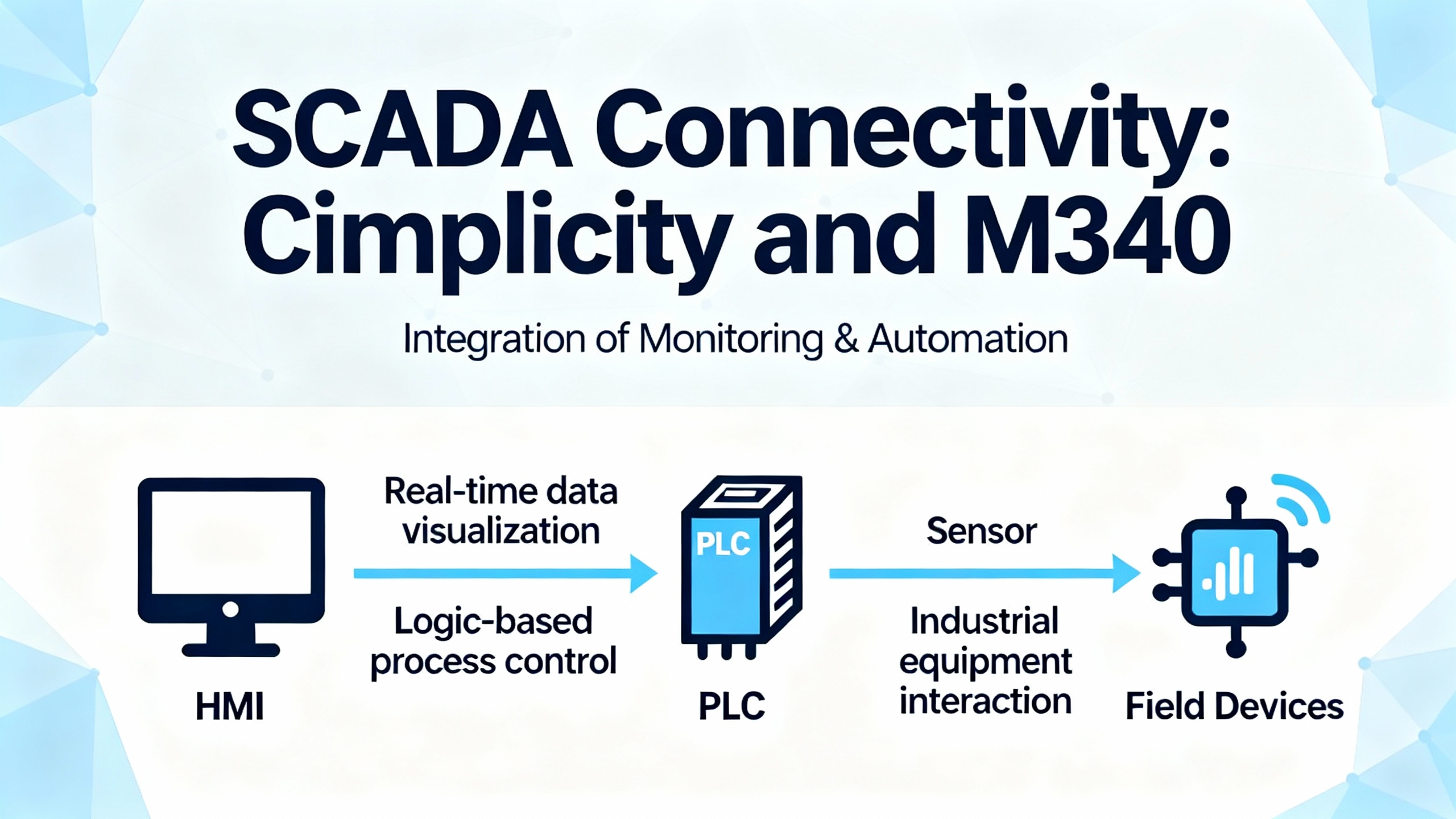
SCADA Connectivity: Cimplicity and M340
When Cimplicity 6.0 cannot read points from an M340, the fastest path is a structured connectivity check. Confirm the basics first. Validate that the PLC is in RUN, then ensure the Ethernet parameters—IP address, subnet mask, gateway—match the plant network plan. Ping the PLC from the SCADA host and try a telnet to TCP port 502, because Modbus TCP uses that port. If pings fail or telnet cannot open, suspect network reachability. Check for duplicate IP addresses and blocked VLAN paths.
Map the SCADA side meticulously. Confirm that the driver or OPC server type matches your PLC (for example, Modbus TCP or the Schneider OPC server) and that the version is compatible with Cimplicity 6.0. Verify device addressing and point mapping; mismatched register offsets or data types break reads even when the network is perfect.
Eliminate network middleware obstacles. Firewalls, endpoint protection, and network ACLs often drop unsolicited packets. Whitelist the SCADA host, allow the required ports, and consider a temporary ruleset that proves the path works before you tighten policies. Check Cimplicity and PLC diagnostics for timeouts, malformed frames, and license errors. If you change firmware or drivers, restart services on both ends and retest. For deep visibility, capture traffic with Wireshark and look for Modbus transaction errors.
A compact checklist of SCADA connectivity checks is below.
| Check | What to Verify | Tools and Hints |
| Network reachability | IP/subnet/gateway and duplicate IPs | Ping the PLC and telnet to port 502; confirm RUN state on the PLC. |
| Driver and versions | Modbus TCP or Schneider OPC driver compatibility with Cimplicity 6.0 | Confirm driver version; align with PLC firmware support. |
| Point mapping | Register ranges, word/bit addressing, data types | Cross‑check tag definitions with PLC register list. |
| Security layers | Firewall, AV, ACLs along the path | Temporarily relax to prove function, then harden. |
| Diagnostics | Timeouts, malformed frames, license issues | Review Cimplicity logs and PLC diagnostics; use Wireshark if needed. |
Guidance here consolidates advice shared on the Oxmaint community and aligns with standard Schneider and SCADA practice.
Platform‑Specific Pitfalls and Lessons Learned
Legacy Premium systems require forethought. The PL7 software has not been available for download for years, and the original application file is critical for diagnosis or migration. Uploading from the CPU is only possible if the last download included upload information. The TER serial port is RS‑485 and expects the original cable set with an integrated converter; making your own is risky, and these cable sets are no longer sold. On Ethernet, Premium systems often use TSXETY modules. If the IP address is unknown, you can power up and capture Gratuitous ARP frames in Wireshark to learn it, or find it in the application file. Install XWAY drivers (bundled with PL7) to communicate over both Ethernet and TER, and involve Schneider Electric services or an experienced engineer when history is uncertain.
Quantum systems demand rigorous RIO cabling. Control.com forum contributors routinely find that shortcuts in cable type, connector quality, crimp tools, trunk/drop lengths, or bend radii cause intermittent or failed communications. Study the published RIO requirements before inspection, and survey the entire cable plant for spec compliance and physical damage. If cabling is clean, test with a known‑good CRA/CRP module and verify against any recall notices affecting certain serial numbers.
The M580 case illustrates environmental vulnerability. In a wastewater plant, a PLC that dropped into STOP mode was pursued methodically through diagnostics, module isolation, CPU verification on an older rack, and finally a rack inspection. Corrosion on the backplane contacts turned out to be the root cause, and replacing the rack restored RUN mode. The lesson is clear: preserve a clean, protected enclosure, maintain spares, and never rule out mechanical or environmental factors just because electronics look healthy.
Power Protection and Uptime Strategy for PLCs
PLC reliability is inseparable from power quality. Brownouts, surges, and momentary loss can corrupt RAM or leave I/O in unknown states. For critical control, protect your control voltage with appropriately sized surge protection and a UPS that holds the controller up during switching events and maintenance windows. Industrial Automation Co. emphasizes verifying supply voltage with a meter and ensuring all power connections are secure. Digi‑Key and DoSupply both connect the dots between power integrity and fast restoration: verify breakers, wiring, and ground integrity early, because it shortens the diagnostic path. During planned firmware updates, Schneider Electric recommends a local, direct connection with a UPS supplying stable power for the entire maintenance window.
Environmental control further protects uptime. Electrical Engineering Portal stresses enclosure airflow and cleanliness, since dust on heat sinks raises temperatures and conductive dust can short boards permanently. Keep manuals and paperwork off CPU racks to avoid hot spots, and separate the PLC from heavy, noise‑generating equipment. Where vibration is persistent, add a vibration detector input to the PLC and tighten terminals on a regular schedule.
Care, Spares, and Buying Tips
Spares reduce recovery time from hours to minutes. Electrical Engineering Portal offers a simple inventory rule: stock roughly ten percent of the count of commonly used parts, and keep at least one spare of every main CPU board and each power supply. For mission‑critical applications, keep a complete spare CPU rack on the shelf so that an immediate swap is possible when diagnosis would take too long. In modern Modicon families, standardize on Schneider‑approved SD cards for program storage, and expect typical flash endurance around 100,000 write/delete cycles. For Premium systems, do not purchase improvised TER cables; the original converter cable is the safe choice. For all platforms, treat firmware as part of your bill of materials. Schneider Electric’s best practices recommend establishing a baseline that includes CPU model, module list, firmware and boot levels, programming environment version, and project checksum. Maintain a spare CPU and critical modules flashed to your approved baseline for fast replacement.
Vet compatibility before you buy replacements. Firmware, communication modules, DTMs, and software versions must align. Read Schneider Electric’s compatibility matrices and release notes. A mismatch can create elusive faults that look like wiring or logic defects. During updates, use official Schneider tools such as OSLoader or the update function in EcoStruxure Control Expert. Verify file integrity and follow the vendor’s update order. Plan downtime with a UPS, avoid remote links, and document everything: version numbers, serials, module references, who approved and installed changes, and when. Security belongs in the buying decision too. Harden the engineering laptop used for updates and isolate the control network during sensitive operations where appropriate.

Pros and Cons of Diagnostic Approaches
Vendor tools reach into the PLC’s diagnostic core with clarity, while general network tools see the wire. Using Unity Pro or EcoStruxure Control Expert, you can read error words, watch tasks execute, and compare projects against the controller. The downside is that changing values or forcing I/O without a plan can mask the real fault and create new ones, particularly around watchdogs and interlocks. Using general network tools such as ping, telnet to port 502, and Wireshark provides a neutral view. They quickly reveal addressing mistakes, blocked ports, or malformed frames without touching the logic. However, they do not show you why a Modbus tag never toggles in the program. A balanced approach is best: prove the wire is good before opening the program, then use vendor diagnostics to fix errors at their source.
Quick Reference: M340 CPU LED Meaning and First Actions
| Indicator or Symptom | Likely Meaning | First Action |
| RUN and ERR flashing together | Blocking error; tasks halted | Read %SW125/126/127; correct the offending instruction; set %S0 to 1 to re‑initialize; command RUN after correction. |
| ERR flashing, SD access frequent | File system or SD contention | Use only Schneider SD; check program file access patterns; avoid frequent writes beyond endurance expectations. |
| COMM LEDs off on Ethernet module | Link down or configuration issue | Reseat cables and module; verify IP/subnet/gateway and driver configuration; check port 502 reachability. |
Takeaway
Reliable Modicon troubleshooting is a discipline, not a scramble. Start with power integrity and safety, then trust what the controller and its LEDs are telling you. Verify the network path and driver alignment before editing logic. Focus next on I/O modules and field devices because, as DoSupply notes, most persistent control problems live there once wiring and code are correct. Protect your ability to recover by backing up active data before stopping the controller and by maintaining baselined, pre‑flashed spares. Treat environmental and mechanical stressors as first‑class risks, because a corroded backplane can stop a production line as surely as a failed CPU. Across all of this, a clean UPS‑backed power path and disciplined firmware and data management are the best insurance you can buy.
FAQ
How do I recover from a blocking error on a Modicon M340?
A blocking error halts the CPU on the current instruction and typically shows as a simultaneous RUN and ERR flash on the front panel. Connect with Unity Pro or EcoStruxure Control Expert, read %SW125 to learn the error nature, and check %SW126 and %SW127 for the offending instruction addresses. Correct the underlying logic or configuration, set %S0 to 1 to re‑initialize the PLC so data returns to initial values and outputs move to fallback, and then issue a RUN command after you confirm the fix.
Can I use any SD card in an M340, and how long do they last?
Use only Schneider Electric SD cards with M340; third‑party cards are not supported. Schneider guidance notes typical flash endurance on the order of 100,000 write/delete cycles. Design your application to avoid unnecessary writes, and keep at least one tested spare card on hand in your spares kit.
What should I do if I cannot access an older Modicon Premium PLC?
Premium systems were commonly programmed with PL7, which has not been available for download since 2018 according to the Schneider Electric community. Diagnosis is smoothest when you have the original application file, especially if the last download included upload information. Use the original TER RS‑485 cable and XWAY drivers, and reach Ethernet through the TSXETY module if fitted. If the ETY IP address is unknown, power the rack and capture Gratuitous ARP with Wireshark, or look up the address in the application file. If you are missing tools or project files, call an experienced Schneider engineer or your local Schneider Electric service organization.
Cimplicity 6.0 cannot communicate with my M340. Where do I start?
Confirm the controller is in RUN, then validate basic network reachability: IP addressing, subnet, and gateway should match your plan. Ping the PLC from the SCADA host and attempt a telnet connection to port 502 to exercise Modbus TCP. Verify the driver or OPC server choice and version compatibility with Cimplicity 6.0, and ensure tag addressing and data types align with the PLC registers. Review firewalls, antivirus, and ACLs for blocked ports, and use Wireshark to look for timeouts or malformed frames. After any driver or firmware change, restart the relevant services and test again. This sequence aligns with advice shared on the Oxmaint community.
How should I prepare for Modicon firmware updates and still protect uptime?
Establish a baseline first: record module models, firmware and boot levels, programming environment version, and the project checksum. Back up the project and copy any memory card image and network settings before you flash. Schedule a maintenance window supported by a UPS, and use a direct local connection rather than a remote link. Apply only Schneider‑provided firmware with OSLoader or EcoStruxure Control Expert, follow the vendor’s update order, validate LEDs and communications afterward, and keep a rollback plan with prior firmware packages. Schneider Electric’s best‑practice notes emphasize documenting every change and maintaining a spare CPU flashed to the approved baseline for rapid swap if needed.
What is the fastest way to protect data before I power down a running controller?
Use the vendor tools to save active data from the PLC to a file immediately before stopping. Schneider recommends using DTX files in supported Unity Pro versions and warns that unlocated data may be fragile across builds. For maintenance that requires a full download, place critical at‑risk values in located areas so they can be restored exactly. After download, restore data from the file, then command RUN. Over time, operationalize persistence by regularly updating initial values from current values and by using built‑in services to commit data.
References
This article draws on guidance and field experience from Schneider Electric technical FAQs and product help, Digi‑Key’s troubleshooting guide, Electrical Engineering Portal maintenance practices, Control.com forum discussions on Quantum RIO, the Oxmaint community’s Cimplicity–M340 connectivity advice, Industrial Automation Co. troubleshooting steps, MRO Electric maintenance tips, the Schneider Electric community discussion on Premium PLC troubleshooting, and a LinkedIn case study on M580 rack corrosion. Links will be added separately in the References section.
- https://www.waketech.edu/course/mec-3010m1
- https://www.polk.edu/wp-content/uploads/Mechatronics-PLC-Course-summary1.pdf
- https://admisiones.unicah.edu/browse/aKQNCq/5OK095/PlcLabManualInfoPlc.pdf
- http://www.mcsprogram.org/browse/u11ED8/242143/Modicon%20Plc%20Programming%20Manual.pdf
- https://www.plctalk.net/forums/threads/help-with-an-error-on-a-modicon-m340.112556/
- https://electrical-engineering-portal.com/good-plc-system-maintenance
- https://www.linkedin.com/posts/mohammedkhan3062_plctroubleshooting-modiconm580-schneiderelectric-activity-7322663718855573505-EjUy
- https://community.oxmaint.com/discussion-forum/resolving-cimplicity-6-0-communication-issues-with-schneider-m340-plc-troubleshooting-guide
- https://forum.digikey.com/t/guide-to-troubleshooting-industrial-control-and-automation-equipment/42390
- https://industrialautomationco.com/blogs/news/how-to-troubleshoot-plc-issues-step-by-step-solutions?srsltid=AfmBOooDnNLTRbxuSfXBrWYkv2a9ns9a-06PhrQyE1py7hbVeBd9LADF


 Videos
 News
News Applications












Leave Your Comment