Why HMI Panels Matter in Pharma Manufacturing
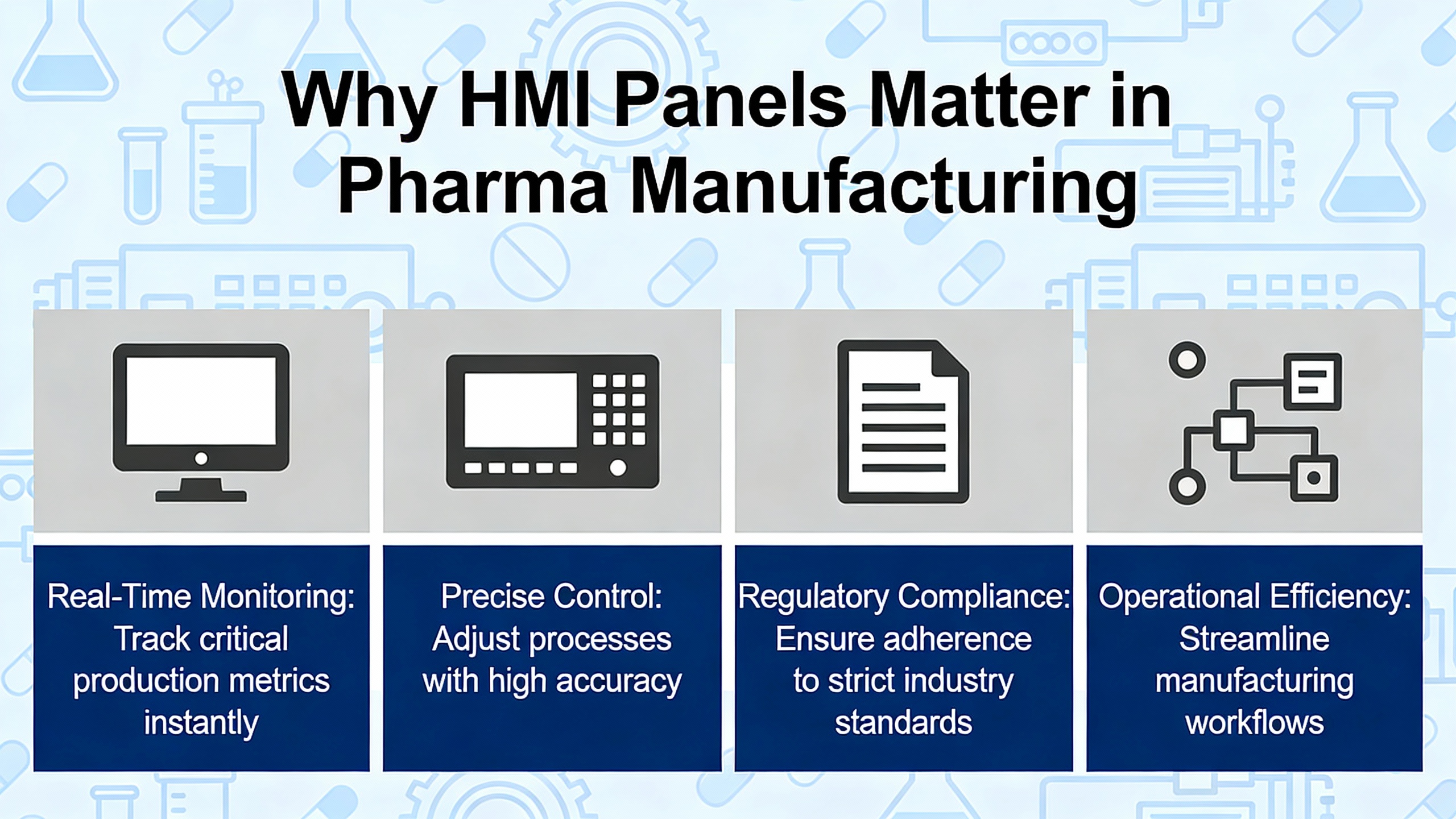
In a modern pharmaceutical plant, the human–machine interface is no longer just a pretty screen on the wall. It is the control surface for critical quality attributes, the frontline window into your batch data, and an integral part of your compliance strategy. When I walk into a cleanroom suite, the HMI stations tell me more about the real reliability of the line than any glossy slide deck ever will.
An HMI in this context is the hardware and software panel through which operators interact with equipment, programmable logic controllers, and process control systems. As described by several industrial automation providers, these panels present real-time process values, alarms, trends, and workflow prompts so operators can start, stop, adjust, and document every step of drug manufacturing.
In pharmaceuticals, the stakes are higher than in most other industries. HMI panels are used to set and monitor parameters such as temperature, pressure, agitation speed, pH, flow rates, and ingredient levels across blending, granulation, filling, lyophilization, and packaging processes. Mochuan’s coverage of pharma HMIs stresses that precise control of these parameters is a cornerstone of Good Manufacturing Practice and consistent product quality. Real-time visualization lets operators detect deviations early, reducing the chance of non-compliant or substandard batches.
Poor HMI design, by contrast, has been implicated in serious industrial incidents. DataParc notes that badly designed HMIs have contributed to accidents in sectors like power and refining, largely because operators could not quickly grasp the state of the process or identify the right corrective action. The same logic applies in a sterile filling line: if the screen is cluttered, alarm floods are constant, or navigation is confusing, an operator under pressure can miss a critical warning.
From a power system and reliability standpoint, the HMI is also the most visible consumer of your control power. When an HMI freezes or reboots during a disturbance, you do not just lose a screen; you risk losing batch context, alarms, and in some cases the ability to safely intervene. That is why I treat HMI design and power protection as two sides of the same reliability strategy.
Core Requirements for Pharma HMIs: Cleanroom, Compliance, and Reliability
Cleanroom and Environmental Design
Pharmaceutical HMIs must survive aggressive cleaning, disinfectants, and continuous operation in clean, controlled environments. Systec’s WAVE system is a good illustration of the baseline you should expect. The panel is enclosed in stainless steel, with ingress protection around IP65, and is intentionally designed for fast, thorough cleaning with common cleaning agents and disinfectants. The design goal is simple: no crevices that harbor contaminants, no materials that degrade under cleaning chemicals, and no gaps that allow moisture or dust ingress.
VarTech Systems describes similar requirements for life sciences HMIs, emphasizing stainless steel, sealed enclosures rated to NEMA 4X or equivalent, with smooth, nonporous, corrosion-resistant surfaces. These systems are built for washdown and high humidity while preventing moisture intrusion and particulate contamination. Many are certified for hazardous locations, which matters where flammable solvents or powders are present.
From a user interaction standpoint, projected capacitive multi-touch (PCAP or PCT) is increasingly standard in cleanrooms. Systec’s WAVE panels use multi-touch displays with optical bonding for high color fidelity and wide viewing angles, and VarTech highlights glove-compatible touch operation, so operators can use the HMI without compromising gowning and hygiene protocols.
A simple real-world example makes the impact clear. Consider a legacy office-grade panel PC retrofitted into a Grade C cleanroom. Frequent cleaning with disinfectants attacks plastic surfaces and gaskets, leading to condensation inside the unit. Over a year or two, you start to see intermittent failures and ghost touches. Replacing that with a stainless, IP65 or NEMA 4X HMI designed for cleanrooms not only improves hygiene but also eliminates a recurring source of unplanned stoppages.
Regulatory and Data Integrity Expectations
The HMI is also a compliance tool. In a regulated environment, it must support data integrity and electronic records requirements under frameworks such as FDA’s 21 CFR Part 11, EMA guidelines, and GAMP 5. Research summarized from industry sources highlights several core capabilities.
First, secure user authentication and role-based access are mandatory. Each operator should log in with a unique identifier, and the system should enforce least-privilege permissions. Critical setpoints, recipe parameters, and engineering functions must be protected so that only authorized staff can change them.
Second, the HMI layer must support complete, time-stamped audit trails. Every change to a critical process parameter, every alarm acknowledgement, and every manual override should be logged with who did what, when, and why. This audit trail typically feeds into an electronic batch record or manufacturing execution system, providing end-to-end traceability from raw material to finished product.
Third, integration with MES is increasingly non-negotiable. Mochuan notes that many pharma HMIs are tied into MES to synchronize recipe management, batch execution, and production data analysis. Through the HMI, operators can access approved standard operating procedures, batch records, and historical data in one place. This reduces manual data entry and the associated risk of transcription errors, while reinforcing the principle of a single source of truth.
Körber Pharma’s Line Optimizer module, Execute, offers a concrete example of how this can work in practice. Execute runs through browser-capable devices or augmented reality hardware and guides operators with step-by-step instructions, images, and videos. It automatically documents each step, capturing snapshots, comments, and activities for comprehensive GMP documentation. Körber reports onboarding time reductions for new personnel of up to fifty percent when such guided workflows replace traditional paper SOPs. That is not just a training benefit; it is a significant reduction in the window where inexperienced operators might make mistakes.
Power Protection and Uptime Considerations
From a power and reliability perspective, HMI panels, control servers, and MES gateways should ride through disturbances without losing state or corrupting data. That typically means backing them with robust uninterruptible power supplies and clean power distribution.
Fuji Electric’s field guidance on UPS maintenance underscores how easily reliability can be undermined by something as mundane as dust. Their recommendations from UPS service work are blunt. Dirt, sawdust, and metal filings readily accumulate inside power equipment, even in seemingly clean environments, and can contaminate relay contacts or cause short circuits on printed circuit boards. To prevent that, they recommend at least annual cleaning of UPS equipment using non-conductive vacuum tools, avoiding compressed air that simply drives contaminants deeper into the unit, and always working on de-energized equipment with appropriate personal protective equipment.
In a pharma plant, where HMI panels may rely on a central UPS or localized units in control cabinets, neglecting this maintenance can have disproportionate effects. Imagine a sterile filling suite mid-campaign when a poorly maintained UPS fails under load. The HMIs go dark, operators lose visibility into filling heads and environmental conditions, and batch records in progress are left in an inconsistent state. Even if the product is physically intact, the data trail is compromised, and the batch may be at risk.
That is why I advocate treating HMI power as a critical load, not an afterthought. Power it from properly sized, well-maintained UPS systems, verify that safe shutdown of servers and HMIs is tested regularly, and ensure that electrical rooms and cabinets housing UPS and HMI hardware are kept clean and inspected. The cost of a single lost high-value batch due to a preventable power event often dwarfs the cost of disciplined UPS and power protection maintenance.
Designing Pharma HMI Screens That Operators Actually Trust
From P&ID Mimics to High-Performance Layouts
Traditional HMIs in process plants have often taken piping and instrumentation diagrams and simply colored them in. Orise’s analysis calls out these displays as static, cluttered, and visually inconsistent. They can be familiar to engineers but difficult for operators to use when the process is upset. Operators must scan dense graphics full of pipes and valves to make sense of what is going wrong, often while a storm of alarms fills the screen. That pattern is a direct path to alarm fatigue, where critical warnings are lost in the noise.
High-performance HMI design takes a different approach. Rather than replicating engineering drawings, it focuses on transforming raw data into actionable information. DataParc and Orise both emphasize that the primary goal is to support strong situation awareness: helping operators quickly identify the current state, understand what matters, and act correctly. That means overview screens that present key variables and statuses clearly, with drill-down screens for detail, instead of every detail all at once.
In a blister-pack line, for example, an overview screen might show line speed, reject rate, key temperature setpoints, and environmental status for the room, using a neutral background and clear, large values. From there, operators can navigate to dedicated screens for feeder performance, forming temperature profiles, or carton aggregation, rather than needing to parse them all on a single P&ID-style graphic.
Visual Hierarchy, Color, and Emphasis
Visual hierarchy is the operator’s lifeline during both routine operation and exceptions. Inductive Automation frames HMI design in terms of emphasis, asking one key question: how can the screen maximize operator efficiency? Their guidance, along with DataParc’s color recommendations, points toward a few consistent patterns.
First, the use of color should be deliberate and restrained. DataParc recommends a mid-gray background that aligns with control room lighting, with normal conditions appearing visually boring. Bright colors like red and yellow are reserved for abnormal situations and alarms. Inductive Automation suggests that if everything on the screen is bright and colorful, nothing truly stands out, so alarms lose their impact.
Second, multiple emphasis techniques should work together. Size, color contrast, position, and isolation all influence how quickly the eye finds important information. For example, a critical bioreactor temperature alarm can be displayed as a large numeric value with bold font, in a contrasting color, near the top-left of the screen where operators naturally begin scanning, and surrounded by sufficient empty space to avoid visual clutter. Less critical information, such as non-urgent status messages, can be smaller, muted, and located toward less dominant areas of the screen.
Consider a simple scenario. A fermenter temperature drifts beyond its upper limit. On a high-performance HMI, the operator sees a previously neutral temperature value turn a strong warning color, accompanied by an alarm icon and perhaps a subtle flashing border. The rest of the screen remains calm and muted. The operator’s eye goes immediately to the problem, rather than hunting through a sea of constantly moving graphics. That time difference, even if only seconds, can be the difference between adjusting a setpoint and declaring a deviation.
Reducing Cognitive Load Through Simplified Content
Maple Systems stresses the importance of engaging with plant personnel to understand what information they truly need. That means interviewing operators, observing their workflows, and validating prototypes, instead of designing screens in isolation. The result should be interfaces that present only the essential information for safe, efficient operation, with clutter and decorative graphics stripped away.
Transformation of raw data into intuitive visuals is a key part of this. Rather than dense tables of numbers, consider trend charts showing tank levels over time, gauges for critical pressures, and dashboard views that highlight whether a parameter is within its defined window. Maple notes that IIoT connectivity allows these real-time sensor values to be displayed wherever they are needed, helping operators compare current performance with setpoints and limits at a glance.
Dedicated maintenance screens are another best practice Maple calls out. These screens support safe-mode operations, guided tests, and troubleshooting, without overloading normal production views. For example, a maintenance screen might allow simulation of a valve signal, manual jogging of a conveyor, or visual checks of sensor states, all while clearly indicating that the equipment is in a maintenance mode that differs from normal production.
The payoff shows up both in safety and uptime. In one project review I was involved in, simplifying three overloaded process screens into a single overview and two focused detail screens reduced operator training time and cut nuisance helpdesk calls noticeably, because operators finally had an interface that matched how they thought about the process.
Alarm Philosophy for Pharma Processes
Alarms in pharma manufacturing must balance two conflicting needs: they must not be missed, and they must not be so frequent that they are ignored. Maple recommends that alarms be raised only when operator action is truly required, with non-urgent notifications being routed to maintenance or management channels rather than blaring on the HMI. DataParc and Orise both highlight the risks of alarm floods and alarm fatigue when too many alarms of mixed importance are presented without clear prioritization.
A structured alarm philosophy for pharma typically includes a clear hierarchy of priorities, consistent color and symbol conventions, and persistent visibility for the most critical alarms, such as those related to temperature excursions, differential pressure failures, or sterility-related parameters. Research on HMI use in drug manufacturing emphasizes that alarms should be tightly tied to critical quality attributes and critical process parameters, and that each alarm should have a defined response, not just a threshold.
From an HMI implementation standpoint, that might mean an always-visible alarm summary banner, with badge counters indicating active high-priority alarms, and separate views where operators can review lower-priority events without cluttering the main process view. Non-urgent conditions such as predictive maintenance alerts can be routed via email or other messaging tools to maintenance teams, as Maple suggests, so the HMI remains focused on what the operator must deal with right now.
Choosing the Right HMI Hardware for GMP Environments
Form Factors and Interaction Modes
The physical form of the HMI affects both operator efficiency and hygiene. Nelson Miller Group explains that HMIs are simply the interaction layer between humans and machines, and trends in multi-touch technology are reshaping what that layer looks like. Modern multi-touch panels detect the body’s electrical field rather than relying on pressure, allowing accurate, durable touch responses and more advanced gestures such as pinch-to-zoom.
In pharma, this translates into operators zooming into trend data, quickly panning across batch history, or using multi-touch gestures for navigation, all while wearing appropriate gloves. VarTech notes that their life-sciences HMIs are specifically designed for glove compatibility and wet conditions, so you do not trade hygiene for usability. For scenarios where touch is not preferred, such as when operators are using aggressive disinfectants that might make screens slippery, cleanroom-compatible keyboards and pointing devices, as offered with systems like Systec’s WAVE, can complement the touch interface.
Körber’s Execute module adds another dimension through augmented reality. Because Execute is accessible not only through panels but also via AR hardware such as optical headsets, operators can get step-by-step instructions overlaid on their workspace, while remaining hands-free. In practice, that could mean a technician performing a filter change sees each procedural step, with images, right in their field of view, and confirms completion through simple gestures or voice, while the system logs each step into the GMP record.
Environmental Ratings, Materials, and Mounting
Environmental robustness is non-negotiable. Maple’s hardware guidance stresses evaluating temperature, humidity, dust, and vibration. VarTech underscores that for life sciences automation, NEMA 4X-rated sealed enclosures, shock and vibration resistance, and chemical-resistant housings are standard expectations, not luxuries. Systec’s WAVE reinforces that the details matter, from stainless steel housings to optical bonding in displays that reduce condensation and improve readability.
Mounting options also influence both ergonomics and cleanliness. Systec offers flexible support arm systems so HMIs can be positioned optimally in cleanrooms, as well as mobile GMP workstations for labs. VarTech and similar providers support wall, panel, and VESA mounting to fit into existing infrastructure. Whatever the specific hardware, the mounting should allow operators to maintain comfortable postures and clear sightlines while keeping surfaces accessible for cleaning.
A concise comparison of typical attributes highlights what a pharma-grade HMI should provide versus a general industrial unit.
| Aspect | Pharma / Cleanroom HMI | General Industrial HMI |
| Enclosure material | Stainless steel, smooth, nonporous | Painted steel or aluminum, mixed finishes |
| Ingress protection | IP65 or higher, NEMA 4X, washdown capable | IP54–IP65, washdown often optional |
| Cleaning compatibility | Designed for frequent disinfectant use | Limited chemical resistance |
| Touch interaction | Glove-compatible PCAP, cleanroom keyboards | Mixed; glove use may be inconsistent |
| Regulatory context | Built for GMP, FDA, cGMP support | Focused mainly on industrial safety standards |
This table is not about marketing; it is a reminder that selecting an HMI without thinking about cleaning and compliance often leads to premature failure or extensive workaround procedures that auditors notice quickly.
Integration with Control Systems, MES, and Power Infrastructure
Technically, an HMI is just one node in a layered automation stack. Research-based summaries on pharma HMIs position them between controllers and MES or ERP systems, acting as the main layer where batch execution, equipment status, manual interventions, and operator decisions come together. Mochuan describes how HMIs integrated with MES provide operators access to recipes, batch records, and SOPs, while feeding back process data and alarms into central systems for analysis.
From a power and reliability perspective, that integration must be reflected in the electrical design. Controllers, HMI panels, network switches, and MES gateway servers that support critical pharma operations should be treated as a single availability domain. If the UPS protecting that domain fails or is undersized, the impact can be greater than the loss of one screen; you may lose the ability to complete or reconstruct batch records.
In my own practice, I recommend segmenting HMI and MES infrastructure into clearly defined critical loads, ensuring they are fed by robust UPS systems maintained according to guidance like Fuji Electric’s, and validating that failover behavior is predictable. Operators should know what happens to their HMIs and batch records if the primary UPS shuts down, and procedures should be validated during qualification, not during the first real disturbance.
Digital Workflows and Next-Generation Interfaces in Pharma
Guided SOP Execution and Electronic Batch Records
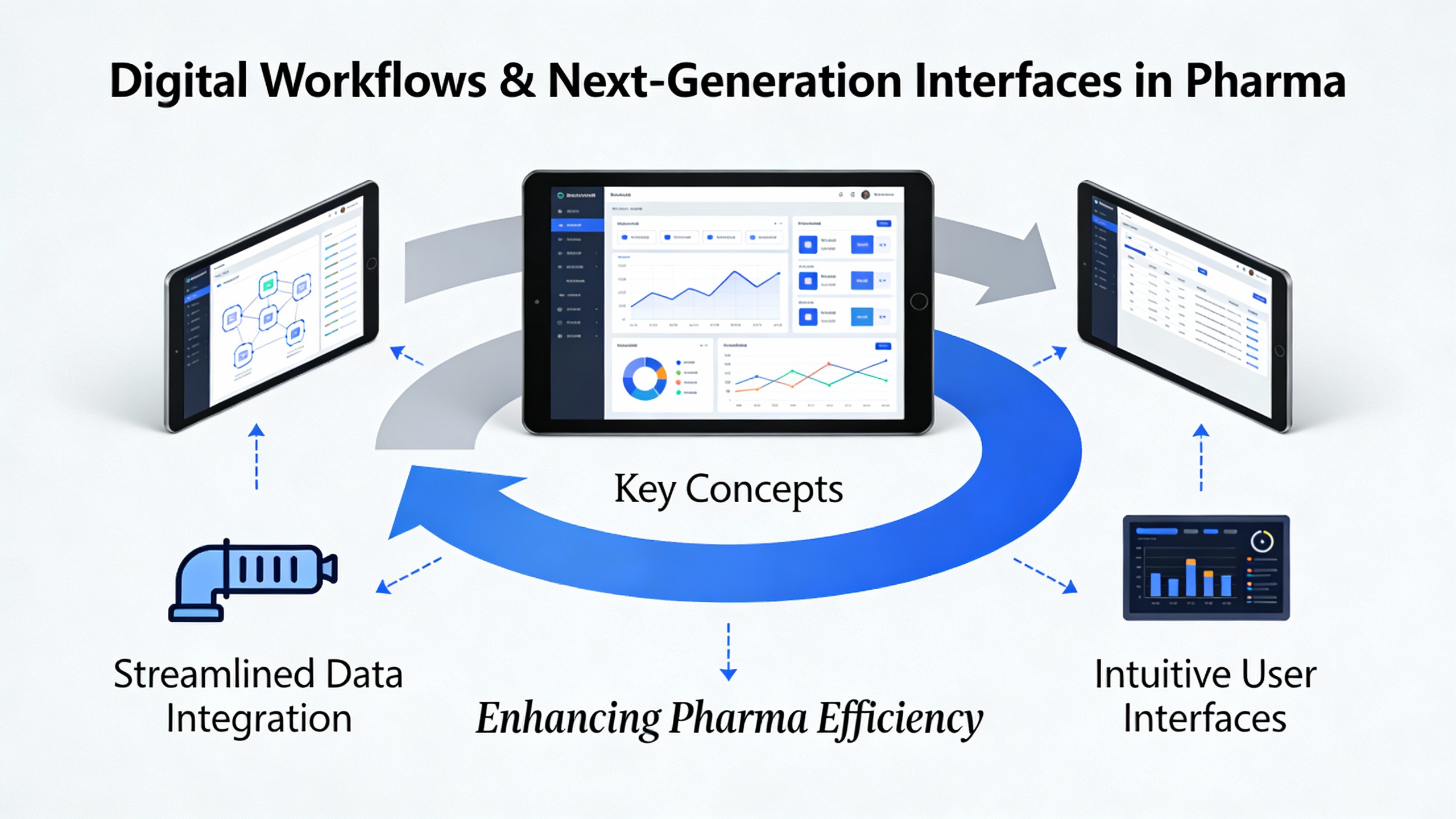
Körber’s Execute module is an excellent example of where HMI technology and digital manufacturing meet. Execute guides operators through digital workflows with step-by-step instructions, incorporating images and videos. It automatically documents every step, capturing snapshots and comments, and compiles full line batch reports and production overviews.
For a pharma manufacturer, this means that instead of flipping through paper SOPs and filling in log sheets by hand, operators follow an on-screen workflow that controls what they see and do at each step. Deviations can be minimized because the system does not allow skipping required actions, and documentation is created automatically as steps are completed. Körber notes that onboarding times for new personnel can be reduced by up to half when such guided workflows are used, because the system itself serves as a training aide and process coach.
Consider a new operator assigned to a packaging line. Historically, it might take several weeks of shadowing and supervised operation before they can confidently perform changeovers and complete batch documentation. With Execute-style guided workflows accessible at HMI stations and AR devices, that operator could be performing supervised but hands-on tasks within days, guided step-by-step, while the system ensures that every required check is completed and logged. The resulting improvement in consistency and reduction in deviation-related investigations can be substantial.
IIoT and Connected HMIs
Maple Systems and Nelson Miller Group both highlight a broader trend: HMIs are becoming key nodes in Industrial Internet of Things ecosystems. Instead of being isolated terminals, they are now connected to sensors, smart meters, remote servers, and cloud-based analytics. Real-time sensor data from production lines, cleanroom environmental monitoring systems, and equipment diagnostics can be aggregated and presented at the HMI, while also being forwarded to higher-level analytics tools.
In practical terms, this allows a supervisor at a central control room to see not only the current status of a tablet press but also its performance history over recent batches, maintenance alerts, and environmental trends for the surrounding room. Maple notes that non-urgent conditions can be routed via internet-connected notifications, such as email to maintenance teams, reducing operator overload while ensuring issues are addressed in a timely fashion.
For power and reliability professionals, connected HMIs are also an opportunity to integrate power quality and UPS status into the operator view. While the sources discussed focus primarily on process variables, extending the HMI to display the status of critical power supplies, battery health, and transfer events can give operators early warning of power risks before they impact process equipment. Doing so aligns with the same high-performance HMI principles: presenting only the most relevant power information, clearly and in context.
Multi-Touch and Augmented Reality in the Cleanroom
Nelson Miller describes multi-touch HMIs as a major trend that is expected to keep growing. These interfaces can register multiple simultaneous touch points and support gestures that feel natural to users accustomed to consumer tablets. In industrial and professional applications, this allows more complex but intuitive interactions without adding clutter.
In pharma this can be particularly useful for navigating complex data. An operator might pinch to zoom into a segment of a temperature trend graph for a freeze dryer, or quickly swipe between different equipment views during a line audit. Combined with the neutral, high-performance visual design recommended by DataParc and Inductive Automation, multi-touch interaction can make complex screens feel less intimidating and more controllable.
Augmented reality, as demonstrated by Körber’s Execute module running on AR headsets, is a natural extension of this idea. Instead of operators walking back and forth between equipment and fixed HMI stations, the interface effectively travels with them. Instructions, warnings, and confirmation prompts can appear in their field of view, aligned with the equipment they are working on. For reliability advisors and validation teams, this raises new questions about qualification and data integrity, but the underlying goal remains the same: guiding operators accurately, recording their actions, and ensuring the process remains within validated boundaries.
A Practical Implementation Roadmap
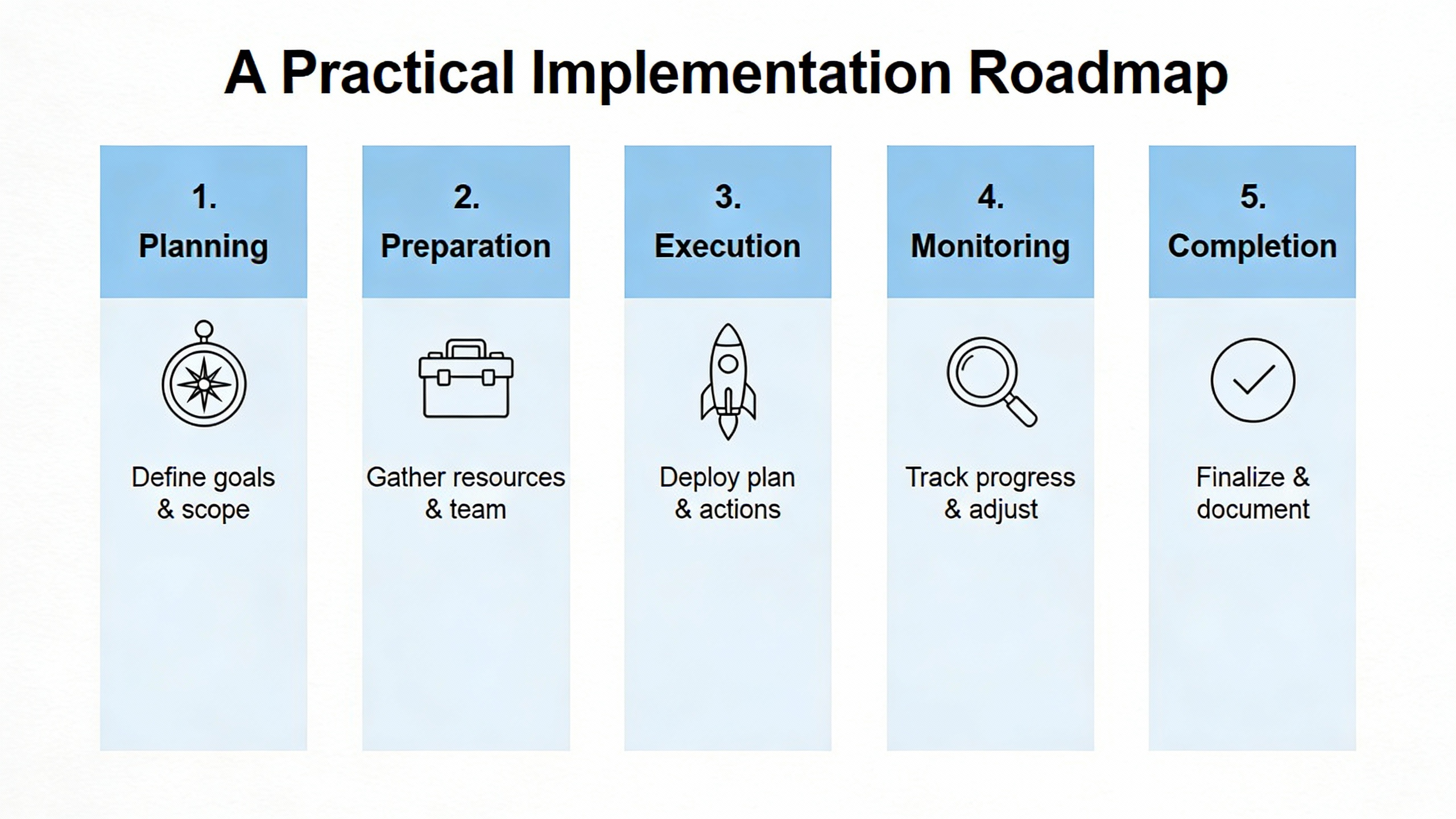
Bringing all of these pieces together in a pharma plant calls for an integrated approach rather than isolated upgrades. Start by mapping where HMIs sit in your process and which ones are truly critical to quality and safety. Engage operators, maintenance technicians, and quality staff to understand where the current interfaces help and where they hinder.
Use that input to define a high-performance HMI philosophy tailored to your facility, drawing on guidance from firms like DataParc, Inductive Automation, Maple Systems, and Orise. That philosophy should cover screen hierarchy, navigation standards, color and alarm conventions, role-based views, and integration with MES and batch records. At the same time, work with your power engineering team to classify HMI and related infrastructure as critical loads, ensuring they are supported by appropriately sized and well-maintained UPS systems following practices such as those outlined by Fuji Electric.
Hardware selection should be based on environmental and regulatory realities. Review offerings like Systec’s WAVE and VarTech’s life-sciences HMIs to understand what cleanroom-ready design looks like in practice: stainless steel, sealed enclosures, glove-compatible touch, and mounting systems that make cleaning and ergonomic operation feasible. Whenever you evaluate hardware, involve validation and QA early, because any change to the HMI layer in a GMP environment will carry documentation and testing implications across user requirements, configuration specifications, and qualification testing.
Finally, consider digital workflows and next-generation interfaces as part of your long-term roadmap rather than immediate replacements for everything. Platforms such as Körber’s Execute show that guided digital SOPs, automatic GMP documentation, and AR support can deliver tangible benefits, such as faster onboarding and fewer deviations. Starting with a pilot line allows you to validate not just the technology but also the organizational readiness and the supporting power and network infrastructure.
FAQ
How does HMI design affect regulatory inspections in pharma plants?
Regulators and auditors look closely at how your systems enforce procedures and protect data integrity. A well-designed HMI that supports secure logins, role-based access, complete audit trails, and clear, validated workflows makes it easier to demonstrate control and traceability. Conversely, cluttered screens, inconsistent alarm handling, and heavy reliance on manual data entry tend to generate more questions and findings.
Why should I care about UPS maintenance if my HMIs rarely fail?
HMIs often appear reliable until a disturbance exposes weak links in power protection. Guidance from UPS manufacturers such as Fuji Electric shows that contamination and poor maintenance can cause silent degradation in UPS performance, leading to failures under stress. In a pharma plant, such a failure can disrupt HMI operation, corrupt batch records, and trigger deviations or even batch loss. Proactive UPS inspection and cleaning, using non-conductive vacuum methods on de-energized equipment with proper personal protective equipment, is a relatively low-cost way to avoid high-impact events.
What is the biggest difference between traditional and high-performance HMIs for pharma operations?
Traditional HMIs tend to mirror engineering drawings and display large amounts of data without clear prioritization, which can overwhelm operators, especially during upsets. High-performance HMIs, as described by Orise and DataParc, focus on situation awareness. They use neutral backgrounds, clear visual hierarchy, carefully designed alarms, and overview screens that highlight only the most important information, with drill-down paths to detail. For pharma operations, this means operators can detect and respond to deviations faster, with less cognitive load and fewer opportunities for error.
In pharmaceutical manufacturing, reliable power and effective human–machine interfaces are inseparable. When your HMI hardware is built for GMP environments, your screens are designed for human performance, your workflows are digital and validated, and your power protection is treated as critical infrastructure, you have a control system operators can trust and regulators can respect.
References
- https://www.researchgate.net/publication/374720896_Role_of_HMI_in_the_Drug_Manufacturing_Process
- https://huffmaneng.com/5-tips-hmi-development
- https://www.mochuan-drives.com/a-news-hmi-display-panels-in-pharmaceuticals-compliance-and-accuracy
- https://www.automationnth.com/what-makes-a-great-hmi-screen-on-industrial-automation-equipment/
- https://www.cyngn.com/blog/human-machine-interface-hmi-in-factory-automation-what-you-need-to-know
- https://americas.fujielectric.com/best-practices-for-implementing-hmi-systems/
- https://gesrepair.com/enhancing-manufacturing-efficiency-ergonomics-and-ux-design-in-hmis/
- https://www.mouser.com/pdfDocs/EAO_WP_HMI-Systems_EN.pdf?srsltid=AfmBOooNVBrKFaZmZgeyiY0eI0iyiYqTZQ9qtj8ZXf1_yXhaDWlrYExj
- https://nelsonmillergroup.com/whats-new-in-hmi-trends/
- https://orise.com/boosting-operator-effectiveness-traditional-vs-high-performance-hmi/


 Videos
 News
News Applications












Leave Your Comment