Human–machine interface screens on UPS, inverter, and power protection systems are small devices with outsized consequences. When a touchscreen on a critical UPS goes black or stops responding, operators suddenly lose their map of the power system. Even if the logic and power path are healthy, the plant often treats the equipment as “down,” because no one wants to fly blind on transfer, bypass, or shutdown.
As a power system specialist focused on reliability, I have seen more than one facility lose hundreds of thousands of dollars per hour because a single HMI failed at the wrong time. Research on unplanned downtime compiled by Twilight Automation reports typical downtime costs around $260,000 per hour in manufacturing, with some automotive plants exceeding $2,000,000 per hour. In that context, having a strategy for emergency HMI screen replacement parts and operator interface support is not a luxury; it is part of core power system resilience.
This article walks through how to recognize when an HMI problem really demands replacement, how to avoid unnecessary swaps through fast diagnosis, and how to design your spares, configuration, and support strategy so an HMI screen never becomes a single point of failure for your UPS and inverter fleet.
Why HMI Screens Matter So Much In Power Systems
In industrial automation and energy systems, the HMI is the operator’s window into the process. Radwell International describes HMIs as the electronic interface that allows staff to monitor and control automation equipment. Radonix similarly defines the HMI as the layer of screens, buttons, and indicators through which operators supervise systems and translate intent into safe machine actions.
On a modern UPS, static transfer switch, or large inverter, the HMI typically concentrates several capabilities that are essential in abnormal conditions. Operators rely on it to see input, bypass, and output breaker status, battery alarms and temperatures, load levels on critical buses, transfer inhibit conditions, and system logs. They also depend on it to initiate actions such as transferring to maintenance bypass, placing modules in or out of service, muting alarms, and guiding safe shutdown sequences.
Control.com’s discussion of HMI troubleshooting emphasizes that even when the PLC and power electronics are healthy, a non-functional HMI can render equipment effectively out of service, because operators cannot monitor state or run manual modes safely. In other words, your UPS may still be protecting the load, but if operators cannot see or control it, risk tolerance quickly drops to zero.
When you combine that dependency with the downtime economics highlighted by Twilight Automation, you get a simple reality. For critical power systems, every minute spent guessing whether a “dead” screen is a power issue, a backlight failure, or a corrupted project file has a real price tag. The response cannot be guesswork; it must be a disciplined workflow backed by the right replacement parts and support.
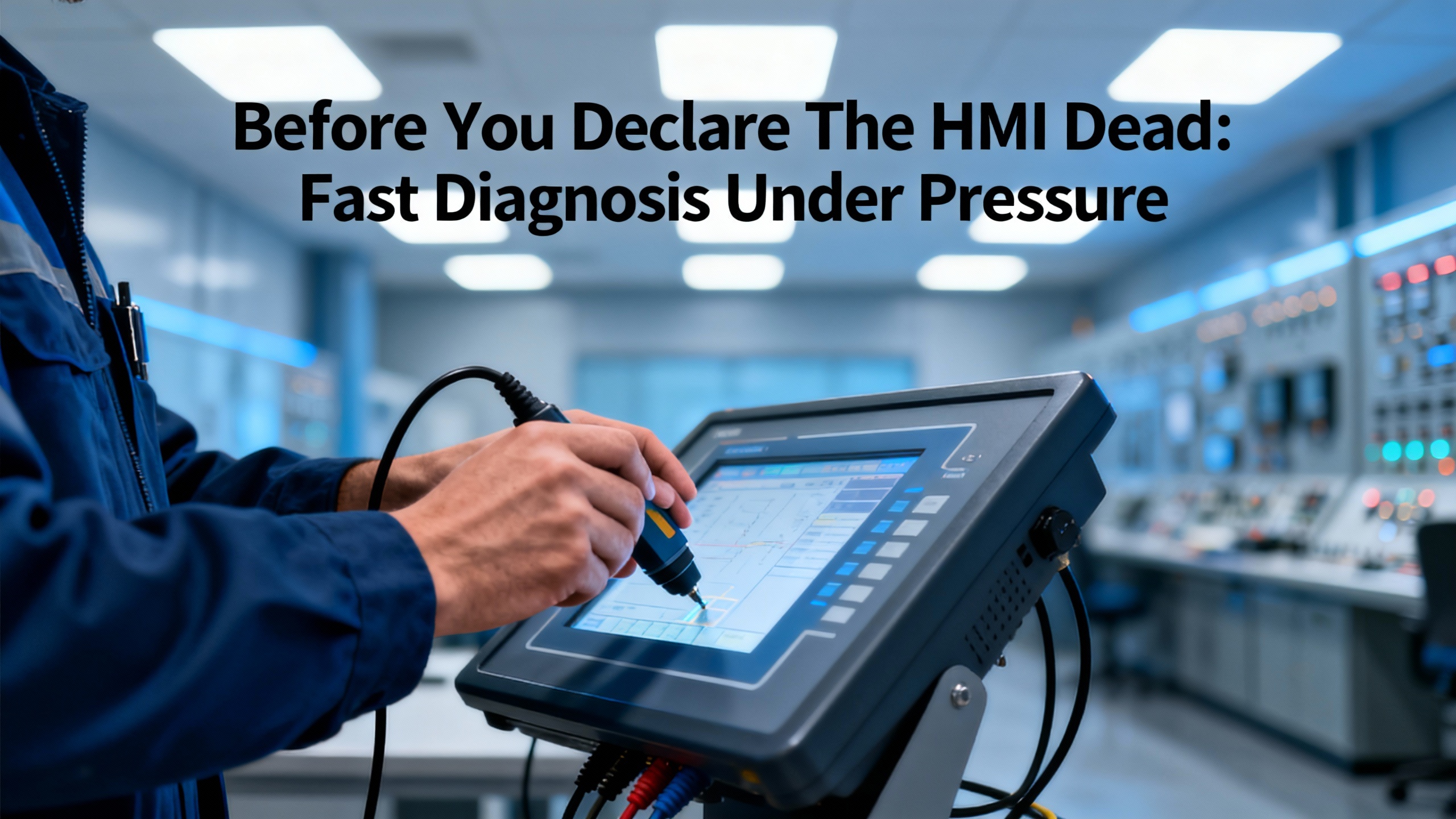
Before You Declare The HMI Dead: Fast Diagnosis Under Pressure
The most important reliability lesson around HMI screens is that symptoms can be misleading. Several independent repair providers report that many panels sent in as “dead” are actually suffering from basic issues in power, cabling, or configuration.
Amikong, which specializes in black-screen HMI repair, reports that more than a quarter of HMIs returned as “dead” turn out to have simple power problems such as incorrect or unstable voltage, weak supplies, bad terminals, or blown fuses. DriveFix Electronics and IVS Incorporated both frame power checks as the first step in troubleshooting HMI failures, and Xinje emphasizes that screens that will not display often trace back to power loss, loose cables, or frozen software.
That means in an emergency you should resist the urge to immediately pull and replace the panel. A short, structured diagnostic pass often saves hours.
Black Or Blank Screen On A UPS or Inverter HMI
When an HMI on a UPS or inverter presents a completely black screen, treat “black screen” as a symptom, not a diagnosis.
Amikong and IVS both recommend starting at the power terminals. Measure voltage directly at the HMI supply under load, especially on 24 VDC models that are sensitive to sag, ripple, and reversed polarity. Inspect the wiring and terminals for signs of overheating, vibration, or moisture damage, and verify or replace onboard fuses and detachable power modules. A surprising share of black-screen incidents in UPS switchboards come down to a loose field splice, a tired panel power supply, or a tripped fuse in a control transformer.
If the HMI has indicator LEDs, status patterns can also distinguish a dead logic board from a display-only failure. Amikong notes that brands such as PanelView, Mitsubishi GOT, and Pro-face encode fault conditions in LED blink patterns, even when the screen is dark.
Another powerful field test is the flashlight technique described by Amikong. Shine a flashlight at a shallow angle across the dark screen; if faint graphics or menus are visible, the CPU and LCD are running, and the suspicion shifts toward the LED backlight or its driver rather than the panel’s logic. Control.com points out that HMI backlights degrade gradually, showing dull brightness or flicker over weeks or months, providing a window to schedule replacement. Industrial Automation Co. notes similar dimming and contrast loss in older CCFL-based screens after tens of thousands of operating hours.
In a power room, that flashlight test can be the difference between an emergency panel swap and a planned backlight replacement at the next maintenance window, while the UPS continues to operate under remote SCADA supervision.
A real-world example brings this home. Consider a factory with downtime costs near the $260,000 per hour reference cited by Twilight Automation. If a UPS HMI goes dark and the team immediately assumes total panel failure, they may shut down production and wait half a day for a replacement. If the root cause is actually a bad 24 VDC supply to the HMI, a technician with a meter could restore visibility in under an hour. Even a single avoided two-hour misdiagnosis in a year means over $500,000 saved.
Screen Visible But Unresponsive Or Erratic
In many cases the display is fine, but touch input is unreliable. Industrial Automation Co. describes early symptoms such as delayed or unregistered inputs, dead spots, and touches that trigger the wrong actions, often due to worn resistive layers, calibration drift, or internal voltage issues. DriveFix Electronics classifies these under screen malfunctions but stresses that basic checks come first.
AkniTech and IVS both highlight the role of surface contamination. Dust, oils, and residue can impair capacitance on touchscreens. The recommended first response is to power down the device and clean the screen gently with a soft, lint-free cloth and a manufacturer-approved cleaner, then reboot and test again.
If the HMI includes built-in calibration tools, use them. AkniTech describes calibration as aligning finger input with on-screen coordinates; when taps land in the wrong place, recalibration often restores usable operation. If recalibration and cleaning do not help, IVS notes that the touch sensor itself may have worn out, requiring replacement of the touch panel or digitizer.
Amikong cautions that unresponsive touch is often misdiagnosed as a dead screen, especially under time pressure. Where supported, connecting a USB or PS2 mouse can help you tell whether the application and display still respond to alternate input. In a UPS application, that can be enough to get through a critical bypass or transfer while you schedule a proper touchscreen replacement rather than an entire HMI swap.
Screen Working, Data Frozen, Or Alarms Not Updating
Another common emergency complaint is that the UPS or inverter HMI “froze.” The screen is lit and apparently healthy, but readings, trends, or alarms are obviously stale. This often points away from the panel hardware and toward communication with the PLC or controller.
Control.com emphasizes that an HMI is only useful if it maintains continuous communication with the PLC over Ethernet or serial protocols. When that link fails, the HMI can no longer read or write tags, and operators lose visibility and control. Xinje and IVS both list HMI–PLC communication faults, misconfigured addresses, bad cables, and port failures among the most frequent HMI issues.
Recommended checks are straightforward. For Ethernet links, Control.com suggests using ping from both ends to confirm link stability, watching for intermittent responses that indicate loose connectors or marginal cabling. Amikong adds that re-crimping suspect RJ45 connectors and doing continuity tests on each conductor reveals broken or high-resistance wires. If wiring passes inspection, Control.com recommends looking at network configuration: duplicate IP addresses, conflicting ports, misconfigured NAT, or firewall rules silently blocking protocol ports, especially after operating system updates.
DriveFix Electronics and IVS both underline that before condemning the HMI, technicians should confirm that the unit is properly configured to match the PLC and other devices, with correct IP addressing and communication parameters.
In a power room scenario, that means you do not automatically blame the HMI if a group of UPS cabinets suddenly show flat-line data. The real culprit may be a failed switch in the control LAN, a misconfigured firewall rule after a patch, or a moved network cable. A quick ping test and a known-good patch cord can tell you whether ordering an emergency HMI replacement will actually solve the problem.
Using A Structured Troubleshooting Method When The Clock Is Ticking
Under pressure, the temptation is to jump straight from “symptom” to “replacement.” A methodical structure keeps the team focused.
An article in Industrial Equipment News adapts the U.S. Navy’s six-step troubleshooting method for modern control systems, progressing from symptom recognition and elaboration, through listing and localizing likely faulty functions, to isolating the fault to a circuit and doing failure analysis. Xinje proposes a similar five-step HMI-specific sequence of identifying symptoms, checking hardware, verifying software, testing recovery, and documenting.
The common theme is discipline. Before touching hardware, you precisely describe what the operator sees, when it occurs, and what still works. Then you check simple power and cabling conditions, verify software and configuration, and only then move toward part replacement.
In power system terms, that might look like this. The operator reports that the inverter HMI goes dark intermittently. Rather than immediately swapping the panel, a technician confirms that the dimming aligns with a particular load bank running and finds that a cabinet fan failure is causing overheating, which IVS and AkniTech both cite as a cause of display malfunctions. Cleaning vents and restoring cooling solves the problem without touching the HMI.
That kind of disciplined troubleshooting is what prevents emergency replacement parts from being consumed on the wrong problem.
Repair, Refurbish, Or Replace: Making The Right Call For HMI Screens
Once you establish that the HMI itself is genuinely at fault, you still face a decision: emergency replacement, repair, or full refurbishment.
Several repair specialists, including Fletcher Moorland, Neutronic Technologies, and Qualitrol International, all argue that repair and refurbishment can substantially extend the life of industrial HMIs at lower cost than outright replacement, especially where OEM parts are expensive or discontinued. Fletcher Moorland describes a dedicated workshop that replaces backlights and inverters, upgrades units to LED backlights, renews membranes and keypads, fits replacement touchscreens and LCDs, and repairs internal power supplies. Qualitrol similarly highlights factory-trained technicians testing screen brightness, clarity, alignment, ghost touches, bezels, seals, and communication ports across a wide range of brands and models.
Neutronic Technologies focuses on repairing panels from Siemens, Allen-Bradley, Mitsubishi, Schneider, and Omron, emphasizing that keeping existing HMIs operational preserves compatibility with installed PLCs, drives, and control software that may depend on specific panel models.
Keba, which specializes in hand-held HMI devices, emphasizes that its products are designed for long service life and that repairs are often economically worthwhile. They note that replacing safety-relevant components like emergency stop buttons is standard practice during repairs. Keba also offers an express repair service with turnaround measured in days rather than standard multi-week windows, at an added fee.
Xinje adds a quantitative rule of thumb from a broader HMI perspective. They recommend considering full replacement when repair costs exceed about half the price of new equipment, especially if the unit has already consumed significant operating hours.
At the same time, there are clear cases where repair is not appropriate. Amikong points out that when a black display coincides with other symptoms like abnormal odors, noises, or clear evidence of wide internal damage, or when the device has moved beyond its practical repair stage due to missing spare parts, replacement may be the only safe and timely option.
Comparing Emergency Options
For a power system owner, the repair-versus-replace decision in an emergency involves more than just parts cost. Lead time, risk, and compatibility all matter. The following table summarizes how different options typically play out in practice, drawing on the repair providers and troubleshooting sources discussed earlier.
| Option | Best suited for | Strengths | Limitations and risks |
| Field repair of power or cabling | Black screens, random reboots, or frozen data linked to obvious power or network issues | Fast and inexpensive; often resolves problems without touching the HMI hardware, as noted by Amikong, Control.com, DriveFix Electronics, and IVS Incorporated | Requires competent diagnostics; not applicable for cracked screens or failed logic boards |
| Workshop repair / refurbishment | Aging or physically worn HMIs where logic is intact, backlights dim, or touch is unreliable | Restores reliability while preserving compatibility; supports obsolete models, as highlighted by Fletcher Moorland, Neutronic Technologies, and Qualitrol International | Requires panel removal and shipping; turnaround usually measured in days or weeks |
| Express repair services | Critical devices causing major downtime where repair is still viable | Accelerated turnaround, such as the Keba express service that targets repairs within a few days, reducing outage window | Higher cost; still depends on parts availability and logistics |
| New or surplus replacement HMI | Catastrophic failures, units beyond repair stage, or very old hardware | Known-good hardware with full life ahead; opportunity to standardize platforms as suggested by Industrial Automation Co. and Corso Systems | Requires exact part numbers and configuration; risk of compatibility issues or long lead times |
In critical power applications, the most resilient strategy is usually not to pick one option but to combine them. You keep at least one fully configured spare HMI for each major model of UPS or inverter, you maintain relationships with competent repair partners for refurbishment of failed units, and you train technicians to rule out simple power and communication issues before consuming a spare.
Managing Lead Time And Service Support
Service partnerships are another key element of emergency HMI support.
Altech Process & Control focuses on on-site troubleshooting of HMIs, variable frequency drives, and servo drives, emphasizing rapid root-cause diagnosis in the field. That kind of service can be particularly valuable when a failed UPS HMI is part of a larger control issue involving drives or automation around the power system.
Keba’s express repair and advance replacement policies show that some OEMs will evaluate urgent cases individually and provide temporary devices when entire machines are down, subject to availability. Qualitrol and Neutronic position themselves as third-party centers covering multiple brands and legacy hardware, which is critical in plants with mixed vendors and older installation vintages. Radwell International similarly stresses robust, reliable HMIs and the ability of alarms and alerts to provide early detection of broader equipment issues.
For power system owners, the practical advice is to identify these partners before an emergency. Know which UPS and inverter HMIs are still supported by the OEM, which can be economically repaired by third parties, and which are approaching the end of their repairable lifecycle. Clarify response times and processes in advance, including whether express repair or advance replacement options exist and what information is required when you place an emergency call.
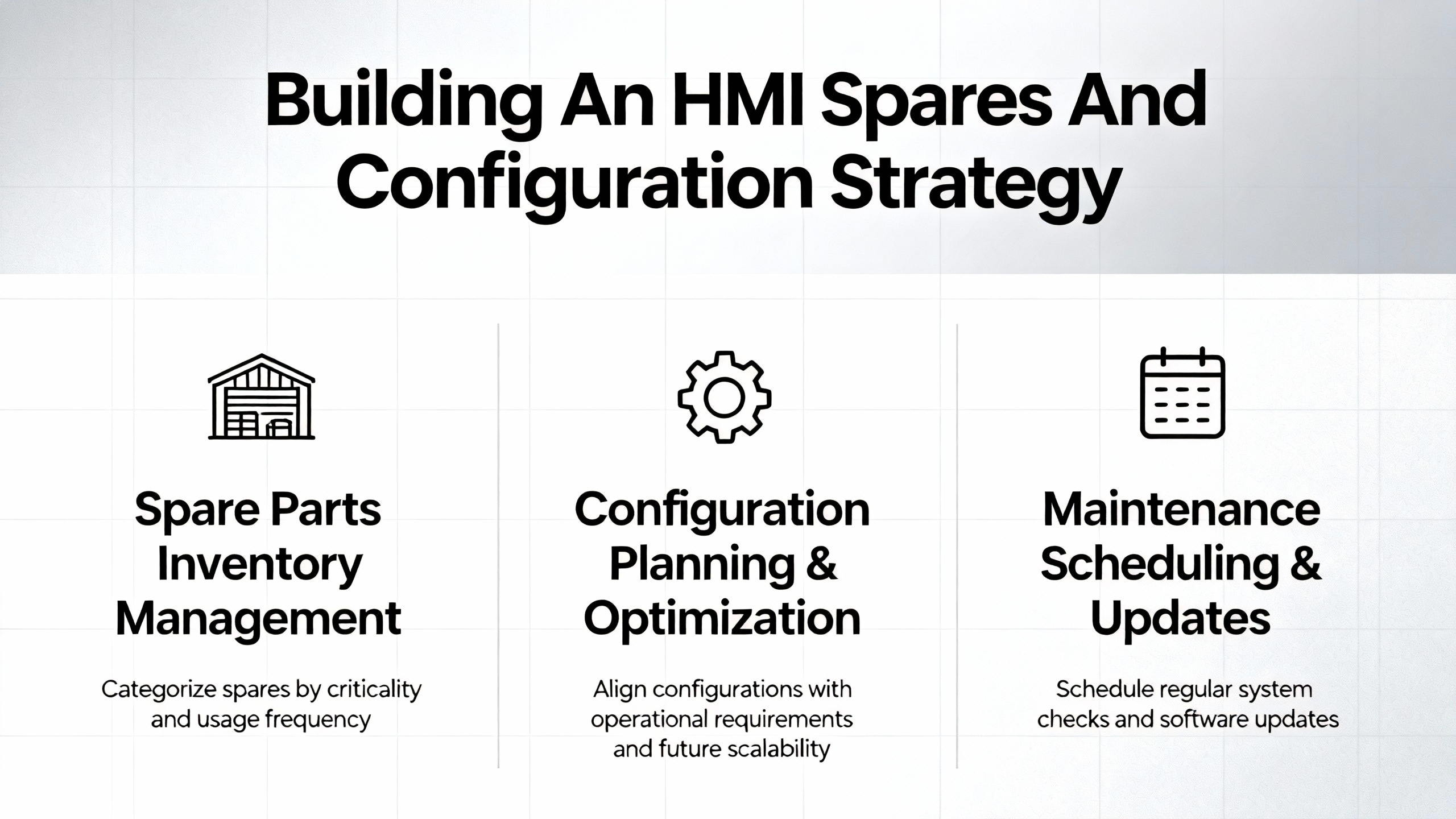
Building An HMI Spares And Configuration Strategy
Having the correct hardware on the shelf is only half of emergency readiness. You also need to be able to bring that hardware into service quickly and confidently.
Industrial Automation Co. stresses that selecting a replacement HMI requires the exact part number and configuration details, including screen size and resolution, AC versus DC power input, communication protocols such as EtherNet/IP or serial variants, and firmware or series revision. These details are typically on the panel’s nameplate but may also be embedded in the engineering files that created the runtime application.
Before replacing an HMI, Industrial Automation Co. recommends backing up the existing project file, confirming compatibility with engineering software, verifying power requirements, and checking mounting or enclosure cutouts. They also suggest considering the addition of a spare unit for critical stations.
Fletcher Moorland underlines the value of secure configuration backups with its software vault service, which captures a copy of the HMI’s software and stores it offsite in a password-protected data center. Xinje also emphasizes regular backups of HMI data and configurations so that software errors or device replacement do not require reconfiguration from scratch.
Twilight Automation’s discussion of predictive maintenance highlights the broader role of documentation and Computerized Maintenance Management Systems. When HMI configuration and asset data are integrated into a CMMS, predictive recommendations and early warnings can automatically generate prioritized work orders that include the right parts and task steps. Corso Systems, in the context of high-performance HMIs, likewise recommends standardized object libraries, code repositories, and offsite backups to avoid loss of source code.
In practice, a robust HMI spares and configuration strategy for power systems should address several elements.
First, capture and organize all relevant identity data for the HMIs on your UPSs, inverters, and power protection devices. That includes model numbers, part numbers, series and firmware levels, power and communication requirements, and enclosure cutout details.
Second, maintain current backups of each panel’s project or runtime file in at least two locations: a secure on-site repository and an offsite or cloud vault. Fletcher Moorland’s service illustrates one approach, but many organizations implement equivalent controls through internal systems aligned with Twilight Automation’s documentation guidance.
Third, define clear procedures and change management for modifying HMI graphics or logic, in line with the standards Corso Systems advocates. If engineers can freely edit screens on different shifts without version control, emergency replacement becomes much harder, because you cannot be sure which variant is running on which panel.
Finally, consider engaging specialist vendors for configuration recovery in worse-case scenarios. Industrial Automation Co. notes that when no backup is available, some vendors can recover or clone an application directly from the memory of a failed HMI unit. In an emergency this may be the only way to salvage the configuration of a customized UPS or inverter HMI, especially in legacy systems where the original engineering team has moved on.
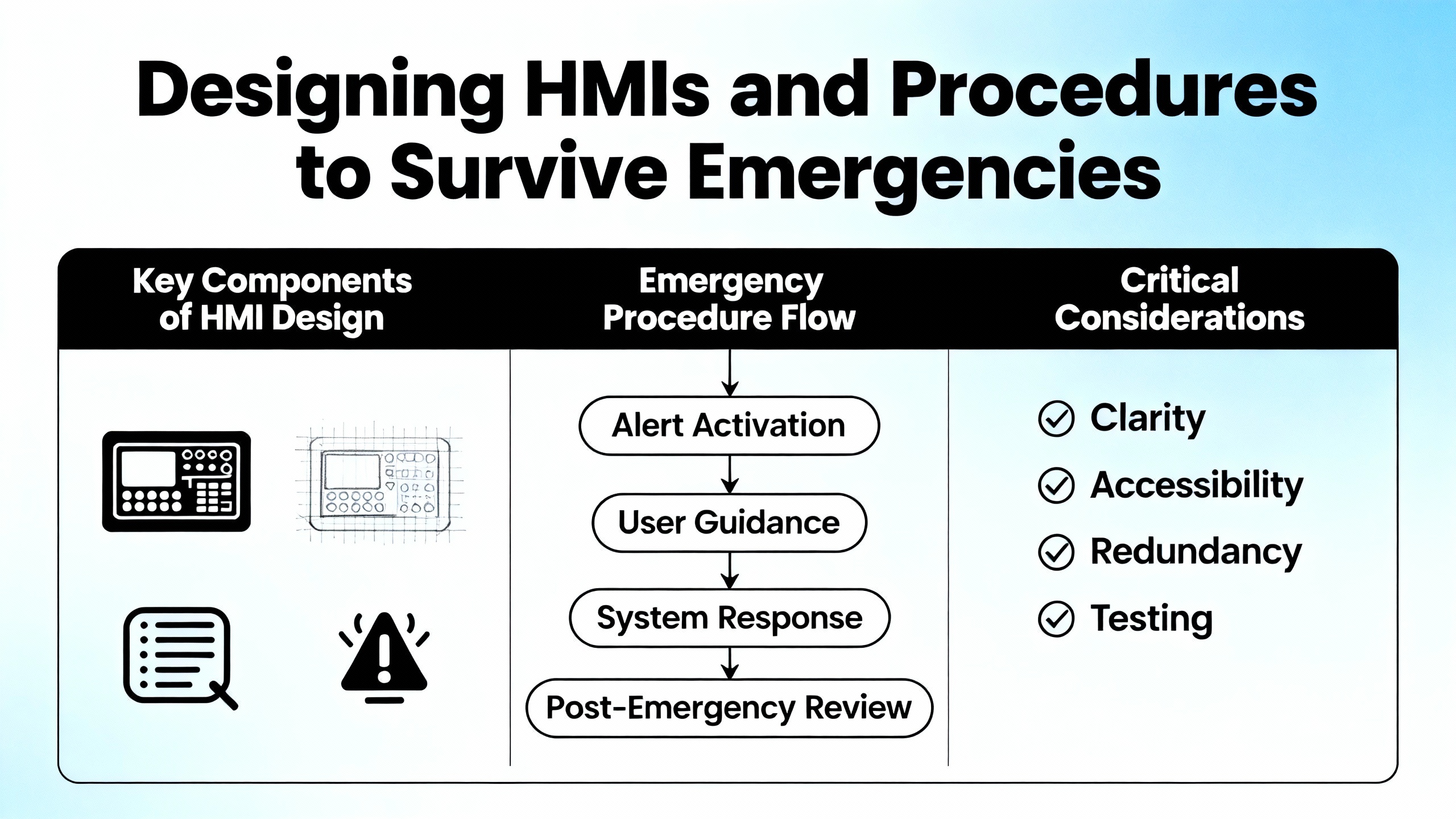
Designing HMIs And Procedures To Survive Emergencies
Emergency readiness is not only about hardware. The way your HMI is designed and governed determines how operators cope in abnormal conditions and how easily you can swap panels without confusion.
The High Performance HMI Handbook, discussed by Corso Systems, sets out principles of clarity, consistency, and feedback that are directly relevant for power systems. Clarity means intuitive, uncluttered graphics that highlight relevant information and make process state obvious. Consistency means standardized navigation and interactions with minimal steps. Feedback means predictable and uniform responses to user actions, with confirmation mechanisms for critical controls.
In a UPS or inverter HMI, that translates into screens where grid, UPS, and bypass paths are unmistakable; where alarms and abnormal conditions stand out clearly; and where dangerous operations, such as transferring to maintenance bypass or disabling a module, require deliberate confirmation with clear wording. PCI, in its discussion of HMI safety, adds that good ergonomics and usability heuristics reduce errors and support safe operation, while continuous real-time monitoring and clear trend displays improve situational awareness in high-risk domains.
Radonix broadens the view by emphasizing user-centered HMI design, accessibility, and robust feedback. They underscore the need for readable typography, adequate contrast, and tiered alarms with clear recovery steps. They also highlight role-based permissions and fail-safe defaults so that only authorized staff can execute high-risk actions.
All of those ideas feed into emergency resilience. When a spare HMI is swapped in on a UPS during a storm, operators should immediately recognize the layout and meaning of states and alarms, without retraining. When the panel is replaced at night during a holiday, the interface should naturally guide the operator through safe restart or bypass sequences, instead of forcing them to recall obscure menu paths.
Governance is equally important. Corso Systems recommends that organizations develop a living high-performance HMI philosophy and standards document covering design, style guidelines, and management of change across all HMI and DCS systems. A key governance recommendation is to prevent managers or engineers from altering operator displays or process settings during upsets and to free operators from non-operating tasks during abnormal conditions so their attention remains on critical control.
The message for power system owners is clear. Designing and managing HMIs as safety-critical assets pays dividends during emergencies. It makes replacement units interchangeable, reduces operator error during stressful events, and shortens the learning curve when new staff take over critical power responsibilities.
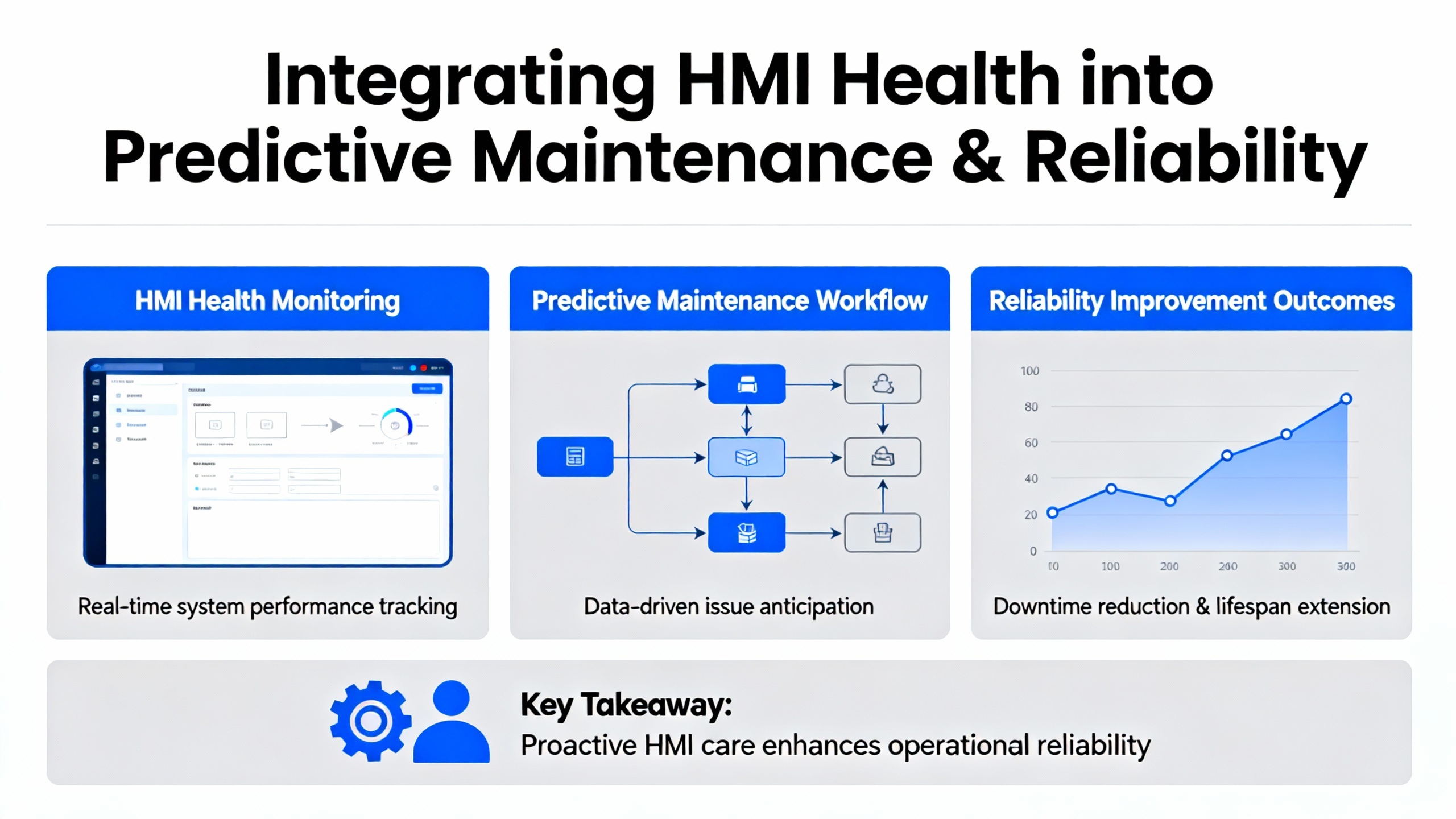
Integrating HMI Health Into Predictive Maintenance And Reliability
The most reliable approach is to avoid emergency HMI replacements as much as possible. That is where predictive maintenance and condition-based strategies come in.
Twilight Automation describes how modern HMI systems can act as early warning platforms, integrating vibration analysis, temperature trending, energy consumption monitoring, and process-parameter correlation to detect subtle deviations in equipment health before catastrophic failure. Although their examples span bearings, seals, and cooling problems, the same principles apply to HMI panels themselves.
Control.com recommends treating HMIs as maintainable assets, with regular monitoring of communication integrity, cables, firewall settings, screen and touch performance, and mounting hardware. Industrial Automation Co. urges users to act as soon as dimming, freezing, or inconsistent responses appear, rather than waiting for complete failure. Fletcher Moorland warns that operator remarks that an HMI has “been getting worse for months” should be treated as serious warning signs; none of the malfunction conditions will improve without intervention.
Xinje suggests periodic maintenance at least every three to six months, including inspection, cleaning, and servicing of HMI equipment to catch early damage before it causes major failures. AkniTech recommends regular cleaning, calibration, and firmware updates to extend touchscreen life. Radwell notes that HMI alarms and alerts can be used to track developing issues over time, supporting preventive rather than reactive repairs.
Twilight Automation cites U.S. Department of Energy findings that predictive maintenance can cut maintenance costs up to roughly forty percent compared with purely reactive approaches, extend equipment life by about ten to forty percent, and reduce energy use by about five to fifteen percent through better-tuned operation. They also report broader statistics that each dollar invested in preventive and predictive maintenance can save several dollars in unforeseen expenses, with substantial reductions in asset breakdowns and increases in production.
For power systems, the implication is that you should monitor HMI health as part of the overall reliability program. Trends to watch include rising panel temperatures, increasing communication error counts, growing clusters of dead touch zones, and user reports of flicker or dimming. Combining these with asset history in a CMMS allows you to schedule refurbishment, touch panel replacement, or full HMI swaps during planned power maintenance windows instead of during storms or peak production.
A Simple Power-System Example
Imagine a facility that experiences a subtle but increasing delay in touch response on the UPS HMI screens across several switchboards. Operators mention that buttons sometimes require two presses and that occasionally a wrong menu opens. According to Industrial Automation Co. and AkniTech, these are classic early signs of touchscreen wear or miscalibration. Xinje would classify this under slow or hanging HMIs due to heavy programs or aging components.
If those observations are logged and trend analysis shows progression, the reliability team can plan a phased replacement of touch panels or refurbishment by a repair center such as Fletcher Moorland, Qualitrol International, or Neutronic Technologies. The work can be aligned with scheduled UPS battery tests or bypass maintenance, avoiding any unplanned downtime. If those observations are ignored, the first truly dead screen is more likely to appear on a holiday weekend when getting replacement parts and support is hardest.
FAQ: Practical Questions About HMI Emergency Readiness
If my UPS HMI screen goes dark, should I assume the UPS itself has failed?
A dark HMI does not automatically mean the UPS or inverter has failed. Amikong reports that more than a quarter of HMIs returned as “dead” are ultimately traced to basic power issues at the panel, such as incorrect or unstable voltage or blown fuses. DriveFix Electronics and IVS also identify power supply problems, loose wiring, and overheating as leading causes of HMI display failures. Before declaring the power system down, verify panel power at the terminals under load, check fuses and supply modules, and confirm whether the UPS logic still reports health through remote monitoring or audible alarms.
When does it make sense to replace instead of repair an HMI screen?
Xinje advises that if repair costs approach or exceed roughly half the price of a new unit, replacement should be strongly considered, especially for older devices. Keba notes that while their hand-held HMIs are designed for long service life and are often economical to repair, units that move beyond their defined repair stage due to missing spare parts or extensive internal damage are not repaired. Amikong points out that a black screen combined with burnt odors, unusual noises, or clear evidence of widespread damage is another sign that full replacement, rather than touch panel or backlight repair, is warranted.
What information do I need on hand to order or configure an emergency replacement HMI?
Industrial Automation Co. stresses the importance of the exact part number and configuration details, including screen size and resolution, AC versus DC power, communication protocols, and firmware or series revision. Fletcher Moorland and Xinje both highlight the need for current backups of the HMI application or runtime file so that the new panel can be loaded with the correct project. Corso Systems recommends maintaining standardized object libraries and code repositories, while Twilight Automation encourages integrating this identity and configuration data into a CMMS or equivalent system so it is accessible during emergencies.
Closing
From a power system reliability standpoint, HMI screens are not just displays; they are control surfaces that stand between your operators and every critical UPS, inverter, and protection device on the site. Emergency replacement parts, tested troubleshooting routines, and solid configuration and repair strategies turn HMI failure from a plant-wide crisis into a manageable maintenance event. If your current plan for a dead UPS screen is still “call whoever installed it and hope for the best,” it is time to redesign that strategy with the same rigor you apply to batteries, switchgear, and protection relays.
References
- https://www.plctalk.net/forums/threads/hmi-buttons-go-to-error-after-changing-screens.139645/
- https://www.altechprocess.com/hmi-repair-electrical-drive-troubleshooting/
- https://library.automationdirect.com/16-hmi-tips/
- https://fletchermoorland.co.uk/how-do-i-know-my-touchscreen-or-hmi-is-going-to-fail/
- https://corsosystems.com/posts/the-high-performance-hmi-handbook-and-you-part-2
- https://drivefixelectronics.com/blog/comprehensive-guide-to-hmi-troubleshooting-and-repair
- https://www.ivsincorporated.com/blog/why-hmi-display-failures-happen-and-how-to-fix-them
- https://neutronictechnologies.com/hmi-repair/?srsltid=AfmBOorQL6vAqXDbjMGricUB5srpPQMwzAr24ZR4uLspQdfEpGA8k6PM
- https://www.pciltd.com/Blog/optimising-hmi-design-for-safety-in-industrial-applications.aspx
- https://processequipmentandcontrols.com/mastering-hmi-screen-design-for-modern-manufacturing/


 Videos
 News
News Applications












Leave Your Comment