As a power system specialist focused on reliable automation, I see the same pattern across plants from water treatment to food and beverage: most CompactLogix outages trace back to a handful of predictable causes, and the fastest recoveries follow a disciplined approach. This article consolidates practical troubleshooting steps and PLC error resolution methods, with emphasis on power quality, communications, firmware compatibility, and I/O integrity. The guidance references proven industry sources such as Rockwell Automation documentation, ODVA EtherNet/IP guidance, and field-proven notes from integrators and repair specialists.
Why CompactLogix Troubleshooting Starts With Power, Not Code
Failures often look like logic problems until a meter lands on the supply rails. Multiple sources in the industrial repair space report that electrical and power conditions account for a large majority of PLC failures, with GES Repair noting up to about 80 percent. Before diving into tag quality bits or writing diagnostic rungs, verify the basics with a multimeter and your plant’s power-quality logs. On CompactLogix, the controller and I/O expect a stable 24 V DC, and Rockwell service literature commonly references a typical acceptable window of 20.4–27.6 V DC. Loose terminals, aging DIN-rail supplies, missing surge protection, or a UPS past its battery life will masquerade as intermittent I/O faults or communications resets. Confirm voltage under load, retighten terminals, and review surge protection and grounding. If you run critical lines, consider redundant DC supplies and ensure the UPS is sized to ride through brief sags with clean output; it is difficult to diagnose logic when the controller is rebooting from dirty power.
What CompactLogix Errors Look Like On The Front Panel
CompactLogix 5370-class controllers expose clear visual indicators. Industrial Automation Co explains that the OK LED solid green indicates normal health, while the red FAULT LED behavior differentiates minor and major faults. A blinking red fault generally signals a non-critical, recoverable issue where the controller can continue (for example, a configuration mismatch). A solid red fault typically indicates a major fault that has stopped the controller. Module and network LEDs also tell a story: MOD or NET green indicates a healthy module and network, while red points to module or communications trouble. When you arrive at a cabinet, the LED state plus a quick read of the controller fault log in Studio 5000 frames your next steps before you touch any code.
A Practical, Priority-Ordered Troubleshooting Flow
Start with power integrity. Verify the 24 V DC supply is stable and within range at the controller and the backplane, not just at the source. Inspect for ground faults, loose spade lugs, corroded terminals, and deteriorated surge protection. If your supply is warm, dirty, or loaded beyond nameplate, replace it proactively and recheck behavior.
Move to the network. EtherNet/IP health dictates whether your HMI, historian, and remote I/O can talk. Rockwell’s EtherNet/IP design guide recommends managed industrial switches with IGMP snooping and an active querier to constrain multicast, QoS to prioritize control traffic, and disciplined addressing. In the field, basics solve many outages: check for duplicate IP addresses, broken or miswired patch cords, dormant or misconfigured switch ports, or a loop formed by hurried maintenance. MrPLC forum guidance emphasizes documenting your computer’s IP and subnet, building a target IP list, and pinging each device to see where connectivity breaks. If you see intermittent quality or “zero device items” in diagnostics, you likely have driver binding, license, or multicast control gaps rather than a logic fault.
Inspect I/O and backplane. When an I/O module flashes red or a rack shows no data, reseat the module, verify field wiring, and compare the actual module type and slot with the Studio 5000 configuration. Industrial Automation Co’s summaries on top PLC errors point out that an unrecognized module often reflects firmware or EDS mismatches. If reseating and correcting the configuration do not clear the condition, replace the suspect module with a known-good spare and retest.
Check firmware alignment. Mixed firmware is a classic cause of inconsistent behavior. ACS Industrial Services and Rockwell support literature converge on the same remedy: align firmware across the controller and modules with ControlFLASH and use a Studio 5000 version that matches the controller’s major revision. If a new firmware introduces instability, roll back to the last compatible version documented for your process. If the firmware flash fails repeatedly, SolisPLC’s troubleshooting note for the 1769-L32E is instructive: the embedded Ethernet interface can fail independently. At that point, a hardware swap is more cost-effective than repeated revives.
Address HMI and SCADA driver compatibility. Oxmaint’s InTouch case study is a prime example of a non-obvious mismatch: ABCIP OI Server v1.2 does not support CompactLogix firmware v34. The fix was not debugging comms rungs—it was installing a newer Communication Drivers Pack and ensuring the Application Name matched the instance, such as ABCIP_1. The same principle applies broadly: confirm driver versions, instance names, licenses for I/O counts, and that the controller IP exists on the root device object. Diagnostics that show zero device items or logs stating “Node localhost disconnected” usually point to driver bindings and licenses rather than network cabling.
Tune your tag strategy to reduce comms load. Inductive Automation’s team cautions against reading deeply into PIDE instruction members from an HMI or SCADA; each member may be a separate read and can throttle a driver. Map only essential PV, SP, and Output to external tags, push infrequent configuration parameters into a leased tag group, and consider a bridge via an AOI or subroutine to expose minimal UDTs when a screen shows many PID members at once. Be aware that leased tag groups may take several seconds to accelerate when bound, which looks like a comms delay but is expected behavior. Separately, some users have eliminated major communications issues and high gateway CPU by migrating from legacy AB drivers to the Allen‑Bradley Logix driver, then bulk editing OPC paths to remove the legacy “Global.” prefix. Validate in a test environment before production rollout.
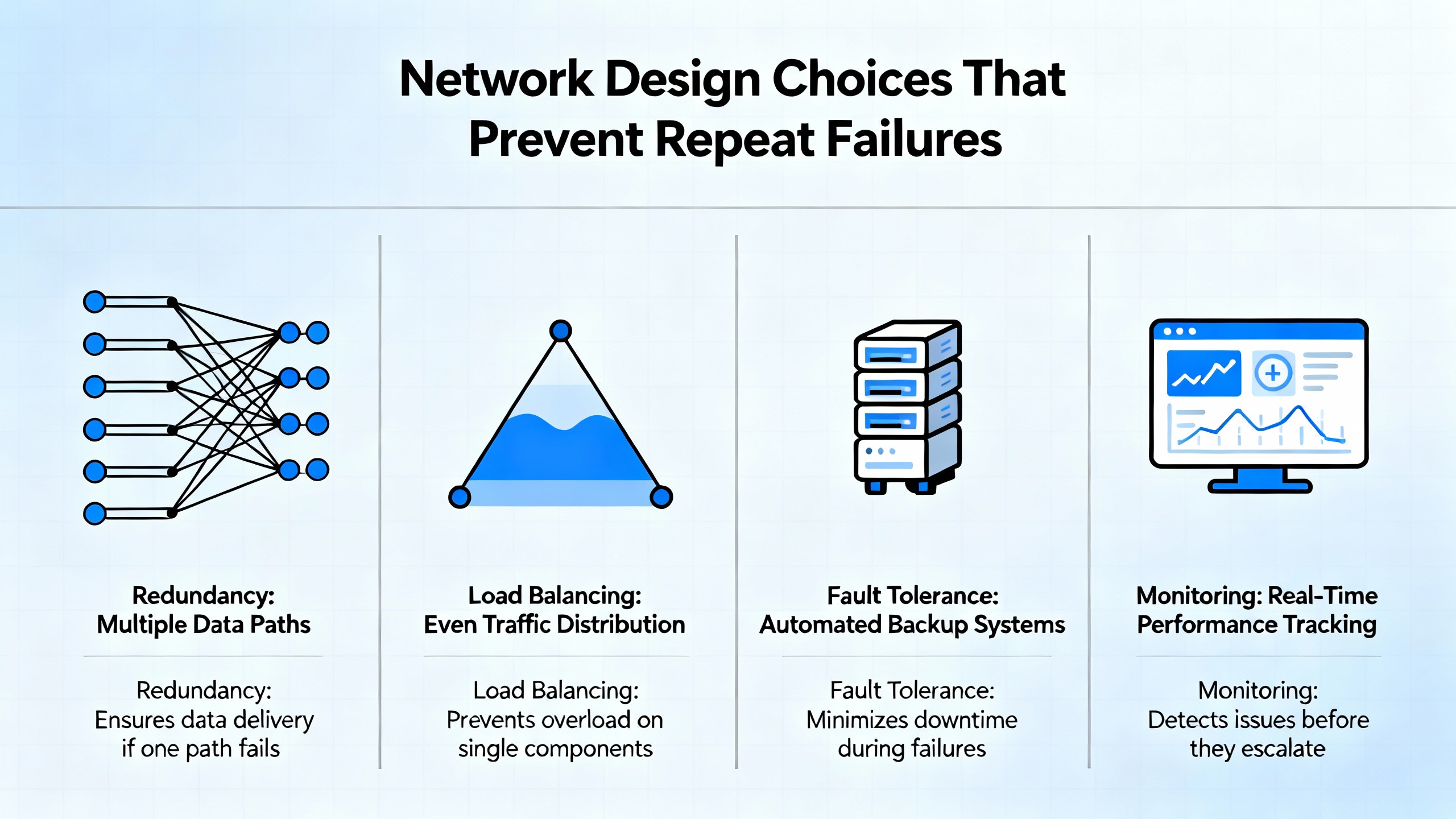
Network Design Choices That Prevent Repeat Failures
EtherNet/IP is robust when designed per the Rockwell Automation guidelines. The protocol carries CIP connections over TCP/UDP and uses multicast for cyclic I/O, with the Requested Packet Interval defining update rates. Good network hygiene hardens control systems against packet storms and unplanned outages. A hierarchical star topology with quality managed switches is simplest to operate; where resiliency is required at the device level, Device Level Ring is appropriate for industrial edge without creating unmanaged loops. Enable IGMP snooping and a querier to contain multicast, apply DSCP-based QoS end to end so high-priority traffic wins during transient congestion, and segment control networks with VLANs and Layer‑3 boundaries to keep broadcast domains small. For motion and time stamping, use PTP with hardware timestamping on controllers and switches, and then monitor PTP offsets and jitter to spot early clock drift. These are not theoretical prescriptions; they are the practical reasons why the same plant either sees weekly nuisance disconnects or months of uneventful runtime.
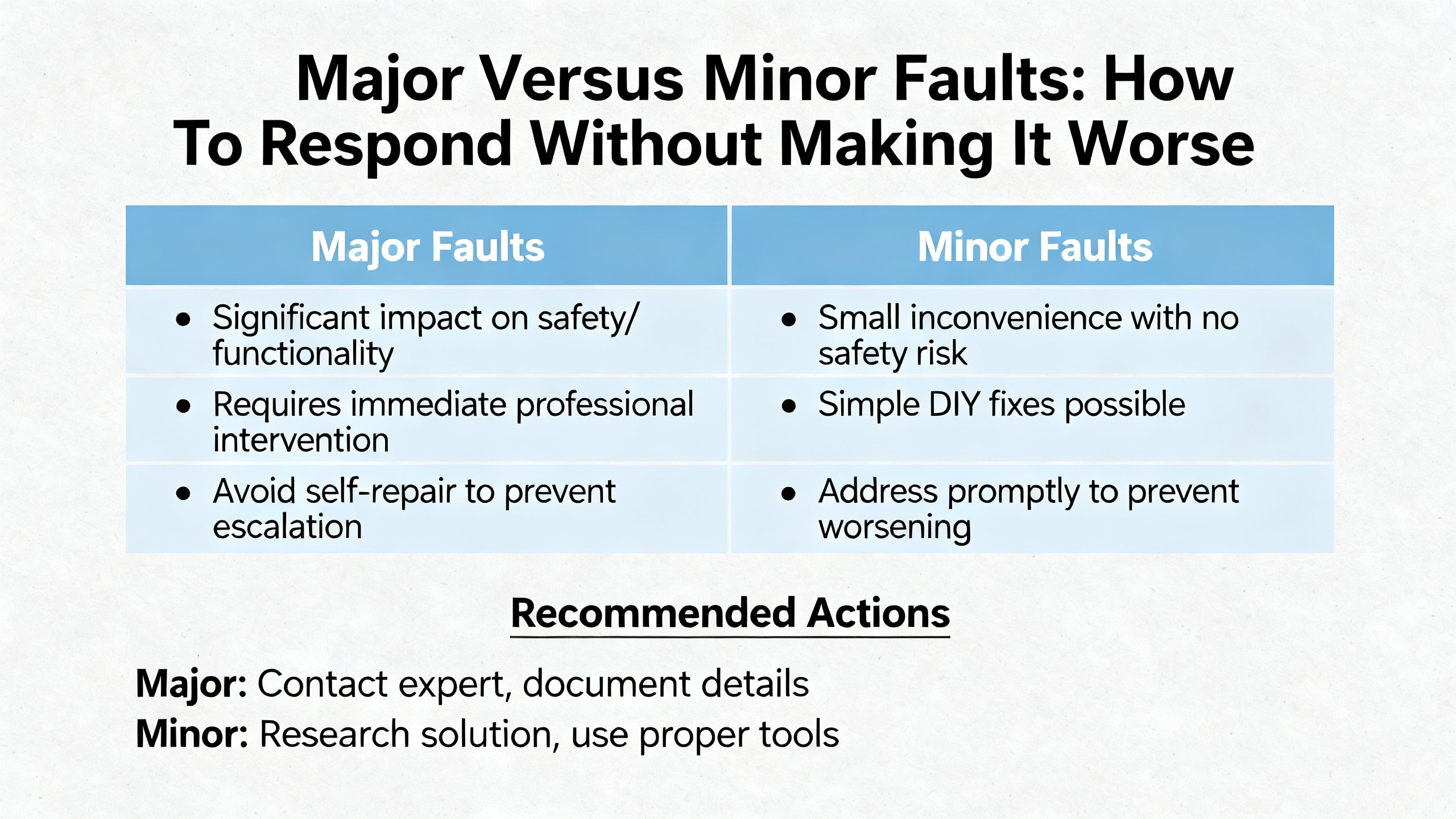
Major Versus Minor Faults: How To Respond Without Making It Worse
Industrial Automation Co’s 5370 guide and Rockwell’s manuals distinguish minor from major faults. Minor faults are non‑critical and often allow the controller to continue running; they frequently arise from configuration mismatches, temporary module communications issues, or parameters such as overlapping RPIs. Major faults stop the controller and demand a deliberate recovery. The first step is always to read the controller’s fault log in Studio 5000 and note the exact code, even if you think you have seen it before. Clear the fault only after you record the details. If the code traces to a programming error such as a watchdog timeout, scan the task structure and look for loops or long delays. Top‑ten error summaries frequently emphasize the value of simplifying or optimizing rungs, ensuring proper data types, and removing infinite loops. If the code points to hardware, isolate by replacement rather than multiple simultaneous adjustments. After applying a fix, retest the system under normal load and watch stability and comms for at least the length of your typical production cycle.
Power Quality And Protection: The Silent Root Cause
It is difficult to overstate the role of power quality. PLC Department’s power supply troubleshooting notes outline the typical symptoms: erratic behavior, inappropriate outputs, communications drops, and intermittent shutdowns. Use your meter and oscilloscope where possible to confirm clean DC output and check for ripple or noise. Heat and dust reduce power supply lifespan, so treat fans, filters, and vents as part of the control asset, not as cabinet decorations; clean and replace them on schedule. Electrical noise from drives and large motors will couple into unshielded runs: shield as specified, bond shields correctly, and separate control from power wiring. In critical applications, redundant power supplies and battery-backed solutions limit single points of failure. The UPS that saved you during a brief utility sag three summers ago may now have a tired battery; replacement cycles matter. When in doubt, temporarily power the controller and network from a known-good supply to divide electrical issues from everything else.
Firmware And Software Alignment: When To Update And When To Roll Back
ControlFLASH and Studio 5000 are the natural tools for firmware stewardship. ACS Industrial Services and Industrial Automation Co both emphasize that unresponsive modules, unexpected reboots, or unrecognized chassis modules often trace to firmware mismatches or missing EDS files. When you add a new module, confirm that the controller firmware supports the module’s revision. Updating controllers and modules to known-good versions fixes crashes caused by defects addressed in later releases. That said, there are times when a firmware update introduces regressions for your specific combination of hardware and task structure. If you see new instability following an update, revert to the previous compatible version, document the behavior, and open a case with Rockwell if needed. Consistency across a line matters more than chasing the latest minor revision without cause.
HMI And SCADA Communications: Compatibility, Instances, And Licensing
The Oxmaint InTouch discussion highlights how a configuration nuance can stall an entire commissioning day. An InTouch node talking to a CompactLogix v34 CPU via ABCIP v1.2 failed because that server supported only earlier CompactLogix versions. After installing a newer Communication Drivers Pack, communications restored. A small but essential detail was setting the InTouch Access Name Application Name to match the ABCIP instance, such as ABCIP_1, for non‑default instances. If you observe logs stating that the node disconnected or that diagnostics show zero device items, suspect driver instance mismatches, missing controller IP assignments on the root device object, or license gaps that disable I/O reads. For mixed Rockwell and third‑party stacks, capture screenshots of diagnostics before and after changes, and keep a record of versions. This documentation not only accelerates internal troubleshooting but also shortens vendor support calls.
Recovery Methods That Work In The Field
When a module indicates a fault with a flashing red LED and reseating plus wiring checks do not help, attempt a firmware reflash. ACS Industrial Services and SolisPLC sources both point to full firmware flashes as a way to clear persistent communications faults. If a module refuses to accept a flash or fails repeatedly, move to a spare and consider the original suspect. For controllers, preserve a backup before any factory reset, especially if you lack recent change documentation. Rockwell and Industrial Automation Co both note that a factory reset is a last resort and is appropriate only after exhausting other options. For communications instability and high CPU load on a gateway interfacing to Rockwell PLCs, users have reported success by replacing legacy Allen‑Bradley drivers with the modern Allen‑Bradley Logix driver, with the caveat that you must bulk-edit OPC paths and fully retest reads and writes afterward. Pair these interventions with measured post‑fix observation rather than immediate handover; a half‑hour of clean operation under normal scan rates and I/O activity is a bare minimum.
Preventive Maintenance And Documentation That Actually Change Outcomes
Plants that avoid repeat incidents tend to do a few simple things well. They track power quality and cabinet temperature trends, tighten and clean terminal blocks on a regular cadence, and perform quarterly network performance checks that include packet loss, CIP connection health, and switch logs. They keep offline backups of controller projects and keep fault logs, change histories, and firmware matrices up to date. They label field I/O so a technician can correlate tags to terminals without guesswork. They also devote time to training technicians on Studio 5000 fault diagnostics and the difference between a controller major fault and a minor nuisance alarm. These practices come straight from Rockwell Automation guidance and integrator field writeups, and they pay back during the one outage you want to resolve before the maintenance window ends.
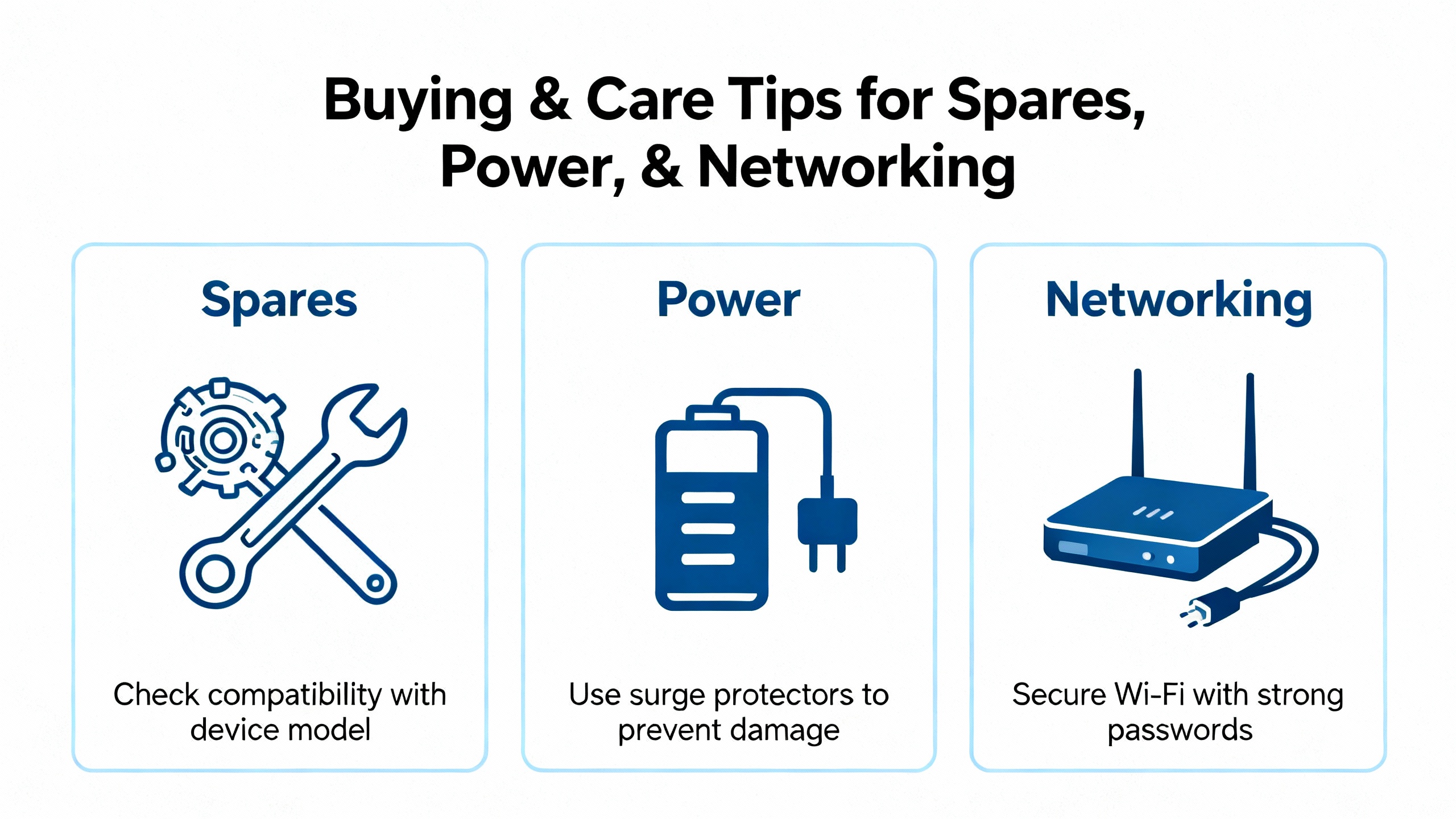
Buying And Care Tips For Spares, Power, And Networking
When stocking CompactLogix spares, favor genuine modules at the firmware revisions you run today, plus a tested upgrade path. Keep at least one known-good power supply and one Ethernet communications module or controller with embedded Ethernet, since these are frequent failure points or suspects. Ensure your managed switches are industrial grade with IGMP snooping and a querier, can enforce QoS using DSCP markings, and support PTP if you run time stamping or coordinated motion. For HMI and SCADA stacks, maintain current driver packs and confirm license entitlements for I/O counts before upgrades. For UPS selection, choose double-conversion or line-interactive units rated for your cabinet’s combined DC and AC loads with sufficient headroom, and plan battery replacement on a calendar, not only on failure. Surge protection at the panel and point-of-use for network runs reduces exposure to transients that age electronics invisibly. A little discipline here prevents the uncomfortable situation of chasing a phantom fault that was really a dying supply.
Pros And Cons Of Common Resolution Options
| Option | Strengths | Tradeoffs |
| Update or align firmware with ControlFLASH and matching Studio 5000 | Resolves many erratic behaviors and recognition issues; vendor-aligned solution | Requires version control discipline; rare regressions may necessitate a rollback |
| Replace legacy HMI/SCADA drivers with the modern Logix driver | Reduces gateway CPU and improves stability; future-proofed for Logix families | Requires OPC path edits and retesting; plan downtime and validation |
| Reseat or replace suspect I/O modules; load correct EDS | Quickly isolates hardware from configuration; restores I/O determinism | Needs stocked spares; without EDS and firmware alignment, issues may persist |
| Redesign or tune the EtherNet/IP network per Rockwell guidance | Sustainable fix for multicast storms and packet loss; improves entire cell reliability | Involves switch configurations and possible hardware refresh; requires network skills |
| Implement HMI tag hygiene and leased tag groups | Cuts comms load and screen open delays; improves operator experience | Requires UDT/AOI mapping and design time; leased groups may introduce brief ramp-up |
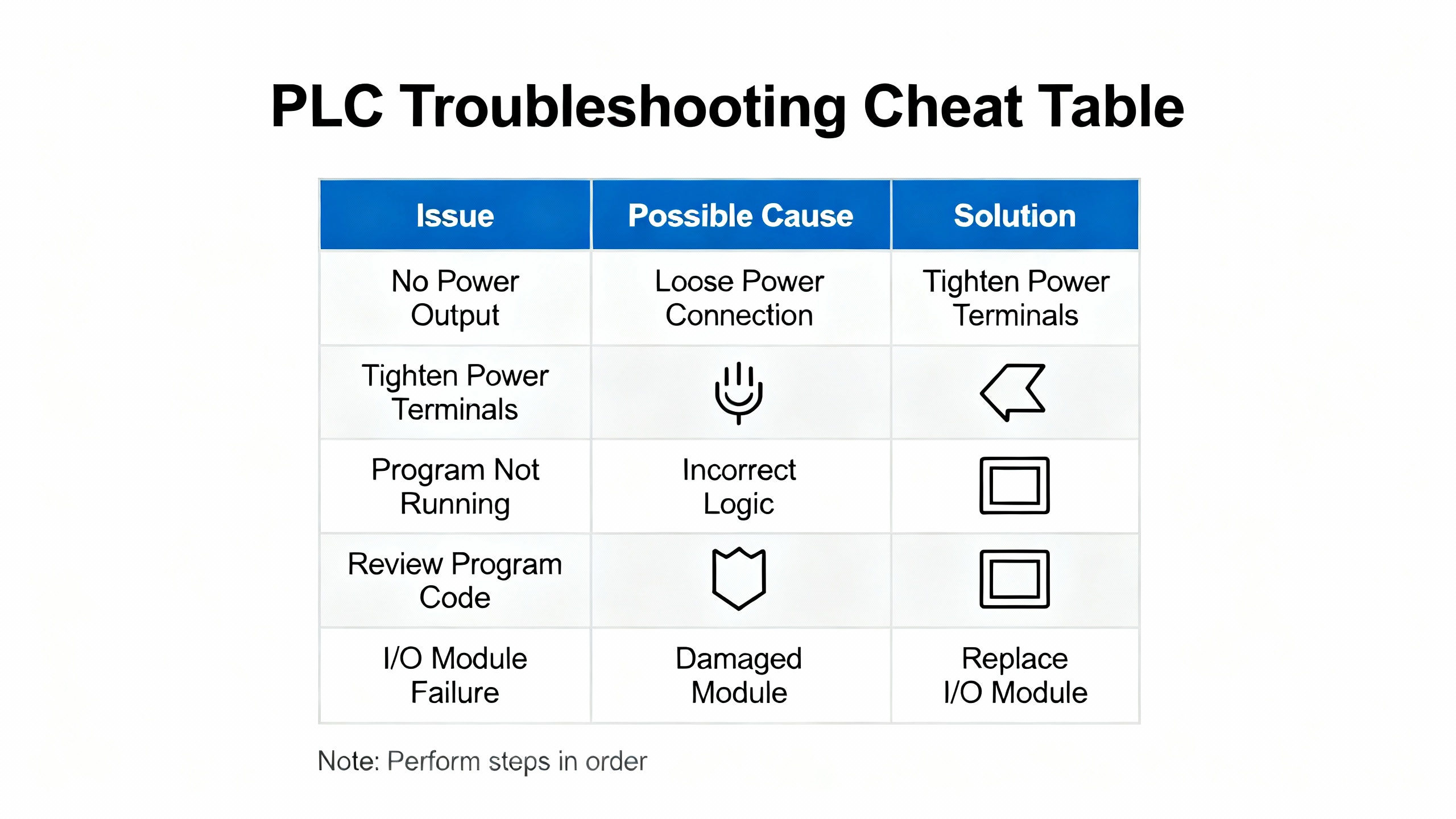
CompactLogix Troubleshooting Cheat Table
| Symptom | Likely Cause | First Action |
| HMI tags show bad quality or no updates | Driver or firmware incompatibility; license or instance mismatch; multicast not controlled | Verify driver version support for controller firmware (example: ABCIP needs a modern release for v34), confirm Application Name instance, and enable IGMP snooping with a querier |
| Module LED flashing red; I/O not responding | Module mismatch, EDS missing, wiring fault, or module failure | Reseat module, match module type and slot in Studio 5000, install the correct EDS, then swap with a known-good spare if the fault persists |
| Controller stuck in Program or Major Fault | Logic error or hardware fault | Read and record the fault code in Studio 5000, correct the logic or replace the suspect hardware, then clear the fault and return to Run |
| Intermittent comms dropouts and gateway CPU spikes | Legacy driver inefficiency or PIDE-heavy screens | Migrate to the Allen‑Bradley Logix driver and streamline HMI tags to PV, SP, and Output with leased groups for infrequent settings |
| Studio 5000 cannot go online or “unrecognized module” alarms | Software–firmware mismatch; missing EDS; incompatible versions | Use a Studio 5000 version that matches controller firmware and update EDS files so modules are recognized |
| Communications fail only after network maintenance | Duplicate IPs or a looped switch | Document IPs, ping devices to confirm conflicts, and remove loops; ensure managed switches are configured correctly |
Case Notes That Save Time
Even a simple topology choice inside your engineering software can break communications. The Oxmaint thread described a line set up in a ring rather than a star, and the change back to a star in Studio 5000 restored communications. On the instrumentation side, binding to dozens of PIDE members on a single HMI screen floods the driver with individual reads; Inductive Automation recommends exposing only the process variable, setpoint, and output, and putting rarely changed gains and deadbands into a leased group. When leased groups are not bound, they run slowly to save bandwidth; when bound, they speed up and may take several seconds to ramp, which is expected. For recurring backplane faults or odd Ethernet behavior after software fixes, a full firmware flash is a strong next move. If it fails, follow the SolisPLC advice and cut your losses by swapping the hardware rather than burning hours on a module with a damaged interface.
Verification Before You Hand The Line Back
The difference between a quick fix and a durable fix is verification. After clearing a major fault or swapping a module, return the controller to Run and monitor in Studio 5000 while the line executes its normal cycle. Rockwell’s troubleshooting playbooks and industry repair guides both recommend leaving the system under observation long enough to surface temperature, traffic, or scan-time triggers that simple idle checks will not catch. If the plant has a historian, log key counters such as task scan times, I/O packet loss, and controller CPU utilization, and then compare to your historical baselines. A clean half-hour under normal conditions is a minimum; highly dynamic lines warrant longer observation.

Takeaway
Most CompactLogix symptoms resolve when you proceed from the outside in. Clean power and solid wiring stabilize the platform, managed EtherNet/IP with multicast control stabilizes communications, aligned firmware and drivers let devices talk, and thoughtful HMI tag design keeps bandwidth where it belongs. When a module refuses to cooperate, a firmware flash or a quick swap isolates hardware definitively. These are not shortcuts; they are the consistent habits that turn late-night triage into uneventful production. The references behind this guidance—Rockwell Automation design documents, ODVA protocol guidance, and field reports from repair and integration specialists—align on the same message: build cleanly, verify methodically, and keep records.
FAQ
What DC voltage should I measure on a CompactLogix controller’s supply? CompactLogix platforms expect a stable 24 V DC supply, and field guidance commonly cites a working window of approximately 20.4–27.6 V DC. Measure at the controller under load and verify clean output without excessive ripple before chasing logic faults.
My InTouch HMI cannot connect to a CompactLogix v34 controller. What should I check first? Confirm your ABCIP OI Server supports that controller firmware. Oxmaint reported that ABCIP v1.2 supports only earlier CompactLogix versions. Install a current Communication Drivers Pack and ensure your Access Name Application Name matches the correct ABCIP instance, such as ABCIP_1, and then verify licenses that enable I/O items.
A module shows a flashing red LED and the I/O is dead. How do I proceed? Start by reseating the module and inspecting field wiring. In Studio 5000, confirm the configured module type and slot match the hardware, and ensure the EDS file is installed. If the fault persists, update firmware where applicable or replace the module with a known-good spare to isolate a hardware problem.
Our Ignition gateway CPU spikes and comms stutter when screens open. Is this a PLC issue? It is more likely a driver and tag pattern issue. Users have reported relief by moving from legacy Allen‑Bradley drivers to the Allen‑Bradley Logix driver and by avoiding direct reads from PIDE members. Bind only PV, SP, and Output as external tags, and move rarely changed parameters to a leased tag group to reduce continuous polling.
Should I update firmware whenever I see odd behavior? Update only when you have a compatibility reason or a known fix. Align firmware across controller and modules and ensure your Studio 5000 version matches. If a new revision introduces instability for your system, roll back to the last proven version and document the behavior for vendor support.
When do I suspect a hardware failure rather than configuration? If a full firmware flash fails or repeated resets do not clear communications or backplane issues, suspect the hardware. CompactLogix controllers with embedded Ethernet can experience interface failures independent of the CPU, as reported in field troubleshooting notes. At that point, replacement is often faster and more reliable than extended repair attempts.
Sources Acknowledged
Rockwell Automation EtherNet/IP design guidance informs the network recommendations, including IGMP snooping, QoS, topology, and time synchronization. Industrial Automation Co and GES Repair provide fault categories, I/O integrity methods, and power-related failure statistics and checks. ACS Industrial Services and Synchronics discuss firmware alignment and diagnostic workflows using ControlFLASH and Studio 5000. Oxmaint offers HMI driver compatibility lessons specific to InTouch and CompactLogix. Inductive Automation and community forums contribute best practices for driver selection and tag strategies that reduce communications load. MrPLC provides practical field diagnostics for duplicate IPs and network loops.
References
- https://www.plctalk.net/forums/threads/best-practices-for-communication-loss-detection.62332/
- https://gesrepair.com/troubleshooting-controllogix-plc-failures-common-causes-and-fixes
- https://mrplc.com/index.php?/topic/39347-cannot-communicate-compactlogix/
- https://synchronics.co.in/diagnose-repair-allen-bradley-controllogix-plc-failures/
- https://www.electricneutron.com/troubleshooting-guide-for-allen-bradley-plcs/
- https://www.linkedin.com/posts/andy-hale-miet-a3368027_allen-bradley-plcs-are-among-the-most-reliable-activity-7374429559212896256-ROXq
- https://community.oxmaint.com/discussion-forum/troubleshooting-communication-issues-between-intouch-and-compactlogix-a-comprehensive-guide
- https://blog.acsindustrial.com/allen-bradley-repairs/3-tips-for-troubleshooting-common-issues-in-allen-bradley-controllogix/
- https://amatrol.com/product/plc-troubleshooting-compactlogix-training/?pdf=8963
- https://forum.inductiveautomation.com/t/ignition-logix-best-practice-tips-for-better-communications/60386


 Videos
 News
News Applications












Leave Your Comment