











Get Parts Quote
Name
Company *
Phone *
Email *
Address
City
State / Province / Region
Zipcode
Country
Quantity *
Part Number *
Manufacturer
Preferred Condition
Additional Information
Cancel
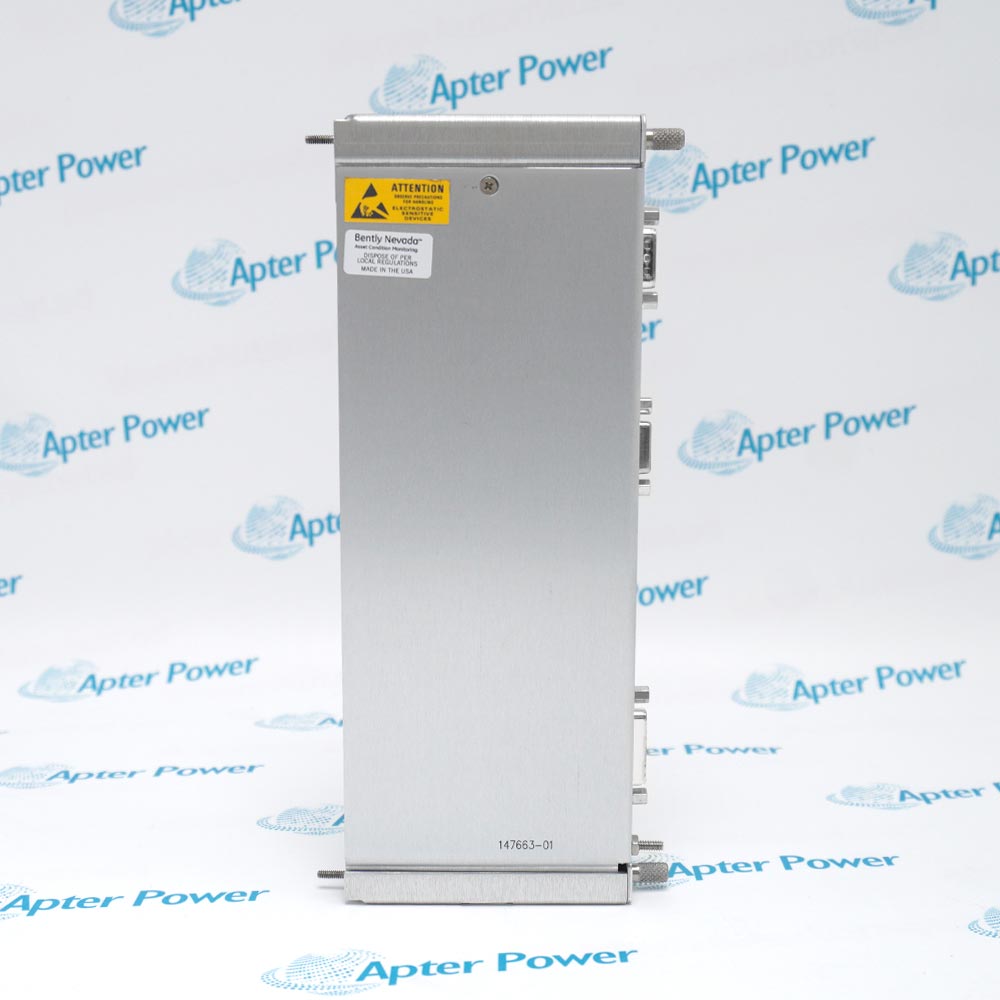
Bently Nevada 147663-01
Product image is representative; revision or series may vary. Contact us to request a specific version.

147663-01

Display I/O Module
In Stock
Ships by Monday, October 26
Fast Shipping Available

Product Describe:

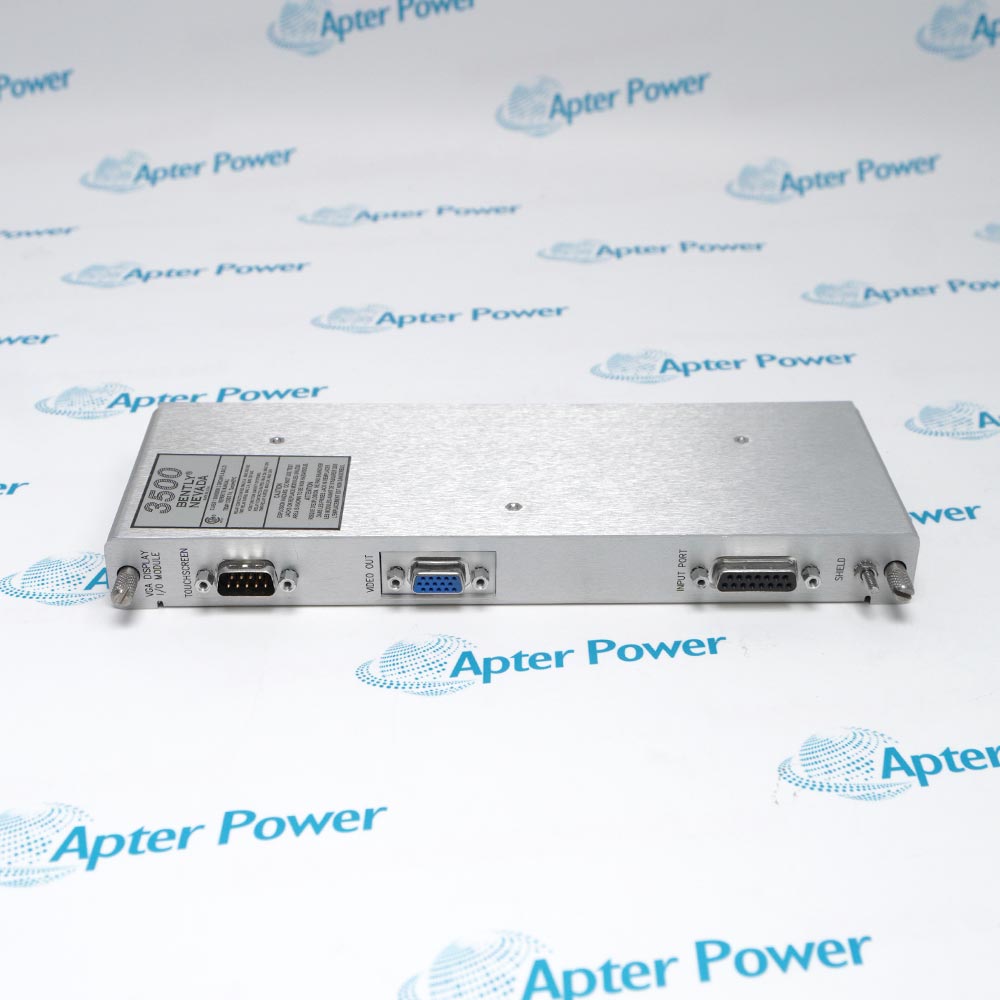
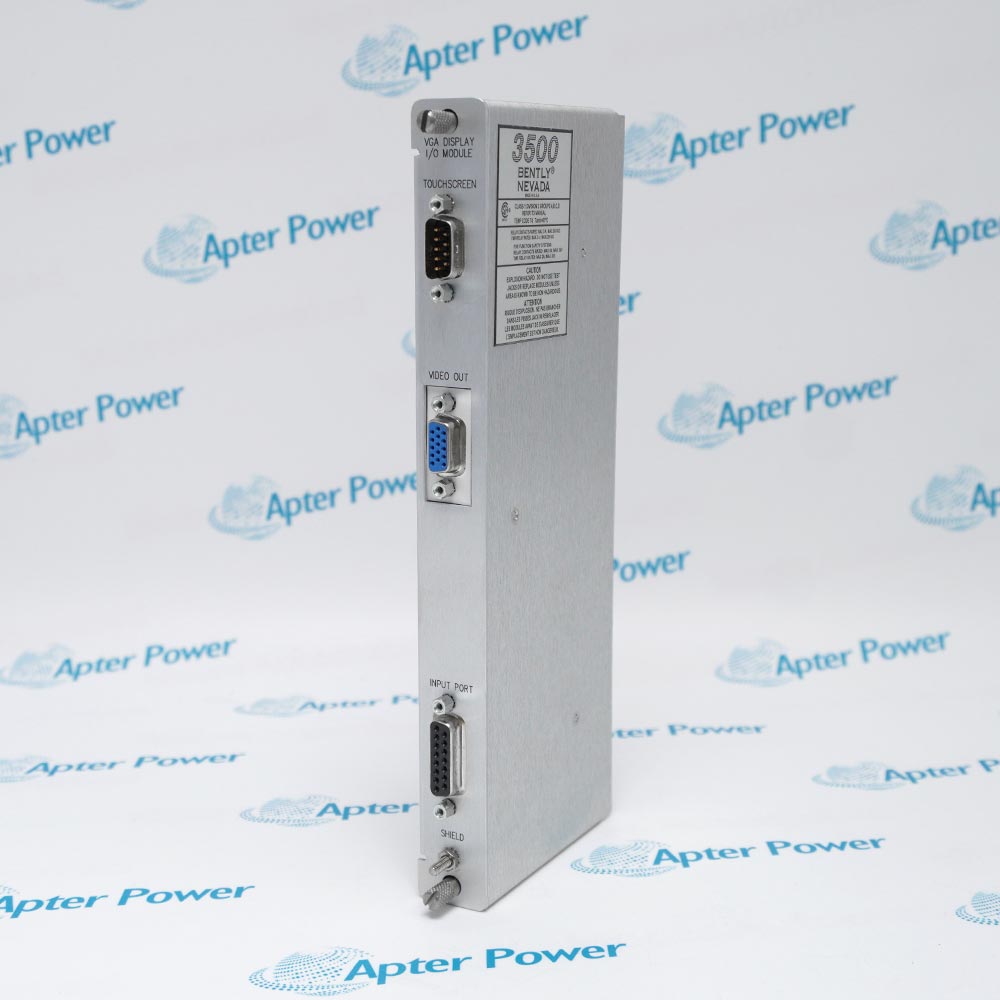
Bently Nevada 147663-01 is the 3500/94 VGA Display I/O module. It provides the rear-rack VGA display output and RS232 touchscreen-data interface used with the associated 3500/94 display system.

Ask our team:

Get a quick price for: 147663-01
Quantity*
Upload (gif, jpg, jpeg, png, bmp, doc, docx, xls, xlsx, ppt, pdf, csv)
For more information on how your data is processed and stored by Apterpower please read our privacy policy.

Technical specifications for 147663-01

Technical specifications for 147663-01

  • Manufacturer:
    Bently Nevada
  • Product Category:
    Machinery Monitoring System
  • Spare Part Number:
    147663-01
  • Estimated shipping dimensions:
    2.5x11x24cm
  • Weight:
    0.38 kg
  • Tariff Code:
    8537101190
  • Counliy of origin:
    USA
  • System:
    3500/94 VGA Display
  • VGA Output:
    Analog red, green, blue and synchronization signals
  • RS232 Input:
    Touch controller data
  • I/O Rack Position:
    One full-height rear slot
  • Host Main-Module Position:
    One full-height front slot
  • Host Custom Screens:
    9
  • Host Display Data:
    System events, alarm events and module/channel data
  • Display Configuration:
    3500 Rack Configuration Software
  • Host Firmware Minimum:
    Revision P
  • Rack Configuration Minimum:
    Version 4.8
  • Operator Display Minimum:
    Version 2.21
  • Data Acquisition Minimum:
    Version 1.22
  • Standard Display Reach:
    Up to 10 m (33 ft)
  • Recommended Display Distance:
    Within 25 ft for best image quality
  • Optional Display Router:
    Up to 4 racks; one selected rack at a time
  • Router-to-Rack Location:
    Within 6 m (20 ft) of each rack
  • Optional KVM Reach:
    Up to 305 m (1000 ft)
  • 3500/94 User Guide:
    148636

Information

Information

Overview Manuals Common Applications Product Precautions
Bently Nevada 147663-01 is the 3500/94 VGA Display I/O module. It provides the rear-rack VGA display output and RS232 touchscreen-data interface used with the associated 3500/94 display system.
  • VGA output carries analog colour and synchronization signals to the supported display.
  • RS232 input returns touchscreen-controller data to the display system.
  • The I/O module occupies one full-height rear rack slot behind the main display module.
  • The associated 3500/94 supports rack/channel views, event lists and nine custom screens.

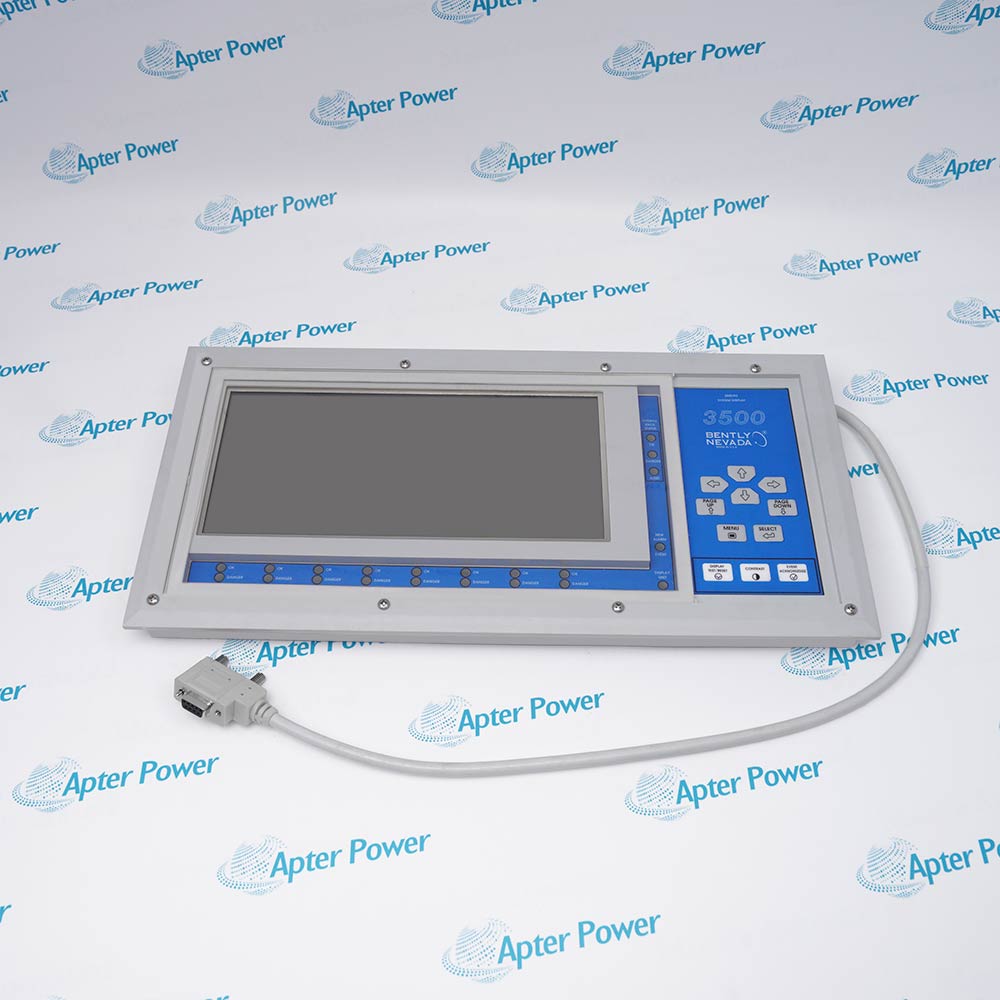
The display system combines a main module, rear I/O module and separately powered external display. Display type and language are configured with 3500 Rack Configuration Software; other display data and custom screens are configured locally. An optional router selects one of up to four racks for a shared display.

Important Notice: Confirm the legacy 3500/94 generation and supported touchscreen interface before replacement. Cable reach, display power and optional router or KVM requirements describe the complete installation and are not independent electrical ratings of the I/O module.

Bently Nevada 147663-01 Manuals & Downloads
Bently Nevada 147663-01 Technical Reference (PDF)Bently Nevada 147663-01 Installation & Commissioning Guide (PDF)

The technical reference covers the VGA and RS232 interfaces, display configuration and cable options. The installation guide covers cabling, touchscreen checks and display-system acceptance.


Rack-side operator display
Provide the VGA and touch-data connections for a supported display viewing a 3500 rack.
Event and alarm review
Support local access to system event lists, alarm event lists and quick views of channels in alarm.
Machine-train views
Connect the display used for locally configured screens such as 1X, gap and machine-train groupings.
Shared multi-rack display
Participate in an optional display-router installation that selects one of up to four racks.
Bently Nevada 147663-01 checks focus on the VGA path, RS232 touch return, display selection and optional routing equipment.
1
Verify 147663-01 and the 3500/94 main-module generation before replacement; do not apply 3500/94M I/O specifications.
2
Keep VGA video and RS232 touch connections identified separately; a visible picture does not prove touch communication.
3
Match the supported display type and touchscreen controller in Rack Configuration Software before testing operation.
4
Provide the external display with its required separate power supply; do not treat the I/O module as display power.
5
Prefer a display location within 25 ft for image quality; the standard system reach is up to 10 m (33 ft).
6
If using a display router, keep it within 6 m (20 ft) of each rack and confirm the selected rack before operator actions.
7
Use the optional KVM extender only under its indoor and non-hazardous-area restrictions; assess long-run noise and image degradation.
8
After restoration, test video, touch response, rack identity and alarm/event navigation through the site commissioning procedure.

Technical notes

Technical notes

Match the 3500/94 main module, supported display and touchscreen configuration. The 3500/94M is a different display generation; its I/O data must not be substituted for 147663-01.

FAQS

  • Which interfaces are provided by 147663-01?
    The I/O module outputs VGA analog red, green, blue and synchronization signals and receives touchscreen-controller data through RS232.
  • Does 147663-01 belong to the 3500/94M display generation?
    No. 147663-01 is listed for the 3500/94 VGA Display. Confirm the complete display generation before selecting an I/O replacement.
  • Why can a display connected to 147663-01 show an image but ignore touch input?
    Video and touch data use separate VGA and RS232 paths. As field checks, inspect the serial connection and confirm the configured display type and touchscreen controller.
  • How far can the display be placed from the rack using 147663-01?
    The standard display system supports up to 10 m (33 ft). A location within 25 ft is recommended for best image quality; exceeding that recommended distance can degrade the picture.
  • Does 147663-01 power the external display?
    The external display requires a separate power supply. Use the selected display requirements when planning that supply.
  • How does a display router change an installation using 147663-01?
    The optional router connects up to four racks to one display, with one rack displayed at a time. Locate the router within 6 m (20 ft) of each rack and verify the selected rack identity.
  • What software baseline applies to a 3500/94 system containing 147663-01?
    The listed minimums are 3500/94 firmware Revision P, Rack Configuration version 4.8, Operator Display version 2.21 and Data Acquisition version 1.22.
  • Can a KVM extender be added to the display path of 147663-01 for a hazardous-area installation?
    The optional KVM extender is for indoor use and is not rated for potentially hazardous areas. Although it can extend the path up to 305 m (1000 ft), picture quality and noise susceptibility must also be assessed.
Trusted by 5,000+ plants worldwide | Backed by our vast inventory of top-tier control parts, modules and cards, fast shipments are dispatched to cover your urgent needs. ABOUT US >>
Disclaimer: We are not an authorized distributor or distributor of the product manufacturer of this website, The product may have older date codes or be an older series than that available direct from the factory or authorized dealers. Because our company is not an authorized distributor of this product, the Original Manufacturer`s warranty does not apply.While many DCS PLC products will have firmware already installed, Our company makes no representation as to whether a DSC PLC product will or will not have firmware and, if it does have firmware, whether the firmware is the revision level that you need for your application. Our company also makes no representations as to your ability or right to download or otherwise obtain firmware for the product from our company, its distributors, or any other source. Our company also makes no representations as to your right to install any such firmware on the product. Our company will not obtain or supply firmware on your behalf. It is your obligation to comply with the terms of any End-User License Agreement or similar document related to obtaining or installing firmware.

Product Browsing History

We’re Here When You Need Us

From product insights to customer service needs, our experienced service team will focus on getting you what you need quickly

Enquire

Complete our online form.

Call Us

Speak to one of our team.

Live Chat

Send us a message.
