ControlLogix racks do a lot of quiet work until a fault stops a line, an HMI goes stale, or a controller freezes at the worst possible moment. As a power system specialist who regularly audits cabinets and responds to overnight “line down” calls, I approach Allen‑Bradley 1756 troubleshooting with a reliability mindset first, then a software and network lens. The goal is not just to clear the fault, but to make the next fault less likely, faster to diagnose, and contained in scope. This guide distills proven practices, references respected sources such as Rockwell Automation, CISA, and Claroty Team82, and folds in pragmatic field tactics from independent repair and integration firms.
What Fails First in the Real World
Power quality is the quiet saboteur of control systems. Global Electronic Services reports that electrical and power issues account for as much as 80% of PLC failures. That aligns with what we see on site: aging supplies, loose grounds, and heat stress produce intermittent resets and erratic I/O long before components “fail hard.” On a 24 VDC control bus, confirm the supply sits within 20.4–27.6 V under load with a multimeter rather than assuming cabinet indicators tell the full story. When voltages check out, environmental factors—dust, vibration, and cabinet heat—often explain rising nuisance faults. Cleaning filters, inspecting mounting, and verifying airflow are unglamorous tasks, but they yield fast wins in uptime.
Software health and firmware alignment come next. The most confounding ControlLogix symptoms, such as unresponsive I/O, unexpected reboots, or “Run/Program” being unavailable when attempting to go online, frequently trace back to firmware mismatches and communication brittleness. Standardize firmware and keep Studio 5000 and module profiles in step. Finally, do not overlook batteries and memory housekeeping. Low‑battery warnings, loss of retentive tags after power‑down, or growing memory usage after recent program changes are early signals that resilience is slipping.
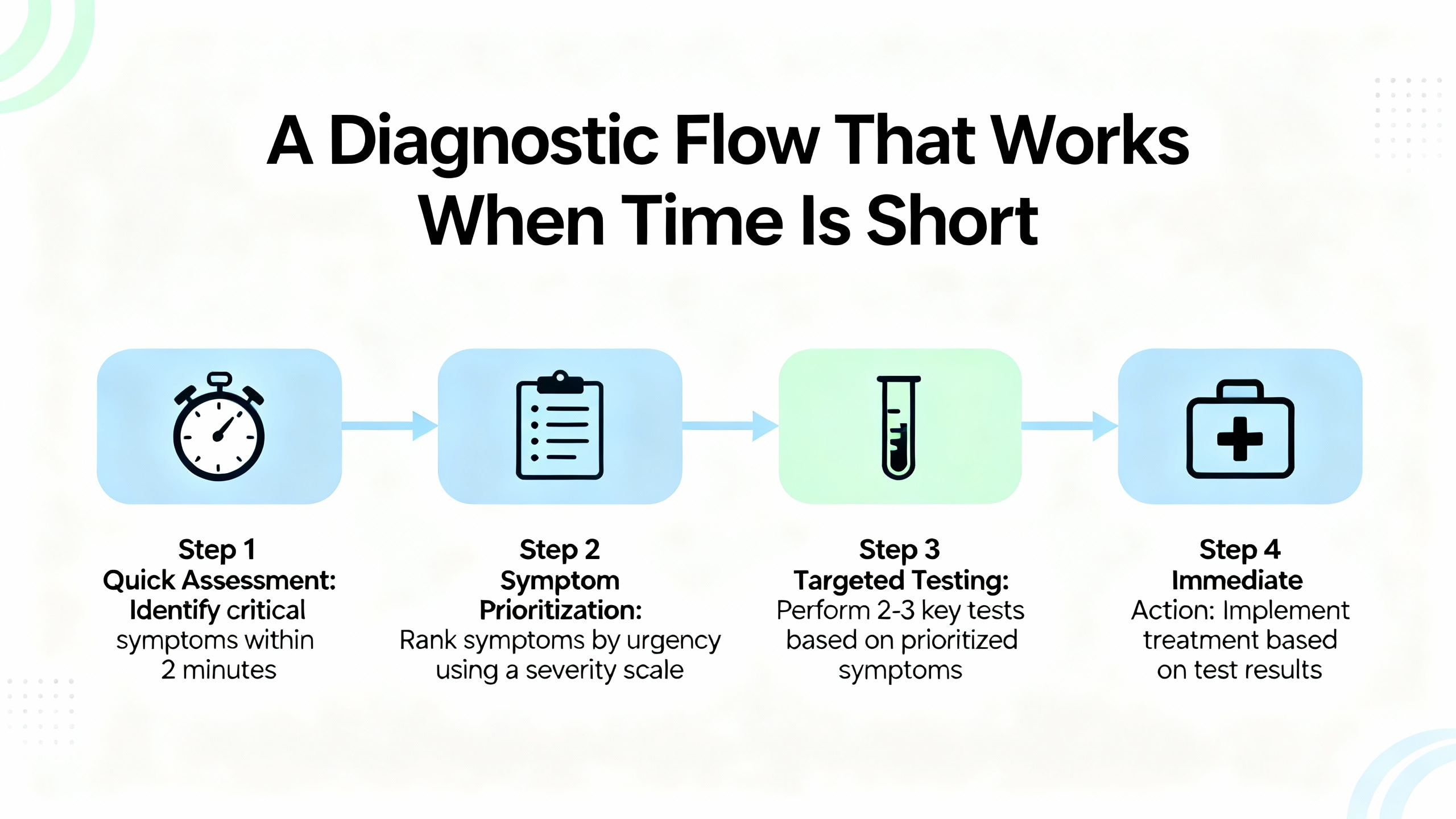
A Diagnostic Flow That Works When Time Is Short
When a system is down, sequence matters. Start with communications, power, and environment before making logic changes. Then verify I/O integrity and configuration, check firmware compatibility, and only afterward consider module replacement.
In many incidents, technicians find the controller reachable by USB but not over Ethernet, or vice versa. That split result is a clue: the EN2T/EN4TR module or network path is more suspect than the CPU. If a processor appears frozen and Studio 5000 greys out mode changes, resist the reflex to immediately power‑cycle. First, capture the state you will lose after a reboot: LED colors and flash rates on the controller and comm modules, any messages on a four‑character display, module webpage diagnostics if reachable, and a quick photograph of the rack. If you have a known working USB cable and drivers, test a direct USB session to the CPU or to an EN2T front port. Then proceed to a controlled reboot if needed and reconnect one link at a time, observing which reconnection correlates with the return of the fault. This simple discipline turns a mysterious freeze into a repeatable pattern you can address.
Communications Come First
Network faults present like device failures. Rockwell families like ControlLogix and CompactLogix are robust, but duplicate IP addresses, damaged patch cords, or a misconfigured device on EtherNet/IP can overwhelm links. Studio 5000 gives immediate status by going online and reviewing the Controller Fault Log and Module Properties. If modules show up with yellow triangles, drill into connection details and errors. Verify unique IP addressing across the cell, check switch port status, and reseat backplane modules one at a time if you see intermittent backplane timeouts. For legacy SLC 500 work, RSLogix 500 is the right tool; for Logix 5000 families, Studio 5000 Logix Designer remains the primary diagnostic cockpit.
When a chassis includes multiple Ethernet modules, as in systems with several EN2T or EN2TR cards, a single chatty node or bad link can propagate stalls. If an outage appears to clear only after unplugging all Ethernet and re‑applying them one by one, document which segment coincides with the failure’s return. That evidence focuses the next maintenance window on the right drop, device, or switch port.

Power Integrity and Environmental Health
A reliable 24 VDC rail and a grounded chassis are foundations for consistent ControlLogix behavior. Start with direct measurements at the terminals and under load. Retighten loose terminations, replace failing suppression devices, and isolate ground faults methodically. Heat hastens capacitor wear in power supplies and modules, so trend cabinet temperatures and perform thermographic scans during scheduled checks; you will often catch a partially blocked intake or a failing fan well before it becomes an outage. If a power supply LED cycles or shows a red fault state intermittently, swap in a known‑good unit to rule out a marginal supply before chasing elusive software causes.

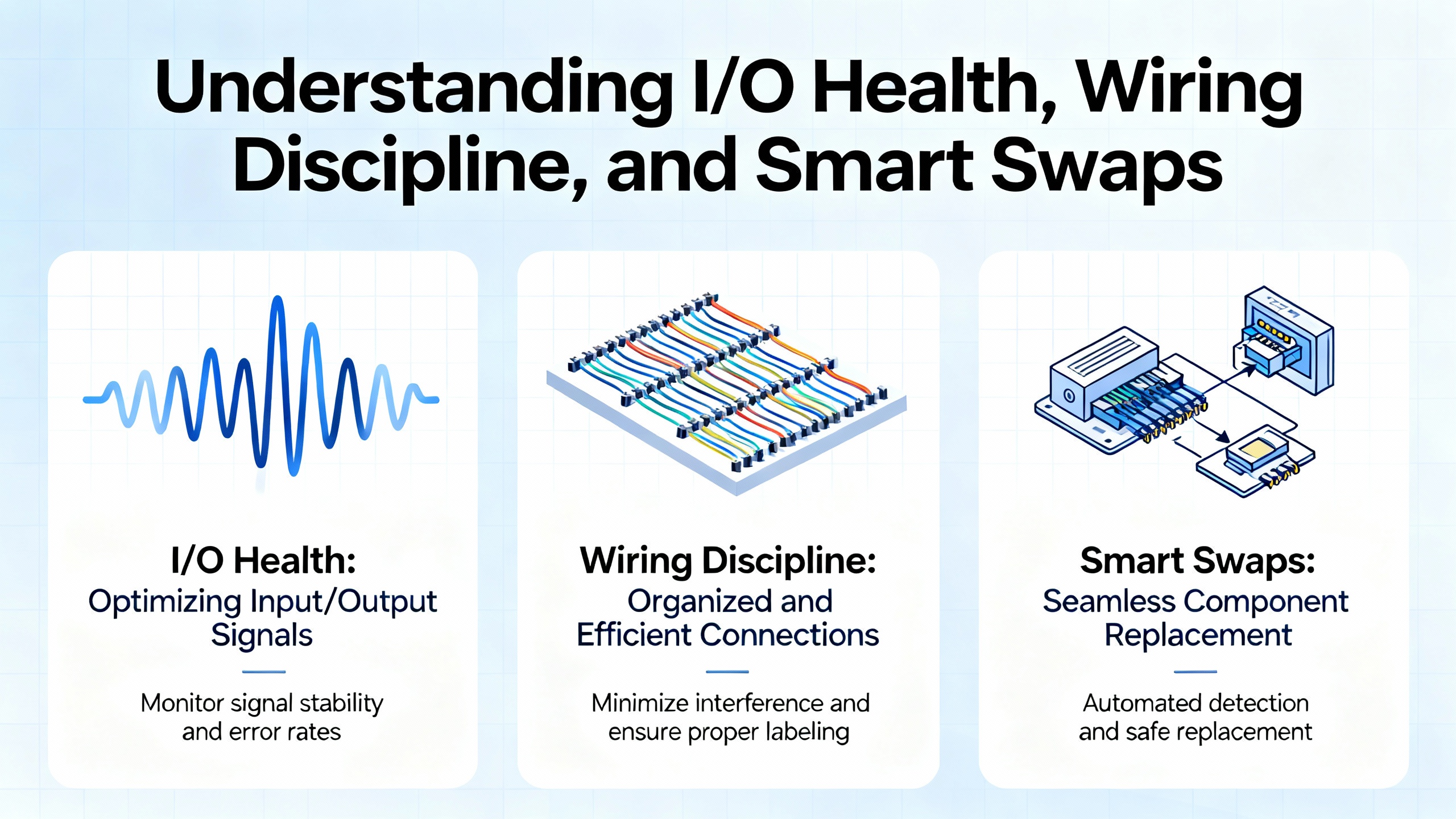
I/O Health, Wiring Discipline, and Smart Swaps
Unresponsive modules and flashing red indicators frequently trace to field wiring rather than bad cards. Inspect connectors for corrosion, loose ferrules, or mechanical strain from door movement. Reseat modules, then verify channel status in Studio 5000. When a module truly fails, swap with a like‑for‑like spare of the same series and firmware to avoid introducing a second problem. Many “hardware failures” prove to be misconfiguration or firmware mismatch when examined in Controller Properties and Module Info; one experienced author noted that a significant fraction of suspected bad cards were simply configured wrong. That observation matches field experience and argues for software diagnostics before parts replacement.
Firmware and Compatibility Hygiene
Erratic behavior after maintenance, intermittent drops of remote I/O, or controllers that occasionally reboot are classic symptoms of firmware mismatches. Standardize controller and module firmware across similar assets and manage updates with ControlFLASH or ControlFLASH Plus. Test on a representative non‑critical rig before touching production and roll forward or, if necessary, roll back to a known compatible version. Keep your Studio 5000 version current enough to support hardware in your plant and align Add‑On Profiles with card series to avoid false negatives in diagnostics.
Memory, Batteries, and Program Resilience
Low batteries and memory pressure culminate in lost retentive tags after outages, failed uploads or downloads, and “low memory” faults following program growth. Replace controller batteries on a planned cadence of about two to three years, and coordinate change windows to avoid surprises. Clean up unused routines and tags, reduce unnecessary trend storage, and keep an eye on scan time and power cycle counters. Backups should be regular, versioned, and tested. Rockwell AssetCentre can automate backups fleet‑wide, while quarterly restore tests validate that you can recover quickly when a module or controller fails.
Tasking, Overhead, and Performance Tuning
ControlLogix performance is strongly influenced by task configuration and system overhead. Continuous tasks run as fast as possible and can starve communications or lower‑priority work. Prefer periodic tasks for predictability, using intervals like 50 ms or 100 ms where the process allows, and reserve faster execution for truly time‑critical logic. The System Overhead Time Slice defaults to about 20% and can be adjusted to relieve communications starve conditions, especially on comms‑heavy cells connected to SCADA. Do not sample non‑essential data too aggressively; slow ambient or housekeeping variables to longer update rates while keeping mission‑critical sensors fast. In practice, modernizations that replace a continuous task with appropriately tuned periodic tasks, raise the overhead slice modestly for heavy HMI traffic, and trim over‑fast network updates often deliver smoother comms, lower CPU load, and more consistent I/O response.
Reading Indicators with Confidence
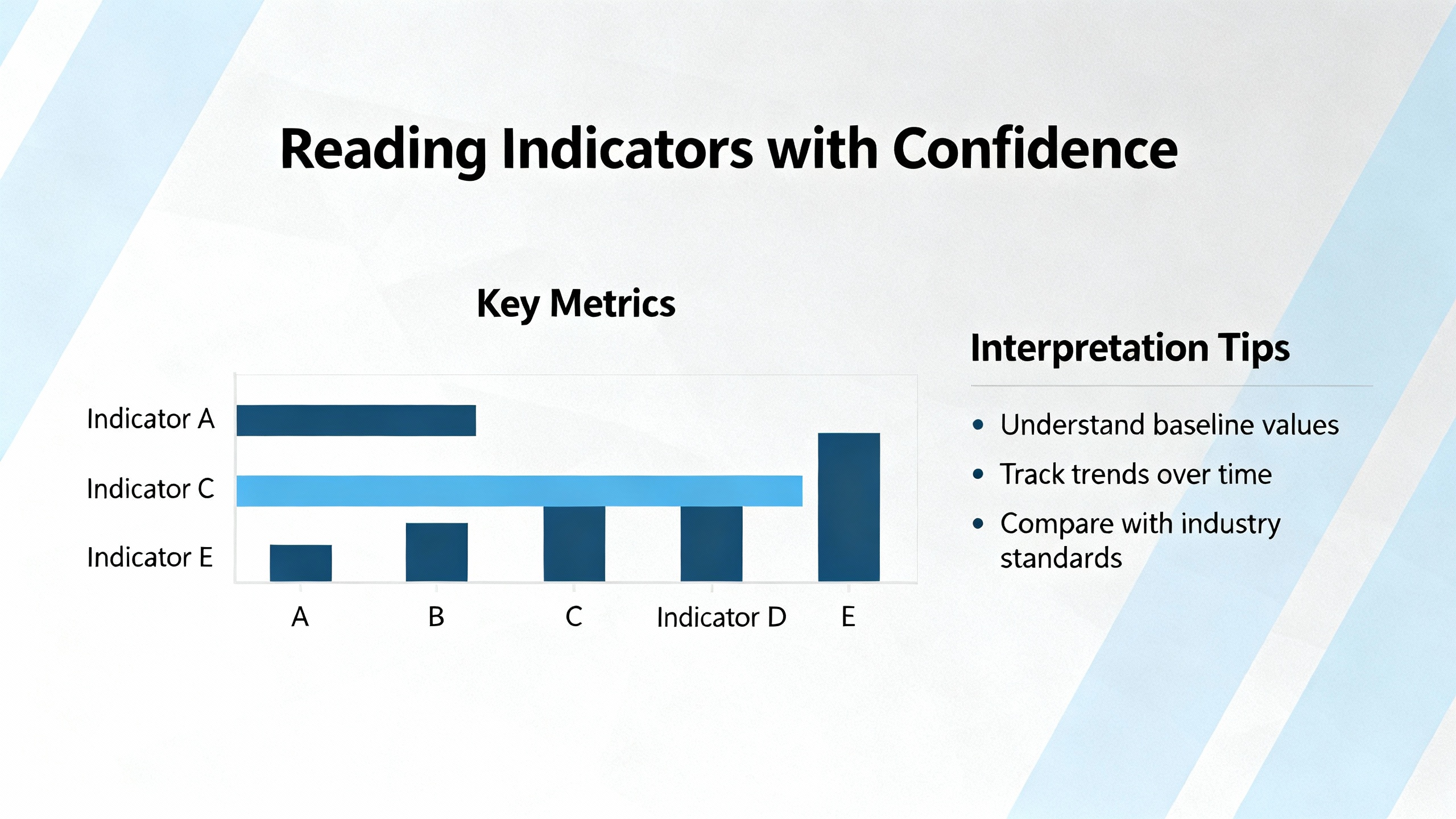
LEDs and display messages are your quickest triage tools. The mappings below reflect common ControlLogix conventions and should be confirmed against model‑specific manuals.
| Indicator | State/Color | What It Means in Practice |
| Controller RUN | Solid green | Logic executing as expected. |
| Controller OK | Solid green | Controller healthy; no major fault. |
| Controller OK | Flashing or solid red | Major fault or serious error present. |
| I/O Module Status | Green on | Module healthy and communicating. |
| I/O Module Status | Red or off | Communication or device fault; verify wiring and configuration. |
| Network Status | Green on | Normal network communication. |
| Network Status | Flashing or red | Link or network fault; inspect cabling, IP conflicts, or traffic. |
If you encounter an elusive freeze or intermittent behavior, capture the LED states and any short text on the controller or comm module displays before cycling power. Those codes are often the difference between a guess and a fix.
Studio 5000 and RSLogix Moves That Save Hours
Studio 5000 Logix Designer is a deep well of live diagnostics. Going online, reviewing the Controller Fault Log, and stepping through logic quickly expose watchdog timeouts, out‑of‑bounds array access, or divide‑by‑zero conditions behind red OK LEDs. Module Properties reveals firmware levels, connection health, and faulted channels; tag monitors and trend charts correlate event timing with process signals. On older SLC 500 and MicroLogix platforms, RSLogix 500 gives similar real‑time visibility into scan status and instruction‑level errors. When communications or firmware mismatches are suspected, Program Compare and custom data monitors from within the Rockwell toolset help verify what changed and when.
A simple working habit speeds future incidents: trend scan time and key I/O; note power cycles; and keep notes on recurring faults with screenshots. That history shortens the path to root cause.
Network‑Level Issues and How to Contain Them
EtherNet/IP faults range from subtle to spectacular. Damaged patch cords, duplicate addressing, or a misconfigured device that floods the cell can disrupt controller‑to‑I/O and controller‑to‑HMI links. Start with the basics: verify cable integrity and link lights, confirm unique IP addresses for every device, and use Studio 5000 diagnostics to identify modules with rising error counts or timeouts. Right‑size Requested Packet Intervals to match process needs; not every device needs millisecond updates. Managed switches, appropriate multicast handling, and steady housekeeping of addressing records pay dividends in stability. After each change, observe the system in Studio 5000 for a sustained interval to confirm that faults do not recur under normal load.
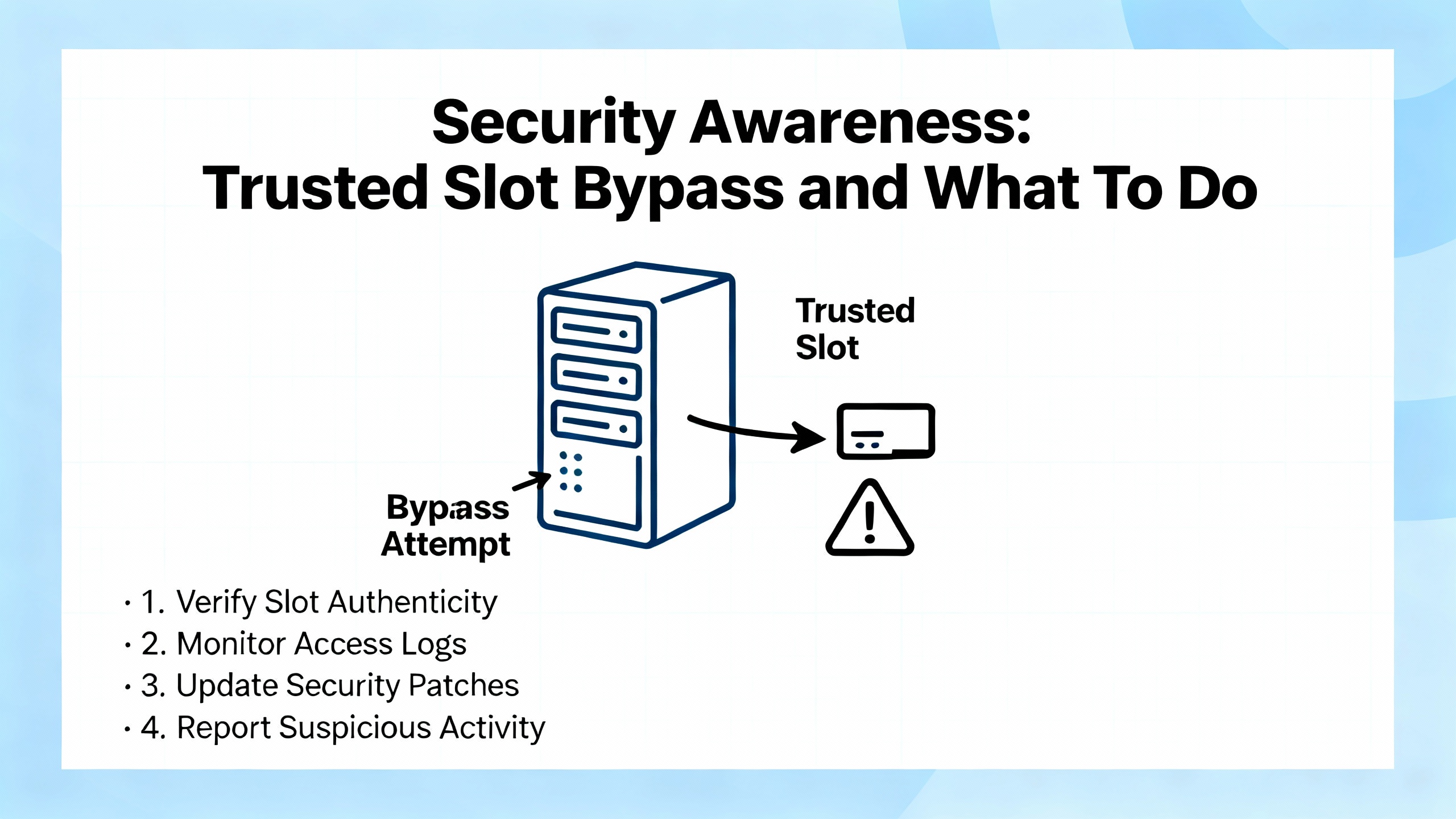
Security Awareness: Trusted Slot Bypass and What To Do
Security matters in reliability, because unintended commands or configuration changes are as disruptive as failing hardware. Claroty Team82 documented a vulnerability tracked as CVE‑2024‑6242 that allowed a threat actor with network access to bypass the ControlLogix Trusted Slot feature using CIP routing inside a 1756 chassis. CISA characterized the risk with a high CVSS base score and advised immediate mitigations. Rockwell Automation issued specific controller and module firmware updates that close the gap on newer series, while some older Ethernet modules require a series upgrade to remediate.
| Item | Advisory Summary |
| Affected families | ControlLogix, GuardLogix, and 1756 ControlLogix I/O in 1756 chassis, per CISA and Rockwell Automation guidance. |
| Risk snapshot | Bypass of Trusted Slot controls via CIP routing could enable elevated commands that modify projects or device configuration. |
| Controller updates | ControlLogix 5580 and GuardLogix 5580 minimum versions such as V32.016, V33.015, V34.014, or V35.011 and later. |
| Ethernet module updates | 1756‑EN4TR to about V5.001 or later; 1756‑EN2T Series D and related families to about V12.001 or later, per Rockwell advisories. |
| No‑fix legacy modules | Older 1756‑EN2T/EN2F/EN2TR series have no patch; upgrading to newer series is the mitigation. |
| Detection and defense | Claroty Team82 released a Snort rule to flag suspicious CIP path behavior; combine patching with strong network segmentation and access controls. |
Treat this as both a security and resilience update. Align your firmware plan with these minimums, update your asset list, and verify that your Trusted Slot configuration behaves as intended after upgrades.
Preventive Maintenance and Change Control That Work
A light, steady cadence of maintenance beats heavy, reactive interventions. Visual checks for wiring integrity, cabinet contamination, and heat exposure on a monthly rhythm keep you ahead of “mystery intermittents.” Replace PLC batteries roughly every two to three years during scheduled downtime, not after a power loss forces a surprise. Keep backups current after any logic or configuration change, and consider an automated backup solution for fleet‑wide coverage. Quarterly reviews of firmware status, memory usage, scan time trends, and network integrity reveal slow drifts before they become outages. Lifecycle planning also matters; begin migrating off end‑of‑life platforms and early controller generations while you can still buy parts and schedule downtime on your terms.
| Practice | Practical Target |
| Visual wiring and enclosure checks | Monthly quick pass; note dust, heat, loose terminations. |
| Controller battery replacement | About every 2–3 years during planned downtime. |
| Backups and restore tests | After each change and quarterly restore drills. |
| Firmware and diagnostics review | Quarterly review and non‑production testing before rollout. |
| Network performance and thermography | Quarterly network health check and thermal scan on critical panels. |
Care and Buying Tips that Improve Uptime
Spare parts only add resilience if they are the right parts, labeled clearly, and kept ready. Stock like‑for‑like modules matched for series and firmware; pre‑configure spare cards with the correct settings and affix notes that list firmware and intended slot. Keep a known‑good power supply and a short list of verified cables in the cabinet so you can rule out physical faults quickly. Align controller batteries with vendor recommendations for your specific Logix family rather than relying on generic part numbers. Managed switches that support industrial diagnostics reduce time to root cause on network faults. If you rely on outside repair services, vet providers that publish credible diagnostics approaches and support their work; for example, some specialist firms offer ControlLogix repairs with multi‑year repair warranties, which helps justify planned use in critical cells.
Just as important as hardware is process. Keep a single source of truth for current logic and network addressing, enforce change approval on safety‑critical tasks, and document unusual conditions found during outages. When staff turnover happens, your documentation becomes your resilience.
When To Fix It Yourself and When To Escalate
Plenty of issues are safely handled in‑house: reseating an I/O card after verifying diagnostics, replacing a controller battery on schedule, restoring a known‑good program after corruption, or standardizing firmware to a tested level. Escalate when the symptoms span multiple systems simultaneously, when a program shows signs of deeper corruption or conflicting memory allocation, when you suspect a CPU or communication module hardware failure beyond simple swap‑and‑test, or when you face an emergency with no verified backups. Rockwell TechConnect and experienced regional integrators can shorten mean time to repair by hours or days, particularly on unfamiliar platforms.
Case Notes From the Field
A plant running two ControlLogix chassis with 1756‑L73 controllers noted that, intermittently during production, the controller appeared frozen and the Run and Program commands in Studio 5000 were unavailable. The team learned that unplugging all communication cables, cycling power, and reconnecting links one by one recovered operation, but they lacked time to capture forensics. When a similar event recurred, technicians documented the RUN and OK LEDs on the CPU, the OK status on each EN2T module, any four‑character display messages, and whether a direct USB connection succeeded before power cycling. The evidence pointed away from a controller fault and toward a specific Ethernet segment. With that focus, the team corrected a network condition that only manifested under peak traffic. The takeaway mirrors wider lessons: capture LED states and connectivity results first, and let that data drive the next action.

Takeaway
ControlLogix systems respond best to disciplined basics. Put power integrity and environment first, then lean on Studio 5000 diagnostics, LED/status interpretation, and careful firmware hygiene. Use periodic tasks and tune system overhead to keep communication healthy without starving control. Secure your platform by aligning with current advisories, and reduce the next outage’s blast radius through steady maintenance, tested backups, and clear change control. Most importantly, capture evidence before you reboot. That habit alone converts many mysteries into solvable, repeatable problems.
FAQ
What is the fastest way to tell if my 1756 controller has a major fault?
Look at the controller’s OK LED and then confirm in Studio 5000. A solid green OK generally indicates healthy operation, while a flashing or solid red OK points to a serious error. Going online and reviewing the Controller Fault Log reveals whether logic errors such as watchdog timeouts or out‑of‑bounds array access triggered the event. If Ethernet is unresponsive, try a direct USB connection to the CPU for confirmation.
How often should I replace PLC batteries and review memory health?
A practical cadence for ControlLogix and CompactLogix families is roughly every two to three years for batteries, scheduled during planned downtime. Review memory usage quarterly, clean unused routines and tags, and reduce oversized trend data. If you notice retentive values dropping after brief power interruptions or low‑battery warnings, prioritize the replacement.
Should I prefer continuous tasks or periodic tasks for performance?
Periodic tasks usually provide better predictability and balance. Typical intervals like 50 ms or 100 ms cover many motion‑light processes, while the most critical loops can run faster as needed. Continuous tasks can starve communications and lower‑priority tasks, so use them sparingly. Tune the System Overhead Time Slice from its default to give communications breathing room when HMI or SCADA traffic is heavy.
When should I update firmware, and what tools should I use?
Standardize firmware across similar assets and update during planned windows after non‑production testing. Use ControlFLASH or ControlFLASH Plus for controllers and modules, and keep Studio 5000 current enough to support your hardware. If you operate ControlLogix 5580 or affected Ethernet modules, align with Rockwell Automation and CISA guidance that remediates Trusted Slot bypass risks discussed by Claroty Team82.
What are the first checks when I/O goes dark or modules show red LEDs?
Start with wiring and seating. Verify tight terminations, look for mechanical damage or corrosion, and reseat the module. In Studio 5000, open Module Properties to see which channels or connections faulted and confirm update rates are appropriate. Only after software checks should you swap in a like‑for‑like spare with the same series and firmware to avoid introducing compatibility issues.
How often should I back up programs, and how do I know restores will work when needed?
Back up after every significant change and run restore drills at least quarterly. If you manage many assets, consider Rockwell AssetCentre for scheduled backups. A backup you have not test‑restored is not a guarantee; brief restore simulations are the surest way to validate recovery.
Sources
This article draws on field experience and the following publishers for specific guidance and statistics: Rockwell Automation, CISA, Claroty Team82, ACS Industrial Services, HESCO, Industrial Automation Co., Global Electronic Services, Electric Neutron, and UbestPLC.
References
- https://www.cisa.gov/news-events/ics-advisories/icsa-24-214-09
- https://www.atn.org/allen-bradley-controllogix-plc-and-troubleshooting
- https://www.plctalk.net/forums/threads/1756-l61-communication-problems.103223/
- https://gesrepair.com/troubleshooting-controllogix-plc-failures-common-causes-and-fixes
- https://blog.hesconet.com/rockwell-automation-plc-troubleshooting-common-problems-and-solutions
- https://hale-eng.co.uk/top-5-allen-bradley-plc-maintenance-best-practices-and-why-a-health-check-is-essential/
- https://www.electricneutron.com/troubleshooting-guide-for-allen-bradley-plcs/
- https://www.linkedin.com/posts/andy-hale-miet-a3368027_allen-bradley-plcs-are-among-the-most-reliable-activity-7374429559212896256-ROXq
- https://blog.acsindustrial.com/allen-bradley-repairs/3-tips-for-troubleshooting-common-issues-in-allen-bradley-controllogix/
- https://industrialautomationco.com/blogs/news/optimizing-controllogix-system-performance-tips-and-best-practices?srsltid=AfmBOoqjcB9u8WwTpTP5vgDINr8KUyTG9EgZ5QytCefZW-zonS45QWbg


 Videos
 News
News Applications












Leave Your Comment