Keeping a MicroLogix controller online is often the difference between a short maintenance window and a day lost to unplanned downtime. As a power and reliability specialist who has commissioned, repaired, and hardened MicroLogix 1000/1100/1200/1400/1500 systems in manufacturing, utilities, and life‑science facilities, I approach every fault the same way: stabilize power and environment, read what the controller is telling you, confirm what the wiring and software agree on, then act quickly without masking the root cause. This guide distills proven, field‑first fixes you can apply within minutes, backed by vendor guidance and reputable practitioner sources such as Rockwell Automation Knowledgebase, HESCO, ACS Industrial Services, Control.com, SolisPLC, Spire Integrated Solutions, Industrial Automation Co., and the MrPLC community.
How MicroLogix Fails in the Real World
Most “PLC problems” are not CPU silicon failures. They trace back to I/O cards, wiring, communications, or power quality. Shops with welding, large motor starts, variable‑frequency drives, or lightning exposure often see intermittent faults correlated with EMI/RFI and voltage dips. According to ACS Industrial Services, the common culprits include main power off, field circuit shorts, failing power supplies, overheating, bad I/O channels, surges, loose or damaged cables, and environmental extremes. HESCO’s controls practice emphasizes that communication failures and power issues are the single most common root causes across Rockwell platforms.
From a power‑systems perspective, unstable input power and noisy grounding are the accelerants for every other failure mode. A well‑sized UPS on the control cabinet, clean 24 VDC supply headroom for modules and sensors, proper bonding, and shield terminations at one end only are not niceties; they are the base of your reliability stack. When those are in order, the rest of your troubleshooting goes faster and ends better.
Read the Controller Before You Touch a Wire
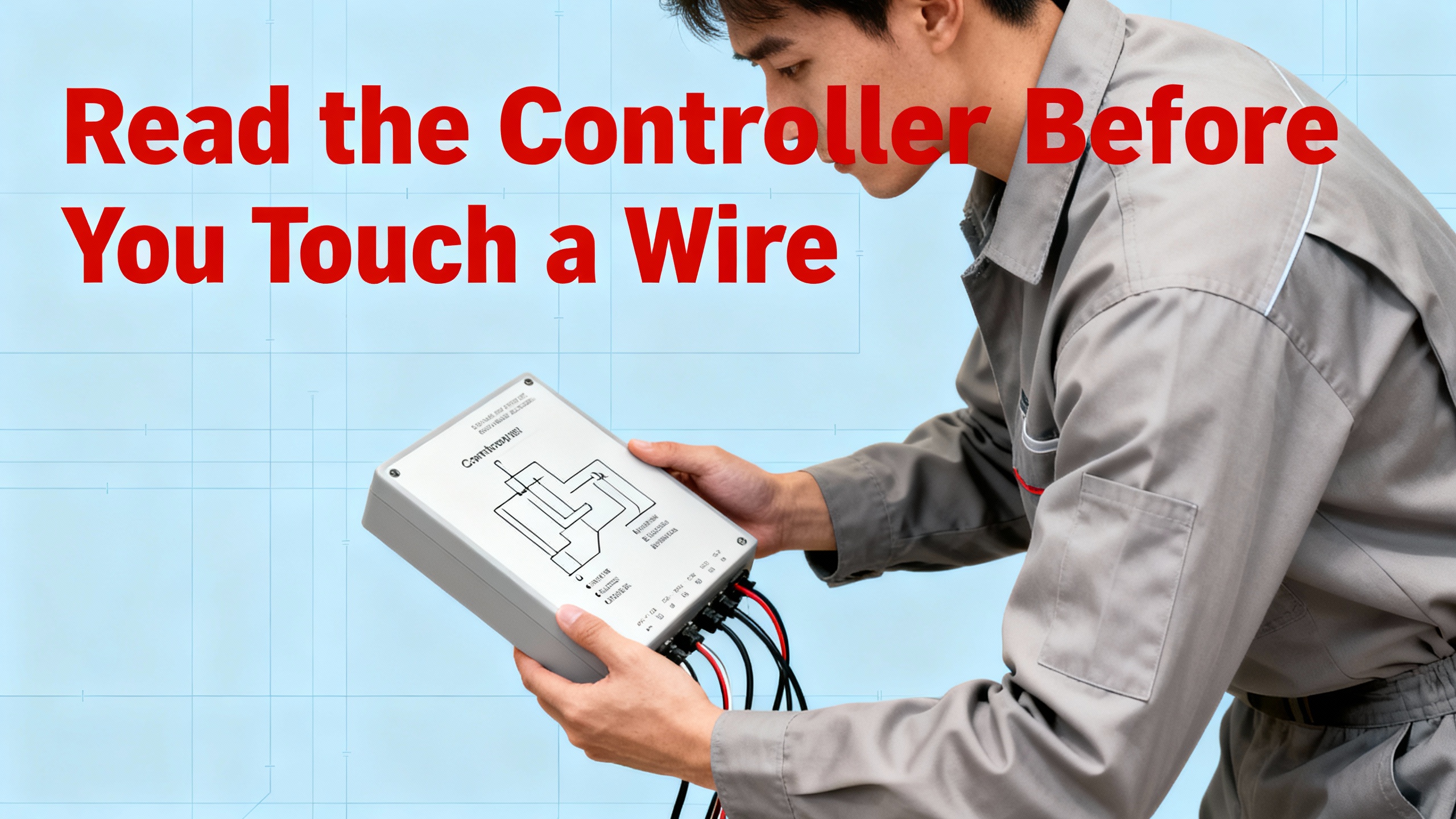
Begin with the truth the controller already knows. Look at the front panel and at the program diagnostics before loosening a terminal screw. If the FAULT LED is flashing, you are in a major error condition that halts program execution until cleared. In RSLogix 500, open Processor Status and review the Errors tab; read the Major and Minor Error codes in the Status file to see exactly what stopped the scan. Rockwell Automation’s support notes on MicroLogix Major Error Codes explain that codes map to root causes such as program logic errors, memory integrity issues, configuration mismatches, and hardware problems. If I/O is suspected, confirm that modules are recognized in diagnostics and that their status LEDs match the ladder logic state.
If you find a red battery indicator or a low‑battery warning in status, back up the running program immediately before power‑cycling. ACS Industrial Services cautions that powering down with a battery fault can cost you your only copy of the logic. Replace the battery on a planned interval, not when it screams for help.
Fast Fixes for Field Symptoms
To help you triage quickly, the following table pairs the symptom you see with the most likely causes, what to check first, and a quick fix that preserves safety. Use this to frame your first ten minutes with the machine.
| Symptom | Likely root cause | What to check first | Safe quick fix | When to escalate |
| FAULT LED flashing; controller stopped | Major fault from logic, configuration, memory, or hardware | Processor Status Major/Minor Error codes; last program changes; power events; module status | Clear the fault in RSLogix 500, or on MicroLogix 1400 use the keypad to switch to Program then back to Run as documented by Spire Integrated Solutions; verify safe states first | Recurring faults, watchdog timeouts, memory allocation errors, or hardware faults with no backup require vendor support or a known‑good program restore per Rockwell guidance |
| Digital inputs “not working” in program | Wiring/COM mismatch, sourcing/sinking mismatch, wrong addressing, high‑speed counter ownership, long input filtering | Input LEDs vs I:x.y bits; COM wiring; sensor supply; address mapping base vs. expansion; HSC configuration and input filters | Tie the correct COM, pair PNP to sinking input and NPN to sourcing input, meter voltage while toggling, correct addressing for 1762 expansions; adjust filter if it masks valid transitions; reseat modules | Replace suspect I/O module; unresolved addressing or HSC conflicts benefit from Rockwell Knowledgebase articles on MicroLogix inputs |
| I/O not responding or unrecognized | Mis‑seated module, configuration mismatch, failing power supply | Module seating and chassis connectors; configuration vs actual hardware; backplane power budget | Reseat the module, align configuration to hardware, and confirm stable terminal voltage with a meter; swap in a known‑good supply if unstable as HESCO suggests | Persistent “unrecognized module” often points to firmware/EDS mismatch or hardware failure; check Industrial Automation Co. guidance on EDS and firmware alignment |
| Cannot download or go online | Driver/path wrong, firmware/software mismatch, DDE application colliding with RSLinx | RSLinx driver (e.g., AB RS‑232 DF1) and cable type (1761‑CBL‑PM02 for serial); software vs firmware versions; concurrent DDE clients | Stop competing DDE/COM apps, use exclusive access for download, match driver and firmware, and try a direct connection; MrPLC contributors note DDE conflicts can corrupt downloads | If downloads consistently fail at the same stage, suspect processor memory or cabling; escalate or try a different interface |
| HMI/SCADA comms lost | Loose Ethernet, IP/subnet mismatch, driver misconfiguration | Physical cabling; IP settings; RSLinx/driver configuration; heartbeat indication | Reseat cables, correct IP/subnet/gateway, restart the driver; add a heartbeat bit and quality alarms per Control.com practices to detect loss quickly | Multi‑node losses or repeated drops suggest switch, power, or noise problems; review grounding and network design |
| Watchdog timeout | Scan time exceeded by logic | Scan time trend; recent code changes; loops and heavy math | Simplify rungs, remove long delays and unintended loops; HESCO notes that repeated reboot‑to‑fix indicates deeper faults | Chronic timeouts justify module separation or controller upgrade planning |
Clearing Faults Without Creating New Ones
Clearing a fault quickly is not the same as fixing its cause, but it can safely shorten downtime if you preserve state. In RSLogix 500, use Processor Status to view the major error description and location, correct the cause if it is obvious, then clear the error. Operators with MicroLogix 1400 units can use the front keypad to change the mode to Program and back to Run to clear an application fault, as described by Spire Integrated Solutions. When a keypad reset recovers the machine, log that a reset occurred, why it was used, and what you will investigate next. If you are trained and your site accepts it, clearing by setting the clear‑major‑error bit in the status file is also an option noted by practitioners in the PLCTalk community; ensure you do this only after de‑energizing or interlocking outputs to a safe state.
I recommend building a simple fault routine that executes on error to capture context into a data file, drop outputs to a pre‑defined safe pattern, and alert operators. Safe shutdown beats indeterminate hold‑last‑value behavior in most processes, and it also gives you breadcrumbs for the next root‑cause analysis.

Inputs That Do Not Toggle: A Practical Diagnostic Flow
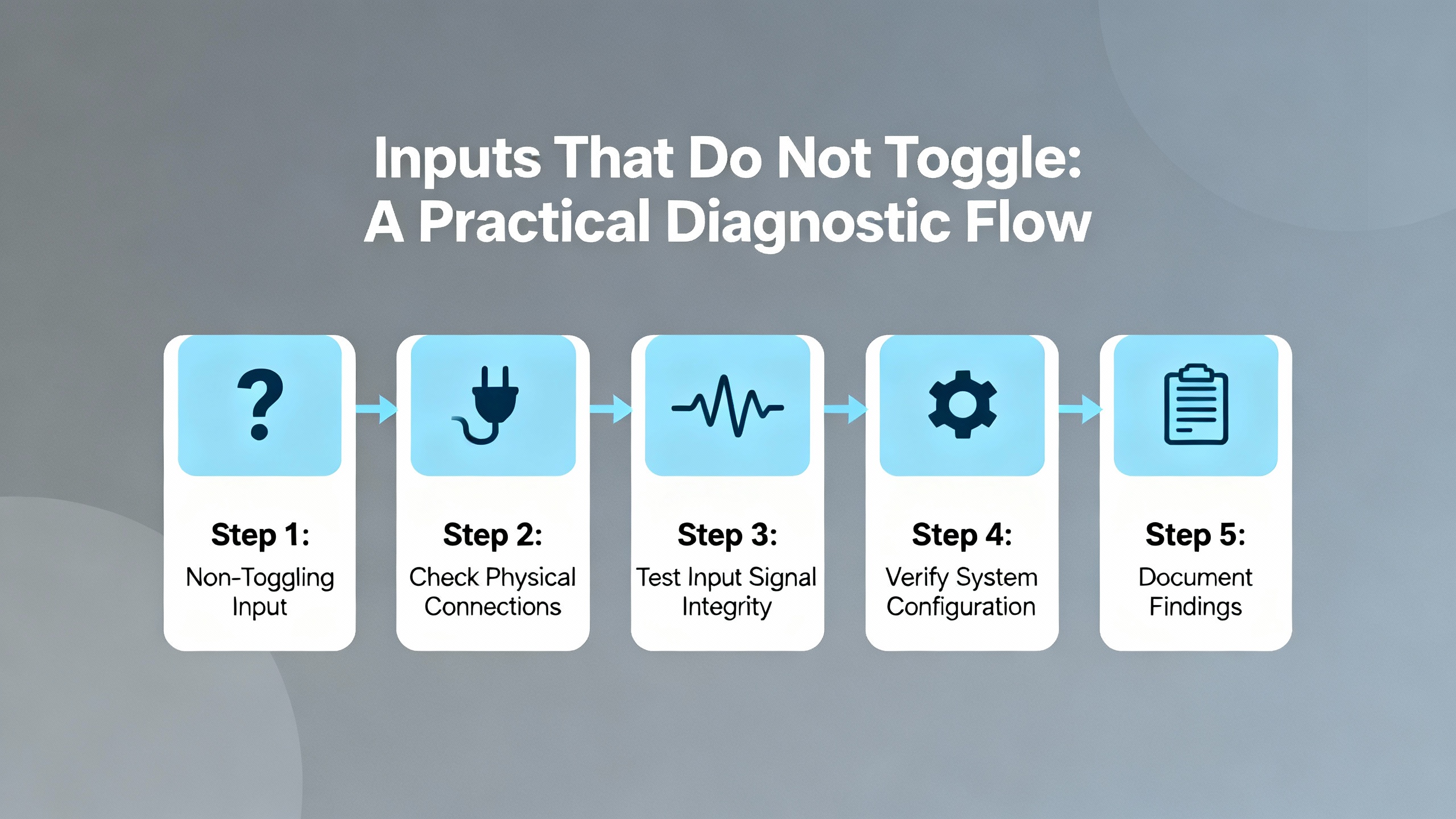
This is one of the most common calls I get from plant technicians, and Rockwell’s own guidance makes the flow clear. Start where electrons meet plastic: if the field device changes state, does the input LED on the module change? If not, you likely have wiring or power supply issues. Meter the voltage between the input terminal and its COM while you toggle the source. Confirm that the input module’s COM is correctly tied and that you have paired a PNP sensor to a sinking input or an NPN sensor to a sourcing input. Many “dead inputs” are simply wrong pairings.
If the LED toggles but the ladder bit never changes, you are in logic‑land. Verify the address is correct for the base versus an expansion module. An input that is I:0/0 on the base might be I:1/0 for the first 1762 expansion, and a misaddressed bit looks exactly like a dead device. Next, review whether the High‑Speed Counter is enabled; the HSC takes ownership of specific input channels and removes them from the standard input image by design. If you have input filters configured, temporarily shorten the filter time if you are missing short transitions. Finally, reseat expansion modules and verify that all are recognized and not inhibited. This simple path, which mirrors Rockwell Knowledgebase advice, resolves most “not working” cases without buying a single part.
Recovering from Communication Problems
Communication loss between a MicroLogix and its HMI, drives, or SCADA typically has a mechanical root cause and a configuration chaser. In the field I start with mechanical: inspect and reseat cables, especially around door hinges and cable tracks. Next, confirm that IP addresses, subnets, and gateways match your network plan. Driver configuration matters too; RSLinx settings for DF1 serial and the correct cable, such as the 1761‑CBL‑PM02 on MicroLogix 1000 or 1200, will spare you ghost hunts. The MrPLC forum documents cases where a DDE client using the same RSLinx driver as RSLogix corrupted downloads; when you are downloading, shut down any application that shares the driver and grant exclusive access to the programming software.
Once the link is up, make it more robust. Practitioners on Control.com recommend implementing a heartbeat or watchdog that toggles at a known rate and declaring a communication loss only after several misses, not the first one. Use protocol status bits and clearly surface data quality on the HMI so operators see the difference between stale and live values. On recovery, require acknowledgment to avoid unexpected auto‑resume.

Handling Mathematical Overflow and Other Logic Faults
Mathematical overflow is a textbook cause of MicroLogix minor faults that escalate to major headaches if left unhandled. SolisPLC provides a simple example: a counter increments a Long Integer, then a MOV instruction copies it into a 16‑bit Integer. When the Long hits 32,768, the MOV overflows, and the controller faults. The fix is twofold. First, use destination data types sized for the maximum expected range, such as storing counts in Long Integers when they can exceed 32,767. Second, clamp values with comparisons before math or moves, and reset counters near their limits under controlled conditions. If you detect minor faults in the status file, you can unlatch the bit before the end of scan to keep the PLC in Run while still inhibiting the offending instruction. Always log these events and alert the operator; a quiet overflow is not a solved problem.

Power and Environment: Quiet Power Keeps PLCs Quiet
Power is the foundation of reliability, particularly for small controllers that live in big, noisy plants. EMI and RFI from welding, radio transmitters, lightning, and large motor starts can cause unexplained trips or communications flakiness. ACS Industrial Services recommends power conditioning, proper grounding, and shielding to mitigate these influences. In my practice, installing a dedicated industrial UPS on the control cabinet, validating the DC power supply has adequate current headroom and thermal margin, keeping VFD outputs well separated from low‑level signal wiring, and bonding shields at one end address the majority of “intermittent” behaviors. Heat is the slow killer. HESCO calls out heat management in monthly visual inspections; controllers living above warm transformers, in enclosed cabinets without ventilation, or near process hot zones fail more frequently. Keep them cool and clean, and they will return the favor.
When to DIY and When to Escalate
There is a sensible boundary between what a maintenance team should do in‑house and when to call for help. HESCO suggests that do‑it‑yourself work includes swapping I/O cards, replacing batteries, restoring known‑good programs, re‑seating cables and modules, and resetting communications. Escalation is warranted when you see multi‑system faults, repeated memory allocation failures, corrupted programs that will not download cleanly, CPU or communication module hardware failures, or emergencies with no backup to fall back on. If your MicroLogix is within warranty, call the OEM first. Otherwise, reputable repair houses, such as ACS Industrial Services, offer no‑charge evaluations, quick quotations, parts and labor warranties, and rush service. These relationships can cut days from your mean time to repair.
Preventive Maintenance That Pays Back
Controls maintenance does not need to be complicated to be effective. Replace controller batteries every two to three years, and do it on your clock rather than the battery’s. Back up programs at least quarterly and after any material change; Rockwell AssetCentre can automate backups across many systems if you have it. HESCO recommends monthly visual inspections for wiring, connections, and environmental conditions, with special attention to heat management. ACS Industrial Services adds practical reminders around ESD handling, sensor power supply health, and surge suppression on inductive loads. The right practices move faults from the middle of the shift to the next outage window.
| Task | Recommended cadence | Tooling or tip |
| Program backups | Quarterly and after changes | Use AssetCentre where available; verify restore by test download |
| Battery replacement | Every 2–3 years | Back up first; replace during planned downtime |
| Visual inspection | Monthly | Look for heat discoloration, loose terminals, dust buildup, blocked vents |
| Power supply health check | Quarterly | Measure terminal voltage under load; keep headroom for expansions |
| Grounding and shielding review | Semiannual | One‑end shield termination, segregate high noise and low signal wiring |
| Firmware and EDS hygiene | Semiannual | Match controller and module firmware; keep EDS files aligned |
Buying and Spares: Practical Tips for Legacy MicroLogix
The MicroLogix family and the older SLC 500 platforms are moving through their lifecycles, which means you need a plan for spares and eventual migration. Rockwell’s Product Lifecycle Search clearly labels each catalog number’s status and provides migration guidance. Keep an installed‑base list with catalog numbers, series, firmware, I/O mix, and networks. Stock a small set of critical spares for your specific models and I/O types; power supplies and the most common input and output modules should be near the top of that list.
When you cannot buy new, proceed carefully. Industrial Automation Co. notes that “unrecognized module” errors are often firmware or EDS mismatches, so verify compatibility before you purchase. Obsolescence specialists and reputable repair providers can supply tested parts with warranties, but the impulse to save a few dollars on unknown sources can backfire. Some industry guides, such as NJT Automation, warn that many “in stock” online listings simply drop‑ship from general marketplaces and may be counterfeit or repackaged. Favor suppliers who prove testing, offer meaningful warranties, and have traceable inventory. If your plant keeps running on legacy hardware, make that a conscious bridge to a planned migration rather than a default mode.
Mini Reference: MicroLogix Families and Tools
MicroLogix controllers live alongside the legacy SLC 500 family on one side and the CompactLogix and ControlLogix platforms on the other. For MicroLogix and SLC 500, RSLogix 500 remains the right tool, with scan status views, real‑time bit toggling, and instruction‑by‑instruction tracing that is ideal for legacy systems. HESCO points out that Studio 5000 is the diagnostic powerhouse for CompactLogix and ControlLogix, with real‑time fault tracking, logic visualization, analog trending, and module/firmware status. Rockwell TechConnect support can pay for itself if you run into corner cases that would otherwise cost you shifts of trial and error.
Takeaway
Quick, safe recovery is absolutely compatible with disciplined root‑cause work. Stabilize the power and environment, read the controller’s diagnostics, verify that wiring and addressing agree, and apply targeted fixes that align with the symptoms. Use keypad mode cycling on MicroLogix 1400 or Processor Status in RSLogix 500 to clear faults only after placing outputs in safe states. Pair sensors correctly with input types, respect high‑speed counter ownership, and keep filters reasonable. Protect communications with clean cabling, correct drivers, and heartbeat detection. Finally, make reliability routine with quarterly backups, proactive battery replacements, monthly inspections, and a modest spares kit. The result is fewer surprises, faster recoveries, and a controller that just runs.
FAQ
How do I clear a MicroLogix fault safely if the line is down and production is waiting?
Start by documenting the FAULT LED pattern and reading the Major and Minor Error information in RSLogix 500’s Processor Status. If you confirm the outputs are in safe states and the plant authorizes it, clear the fault in software or, on MicroLogix 1400, use the front keypad to switch to Program and back to Run as described by Spire Integrated Solutions. After the line is back up, return to the error detail and fix the cause so the fault does not return. If the controller re‑faults immediately, you likely have a logic or configuration issue that needs correction before further resets.
My input module LEDs change but the ladder input bits never change. What is the most likely reason?
That pattern points to addressing or configuration rather than wiring. Verify that the program references the correct rack and slot, especially when 1762 expansion modules are present. Check whether the High‑Speed Counter owns those channels, in which case they won’t appear in the standard input image. Review input filter times if you are missing short pulses. Rockwell’s Knowledgebase on MicroLogix inputs calls out these exact scenarios and is a reliable reference for step‑by‑step checks.
RSLogix 500 keeps dropping connection or downloads fail partway. What should I adjust first?
Confirm the communications driver and path match the physical link. On serial connections, use the AB RS‑232 DF1 driver and the proper cable such as 1761‑CBL‑PM02 for MicroLogix 1000/1200, and use Autoconfigure on the correct COM port. Match firmware and software versions. Avoid running any DDE application that shares the RSLinx driver during downloads, as the MrPLC community has documented collisions that corrupt transfers. For Ethernet, verify IP, subnet, and gateway settings and try a direct run from a laptop to remove switch issues.
The controller faults with a math error after running for a while. How do I prevent it from returning?
You likely hit a mathematical overflow caused by moving or computing a value outside the destination data type’s range. Use larger data types where needed, such as Long Integers for counts above 32,767, and add comparison logic to clamp values before math or move instructions. SolisPLC’s troubleshooting example shows how a Long copied into a 16‑bit Integer reproducibly faults at 32,768. Instrument your logic to alarm on approaching limits so you can take action before a fault.
How often should I replace the MicroLogix battery and how do I avoid losing my program?
Replace the controller battery every two to three years during planned downtime. Before you power down, back up the running program; ACS Industrial Services notes that powering off with a low or failed battery indicator risks program loss. After replacement, verify the time and any retentive data, then store a fresh copy of the program to your backup repository.
What power protection steps actually move the needle on PLC reliability?
Provide a clean and stable source with an industrial UPS for the control cabinet, size the 24 VDC supply with headroom for today’s modules and tomorrow’s expansions, keep noisy VFD and motor cables physically separated from low‑level signal runs, bond and ground properly, and terminate shields at one end. ACS Industrial Services and HESCO both stress that monthly visual checks for heat, dust, loose terminals, and blocked ventilation catch early failures before they become downtime events. These simple measures reduce nuisance trips, watchdog timeouts, and communications gremlins more than any code tweak ever will.
Do I need to plan for MicroLogix end‑of‑life now, or can I keep repairing?
You can repair effectively today and plan sensibly for tomorrow. Rockwell’s Product Lifecycle Search shows each catalog number’s current status and suggests migration paths. Maintain a small cache of tested spares for your exact modules and keep firmware and EDS files aligned to avoid avoidable “unrecognized module” surprises, as highlighted by Industrial Automation Co. When you must buy legacy parts, favor reputable vendors that prove testing and offer warranties; community guidance warns that many “in stock” listings on general marketplaces are drop‑shipped, repackaged, or worse. Use repairs and vetted parts as a bridge to a planned modernization rather than a permanent state.
References
- https://www.academia.edu/36692742/User_Manual_MicroLogixt_1000_with_Hand_Held_Programmer_HHP
- http://class.ece.iastate.edu/ee476/plc/1761-6_3_July98.pdf
- https://scholarsmine.mst.edu/ele_comeng_facwork/3998/
- https://www.canton.edu/media/employee/elec141/1747-rm001c-en-p.pdf
- https://nwclug.harpercollege.edu/uploaded-files/CY8ZmK/277047/Allen_Bradley__Micrologix-1400_Manual.pdf
- https://admisiones.unicah.edu/libweb/Ok5wvT/2OK039/plc-programming-with-rslogix__5000.pdf
- https://streamer.gulfcoast.edu/TECH/DEavey/EST%202542C%20Programmable%20Logic%20Controllers/PLC%20PowerPoints/Lab%202%20PowerPoints/Lab%202%20-%20PLC%20Hardware.pdf
- https://www.engr.siu.edu/staff/spezia/NewWeb438B/labs/2080-rm001_-en-e.pdf
- https://dowordpress.sfs.uwm.edu/mirror/916K683T69/edu/974K25T/build_your-plc-lab_manual.pdf
- https://www.plctalk.net/forums/threads/best-practices-for-communication-loss-detection.62332/


 Videos
 News
News Applications












Leave Your Comment